Fable Showcase
Public Windows buildChoose Extract All, then open FabelShowcase.exe in the extracted folder.
Some of the tools used:
A playable experiment in how reliably AI and a headless Unreal toolchain can build a museum-scale experience with limited handholding.
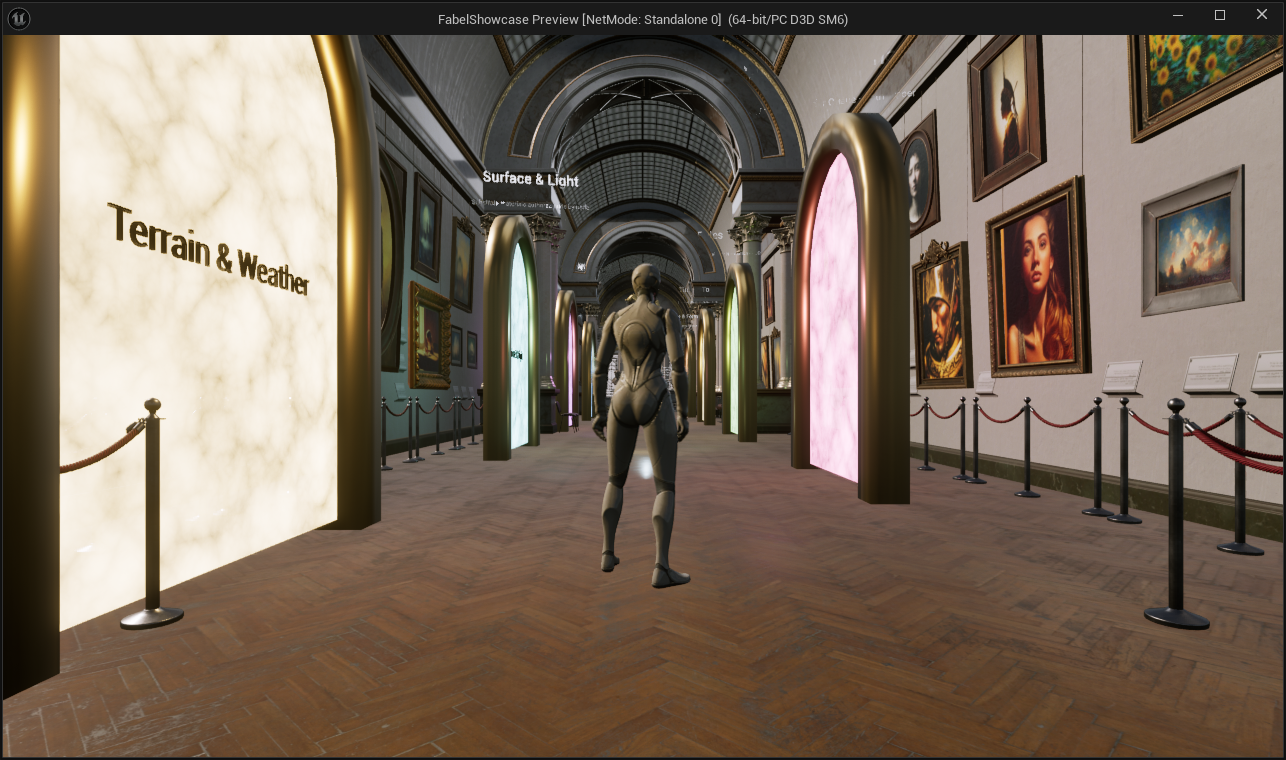
Built on prior Agile Lens work, Fable Showcase tests what AI, a growing knowledge base, Forage, SceneAudit, QA Video and other MCP tools can reliably author in Unreal Engine with limited handholding. The nine-level museum includes interactive exhibits, credited Fab assets and a full menu flow. The devlog records the repairs and the failures that earlier automated QA missed.
The original overnight experiment
I gave Claude Fable 5.1 a fresh Third Person template, Unreal MCP tools and Forage access to my owned Fab library. By morning there was a hub, terrain, particles, materials and an audio hall, with four wings still empty. That first run and its mistakes remain documented in the devlog alongside the subsequent repairs.
Four rooms with systems behind the scenery
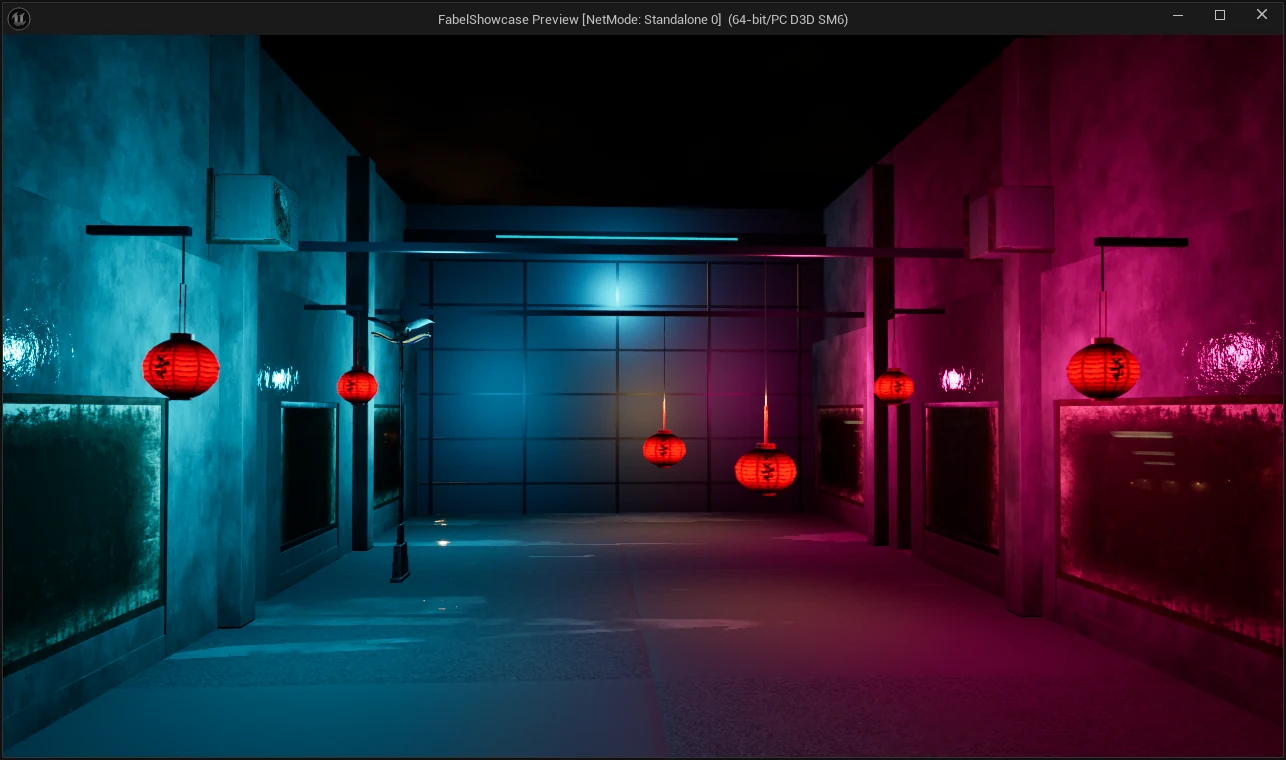
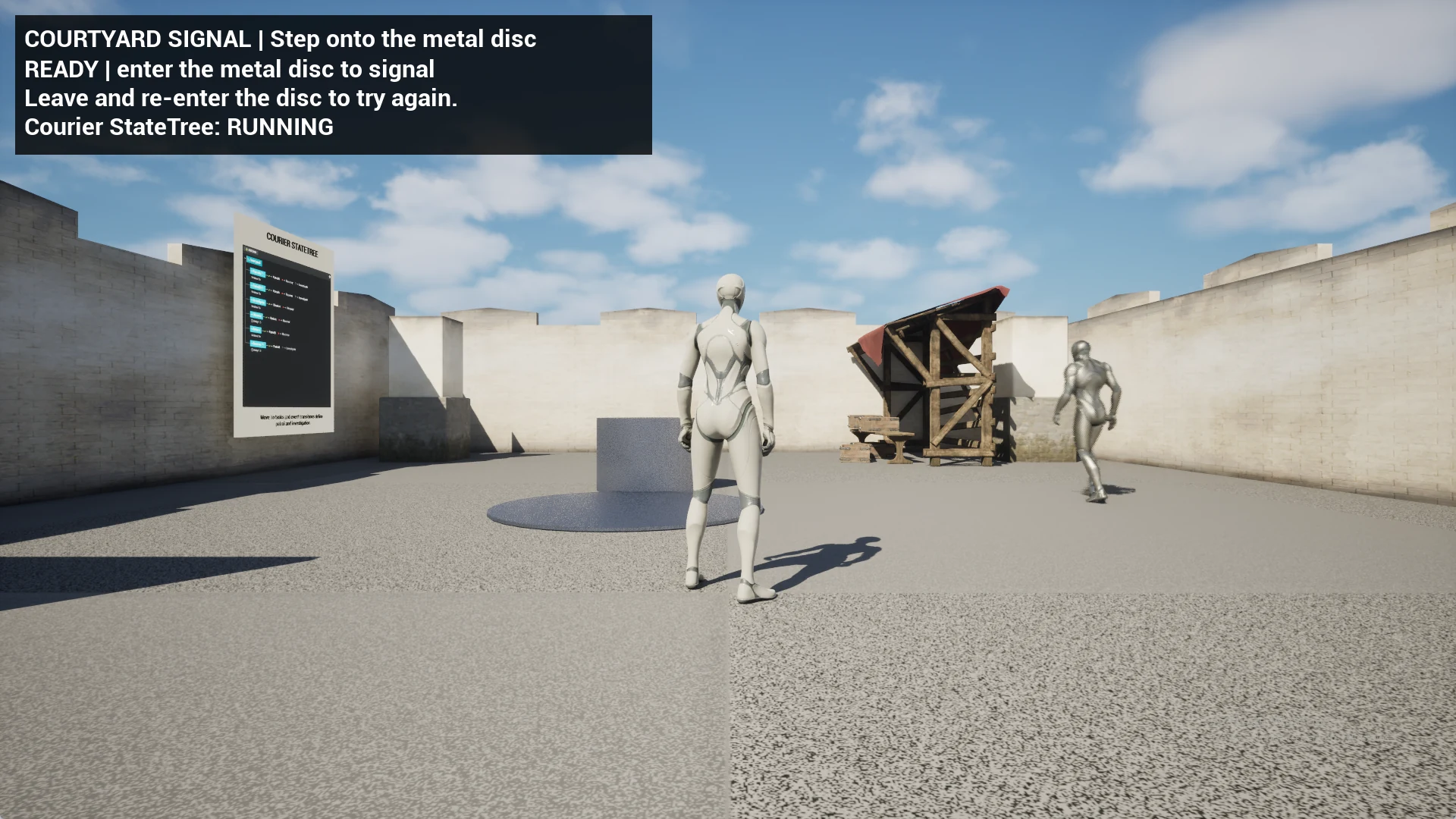
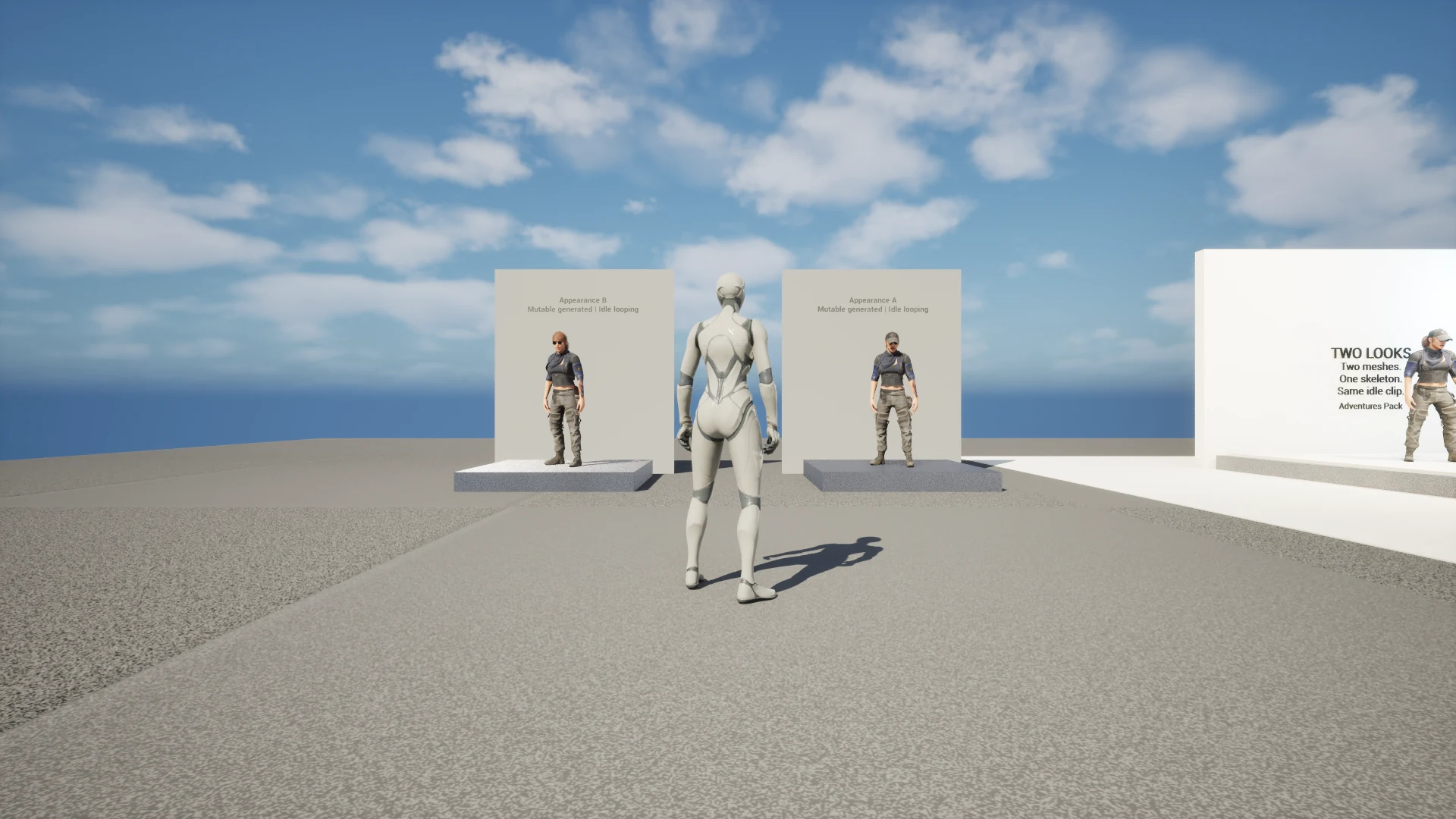
Cinematics now has a neon alley and an optional three-shot sequence. Lighting has a cabin study with animated sunlight, lantern settings and color grading. Gameplay connects a signal ability to a StateTree courier and a live HUD. Characters compares skeletal animation, a keyed FK Control Rig and two appearances generated by Mutable.
A museum that shows its workings
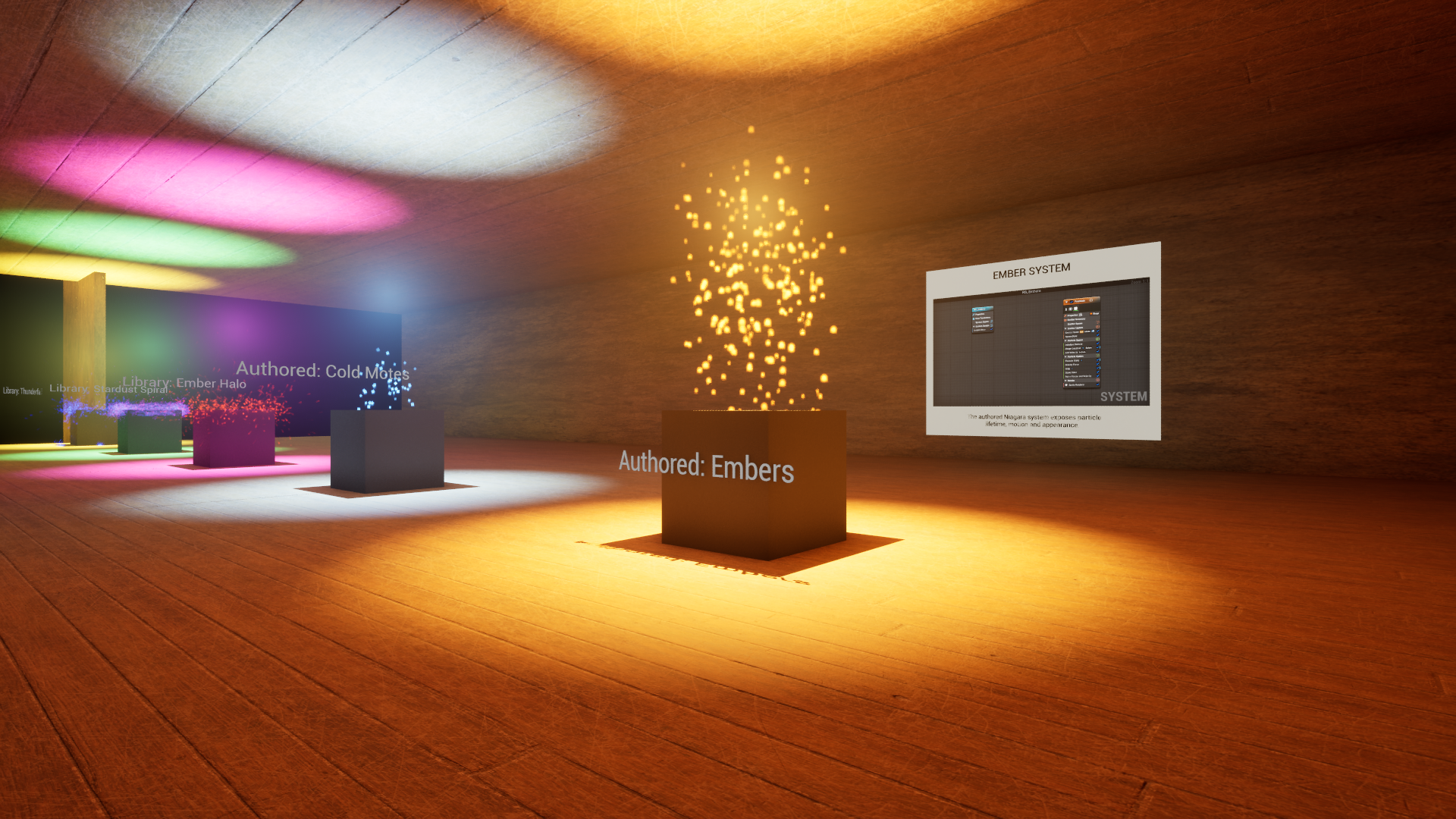
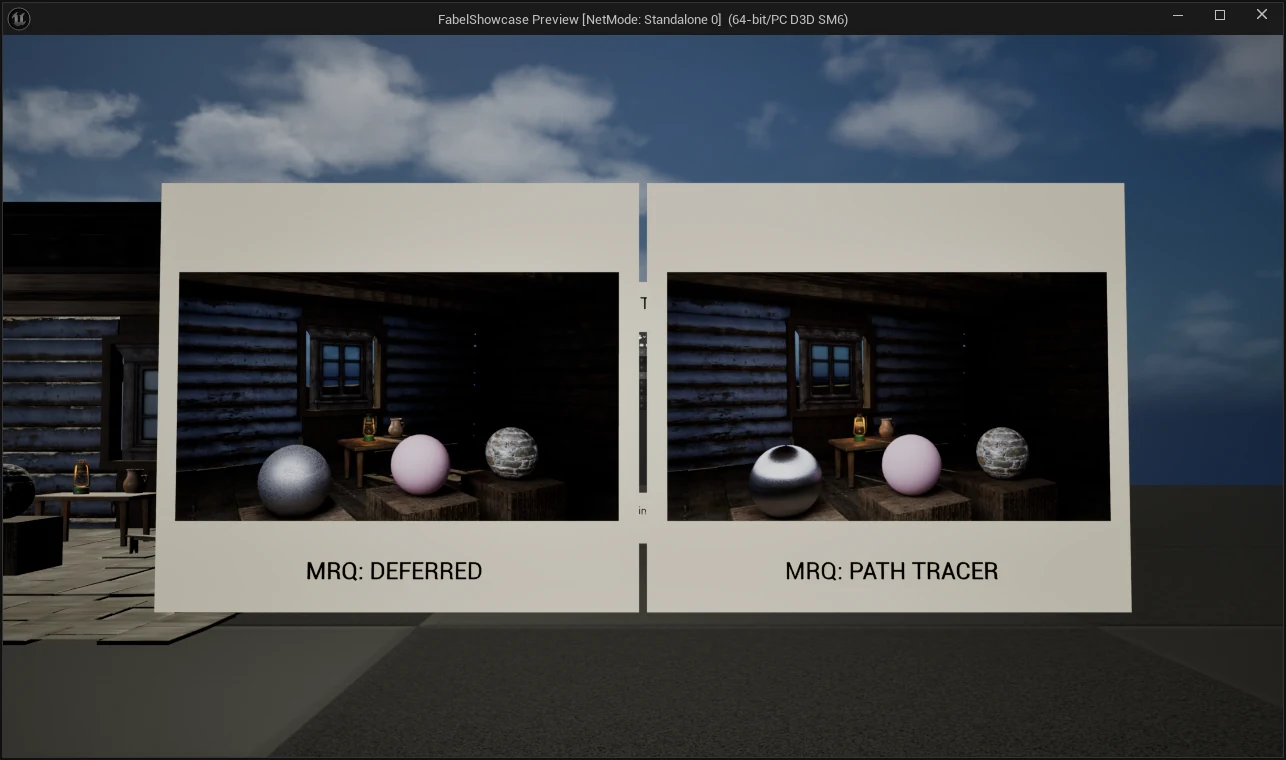
Each of the eight wings now includes an in-world panel showing a real capture of its underlying graph or timeline. Cinematics and Lighting also display actual Movie Render Queue output side by side: a deferred render and a path-traced still of the same room.
Fixes tested through the player
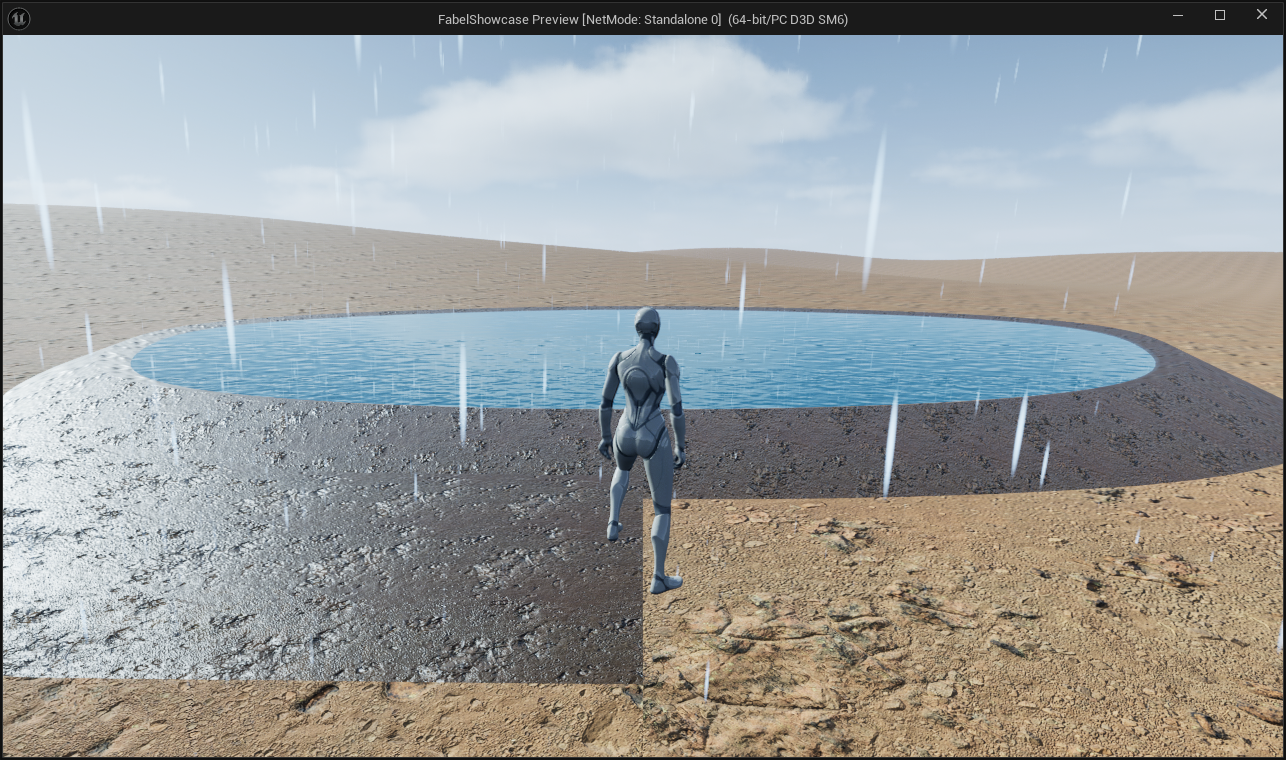
Playtesting exposed missing embers, unsaved terrain and weather assets, confusing gallery returns and obstructed camera shots. The repairs include sustained particle checks, explicit asset saves and reloads, an aisle-facing return view, and a wide switchback trail physically walked down and back in Play-in-Editor. The devlog distinguishes those editor checks from tests of the extracted Windows package.
What the public build adds
The public build adds an entry screen and pause menu, gallery entry from first launch, clickable room previews, mouse-wheel camera distance, quit and restart controls, a better return view, repaired Cinematics interaction, readable room descriptions and seller credits, and an Agile Lens identity. Release checks cover input and interaction from the exact extracted ZIP, including whether its executable opens.
At a glance
- ✦An experiment using Claude and Codex agents, shared Agile Lens knowledge, Forage, SceneAudit, QA Video and MCP tools
- ✦Eight showcase wings reached through the gallery portals or clickable menu previews
- ✦Visible rain, a curved pond shore and a wide procedural trail tested with actual character movement
- ✦An optional 15-second, three-camera sequence restores the player's camera and input after completion or cancellation
- ✦Two Mutable appearances generated distinct native meshes and looped their idle animation in the packaged build
- ✦Eight real graph or timeline panels, plus deferred and path-traced Movie Render Queue comparisons in two rooms
- ✦Orange embers, a courier that turns toward the player, and light intensity that follows the drone's pitch modulation
- ✦A single Windows ZIP on Google Drive, with ordinary extraction and launch instructions
See it in use
Also in the lab
Surreal Minds
Four small Unreal worlds learning to react to photos, wishes, gestures, and keys.
Harborfolk
A little world at human scale, with people at every station.
Persona Live
Your Vision Pro Persona, driving a live MetaHuman.
Nightbloom
Procedural fireworks in your real sky.
SceneAudit
Measure the gap your viewport hides.
Video QA Workbench
Stop scrubbing for proof. Review the whole render with evidence.
Forage
Fab's best friend. An AI-first scout and installer for the Unreal Engine packs you already own.
Project Ion
Your Vision Pro is a projector now. Professional-grade projection-mapping previsualization — honest ambient simulation, real projector specs, and a full creative rig in your room.
UnRealityKit Bridge
Unreal Engine as the simulation brain. RealityKit as the renderer. The hybrid architecture Unity proved out with PolySpatial — open for Unreal.
UE→RenderMan Bridge
One button in the Unreal editor. Film-grade Pixar RenderMan on the other side.
Pinchwork
Universal OpenXR hand tracking. Built in Unreal first — designed for every headset, not just one.
Apple Vision Pro + OpenXR
The engine-level work behind Unreal on Apple Vision Pro over OpenXR — punch-list fixes today, Lumen and Nanite research pushing further.
Constellation
Your second brain as a navigable 3D star map. Walk through your own notes on Apple Vision Pro.
Promptbook
Spatial blocking and set previz for theatre on Apple Vision Pro — the stage manager's promptbook, reimagined in 3D.
AgileLensMultiplayer
The shared SharePlay engine every Agile Lens Vision Pro multiplayer app runs on.
Mission Control
A live radar for SharePlay sessions — watch every player, in every app, without joining the call.
xrsim
A simulator for VR apps: boot the build, script the headset, assert on what the app actually believes — no headset, no human in the room.
Ultimate OpenXR Template
Hands. Controllers. Your next XR project.
See it in action. Then make it yours.
Echo Cathedral
Draw a line in VR.
Then play the room.
RoomScanPro
Collaborative room scanning and real-world measurement for Apple Vision Pro and iPhone.
Co-Location Engine
Fiducial-marker-based co-location for Unreal Engine VR — real and virtual players sharing one room, without a shared coordinate system to begin with.