Forage
Private beta — wishlist openFab's best friend. An AI-first scout and installer for the Unreal Engine packs you already own.
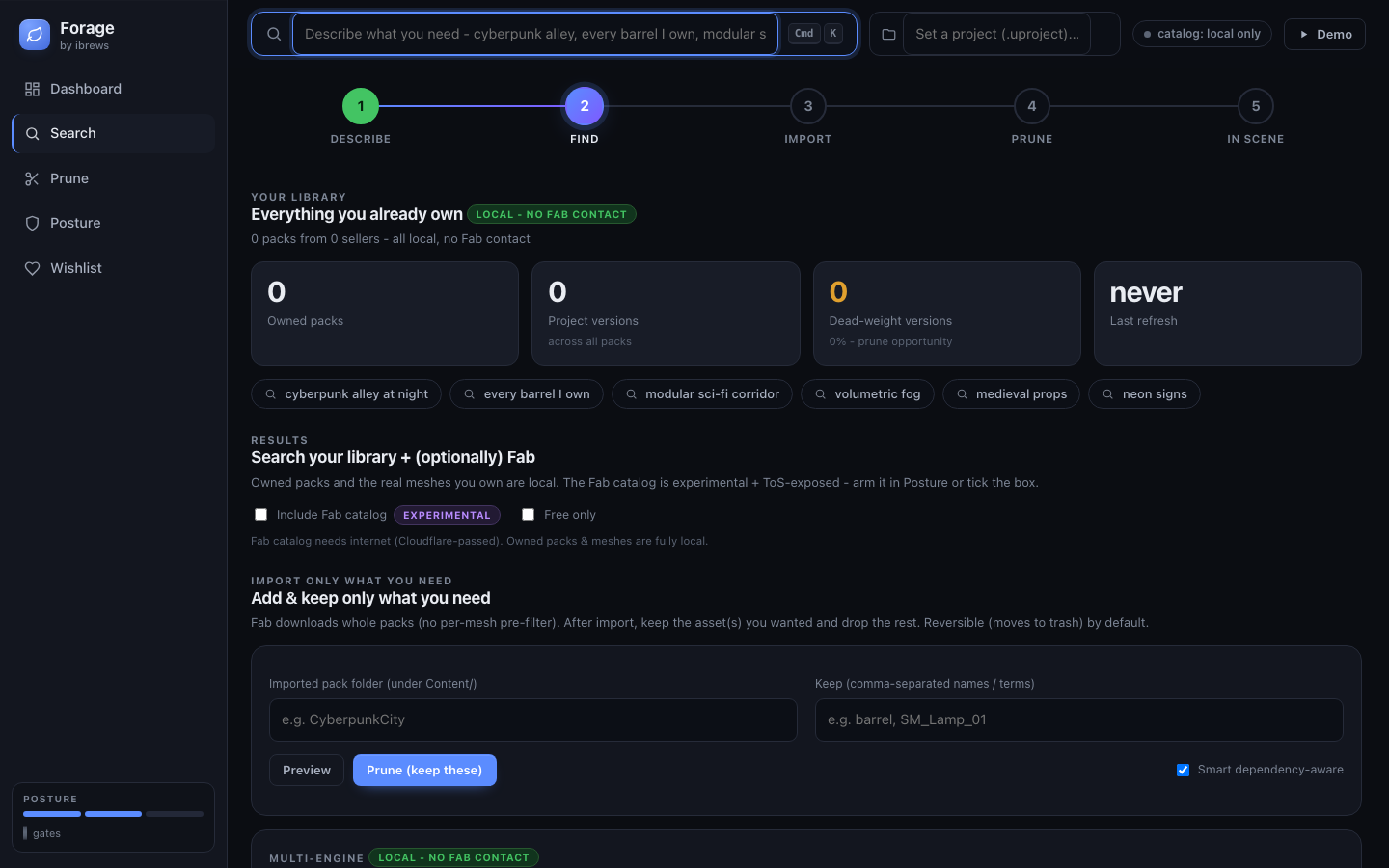
You've bought hundreds of asset packs over years of Fab and Marketplace sales — and you can't remember what's in any of them. Forage takes a creative intent like "amazing castle with horses running around the gates" and matches it against your owned library: the 2–3 best-fit packs, the hero assets inside them, and which project versions are dead weight you can prune. Then it installs them.
Built for the AI-build-agent era
Forage ships its own MCP server — run `forage mcp` and your AI agent can query your owned library directly, no copy-paste. It also returns structured JSON designed to hand straight to any build agent: 'You already own Medieval Castle Walls Pro; hero asset is SM_CastleGate; the UE 5.5 artifact is the one you want.' Your agent builds; Forage scouts.
Find it, then get it
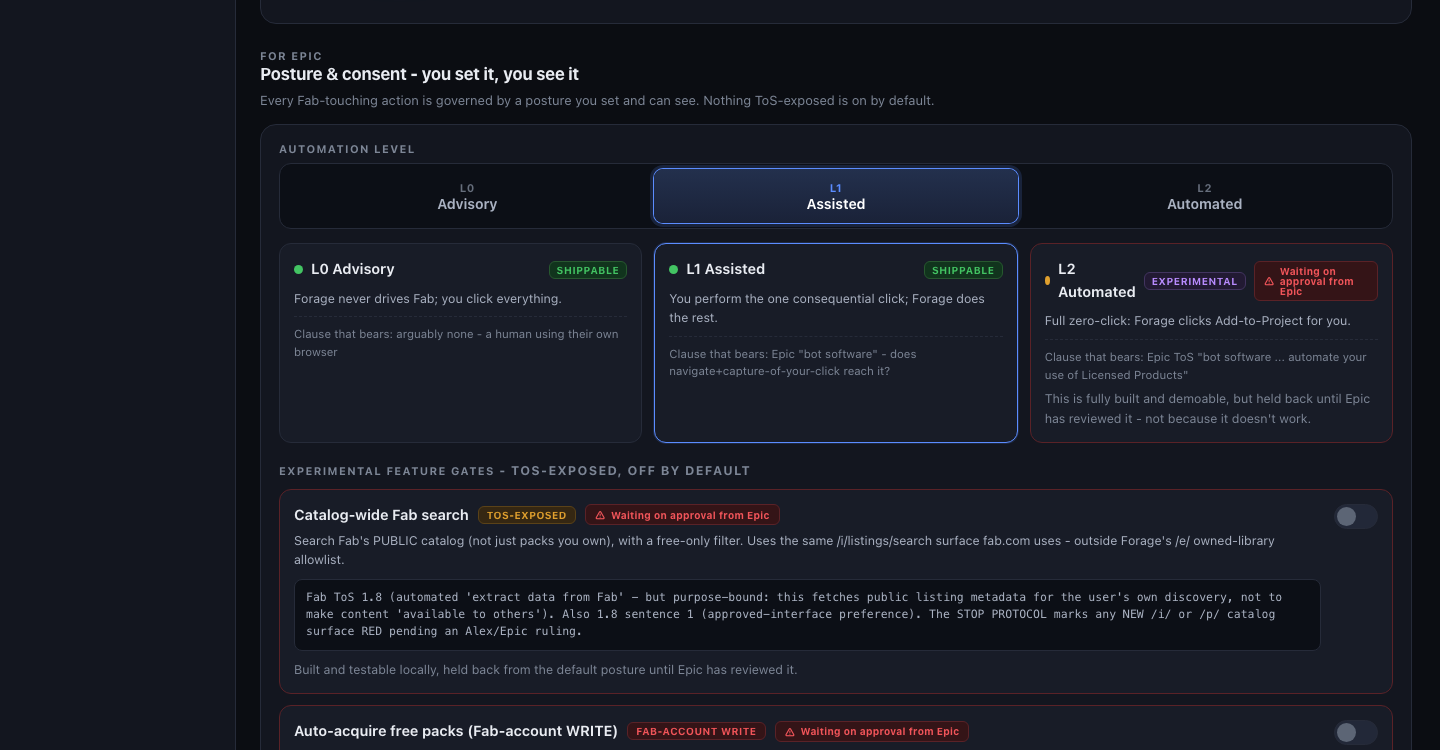
Forage doesn't stop at telling you what to grab — it installs it. Once you've picked a pack, Forage drives the install inside the Unreal editor: it navigates the Fab pane, sets everything up, and hands you the one click that matters. Or dial it all the way to hands-free. You set the level; Forage does the rest.
Your entire library, one local database
Run `forage refresh-library` once: Forage walks your entire Fab-owned catalog, pulls every pack, and stores it locally in SQLite — titles, categories, descriptions, project versions, bloat estimates, all of it. Every search after that is instant, offline, and completely private. The What's New feed tells you what changed since last time: new packs in your library, wishlist items that just landed, packs with updates.
A wishlist without the cap
Fab caps your wishlist around 150 items. Forage keeps an unlimited local one — and alerts you the moment a wishlisted pack lands in your owned library. `forage ui` opens a local browser dashboard for searching your library and managing the wishlist without touching the CLI.
Getting started
`forage login` for a one-time Epic OAuth, then `forage refresh-library` to pull your owned catalog into a local database. From there: `forage query "cyberpunk neon city street"` ranks your own packs by intent, `forage doctor` sanity-checks your setup (Epic auth, library, and — if a UE project is open — Remote Control reachability) in one shot, and `Window > Forage` in the editor opens the same dashboard as `forage ui` without a terminal at all.
Already shipped, not just planned
The Chrome extension ('Forage for Fab') is live: owned and wishlisted badges directly on fab.com, plus per-license-tier price capture. Unity and Godot installs already work today via `forage install-file` — drop an already-downloaded asset into any project, engine auto-detected. Megascans support is real for packs that migrated to Fab; Twinmotion the same. Chaos Cosmos integration is parked — no public API for it exists yet.
Not a marketplace, not a generator
Forage doesn't sell assets and doesn't synthesize them. It's a really good scout and installer for the packs you already paid for — which it turns out is the thing everyone actually needed.
At a glance
- ✦Creative intent in, 2–3 best-fit owned packs out
- ✦MCP server + structured JSON handoff to any AI build agent
- ✦Guided install — from open-it-and-you-click to hands-free, your choice
- ✦Unlimited local wishlist with What's New alerts
- ✦Bloat report: spot the dead project versions in every pack
- ✦Local web UI (`forage ui`) — library search + wishlist, no CLI needed
- ✦Chrome extension shipped: owned + wishlisted badges on fab.com
- ✦Unity + Godot installs work today via `forage install-file`
See it in use
Want in early?
Forage is in active development. Early-access spots, pilot projects, and collaborations are all on the table.
Also in the lab
Surreal Minds
Four small Unreal worlds learning to react to photos, wishes, gestures, and keys.
Harborfolk
A little world at human scale, with people at every station.
Persona Live
Your Vision Pro Persona, driving a live MetaHuman.
Nightbloom
Procedural fireworks in your real sky.
SceneAudit
Measure the gap your viewport hides.
Video QA Workbench
Stop scrubbing for proof. Review the whole render with evidence.
Project Ion
Your Vision Pro is a projector now. Professional-grade projection-mapping previsualization — honest ambient simulation, real projector specs, and a full creative rig in your room.
UnRealityKit Bridge
Unreal Engine as the simulation brain. RealityKit as the renderer. The hybrid architecture Unity proved out with PolySpatial — open for Unreal.
UE→RenderMan Bridge
One button in the Unreal editor. Film-grade Pixar RenderMan on the other side.
Pinchwork
Universal OpenXR hand tracking. Built in Unreal first — designed for every headset, not just one.
Apple Vision Pro + OpenXR
The engine-level work behind Unreal on Apple Vision Pro over OpenXR — punch-list fixes today, Lumen and Nanite research pushing further.
Constellation
Your second brain as a navigable 3D star map. Walk through your own notes on Apple Vision Pro.
Promptbook
Spatial blocking and set previz for theatre on Apple Vision Pro — the stage manager's promptbook, reimagined in 3D.
AgileLensMultiplayer
The shared SharePlay engine every Agile Lens Vision Pro multiplayer app runs on.
Mission Control
A live radar for SharePlay sessions — watch every player, in every app, without joining the call.
xrsim
A simulator for VR apps: boot the build, script the headset, assert on what the app actually believes — no headset, no human in the room.
Ultimate OpenXR Template
Hands. Controllers. Your next XR project.
See it in action. Then make it yours.
Echo Cathedral
Draw a line in VR.
Then play the room.
RoomScanPro
Collaborative room scanning and real-world measurement for Apple Vision Pro and iPhone.
Co-Location Engine
Fiducial-marker-based co-location for Unreal Engine VR — real and virtual players sharing one room, without a shared coordinate system to begin with.
Fable Showcase
A playable experiment in how reliably AI and a headless Unreal toolchain can build a museum-scale experience with limited handholding.