Alex CoulombePresents
← Harborfolk

Development diary · browser RTS

People make
the harbor.

A small strategy game for my kid, built around believable scale and people you can see doing the work. Notes from the playable builds, with the experiments and rough edges kept in view.

v0.3 Fleet commanders & Leviathans · shipped

Permalink ↗

The leviathans have jobs

The next overnight milestone puts something much bigger in the strait: two 128-metre ironclads, each with a 17.8-metre beam and 64 named playable crew. Ironclad Showdown is a new scenario; the original 69-metre Sovereign battle remains available. Cutters are still eight metres and people are still 1.717 metres. No zoom trick changes those relationships.

HMS Warrior supplied a useful scale reference. The National Museum of the Royal Navy procurement specification states 128 metres overall and 17.8 metres beam; Royal Museums Greenwich preserves the gun-deck plan. Our mesh is a stylized Warrior-inspired prototype, with a modeled 115.8-metre hull and an open machinery well. It is not a museum reconstruction, and 64 playable work stations are not the full historical complement.

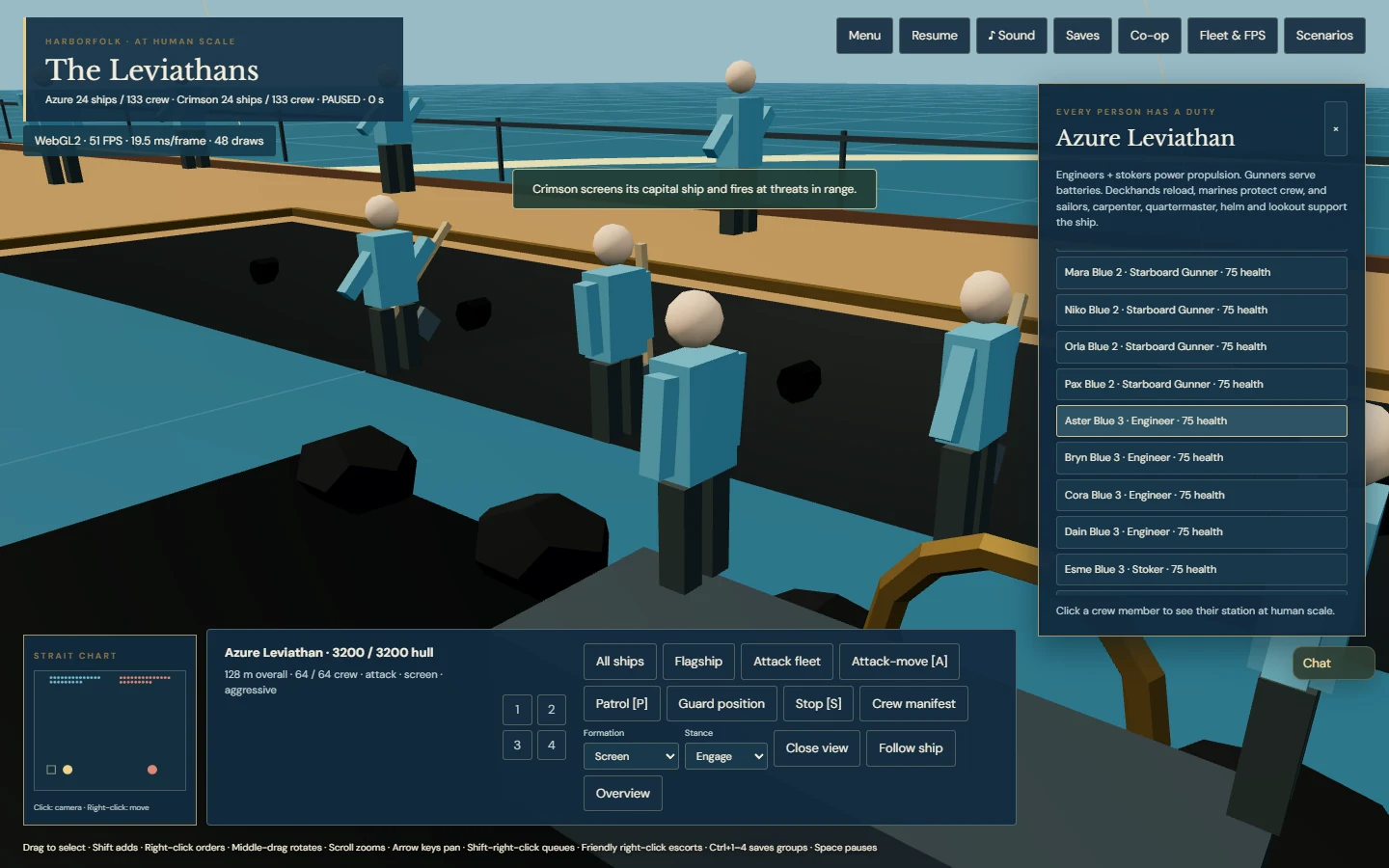
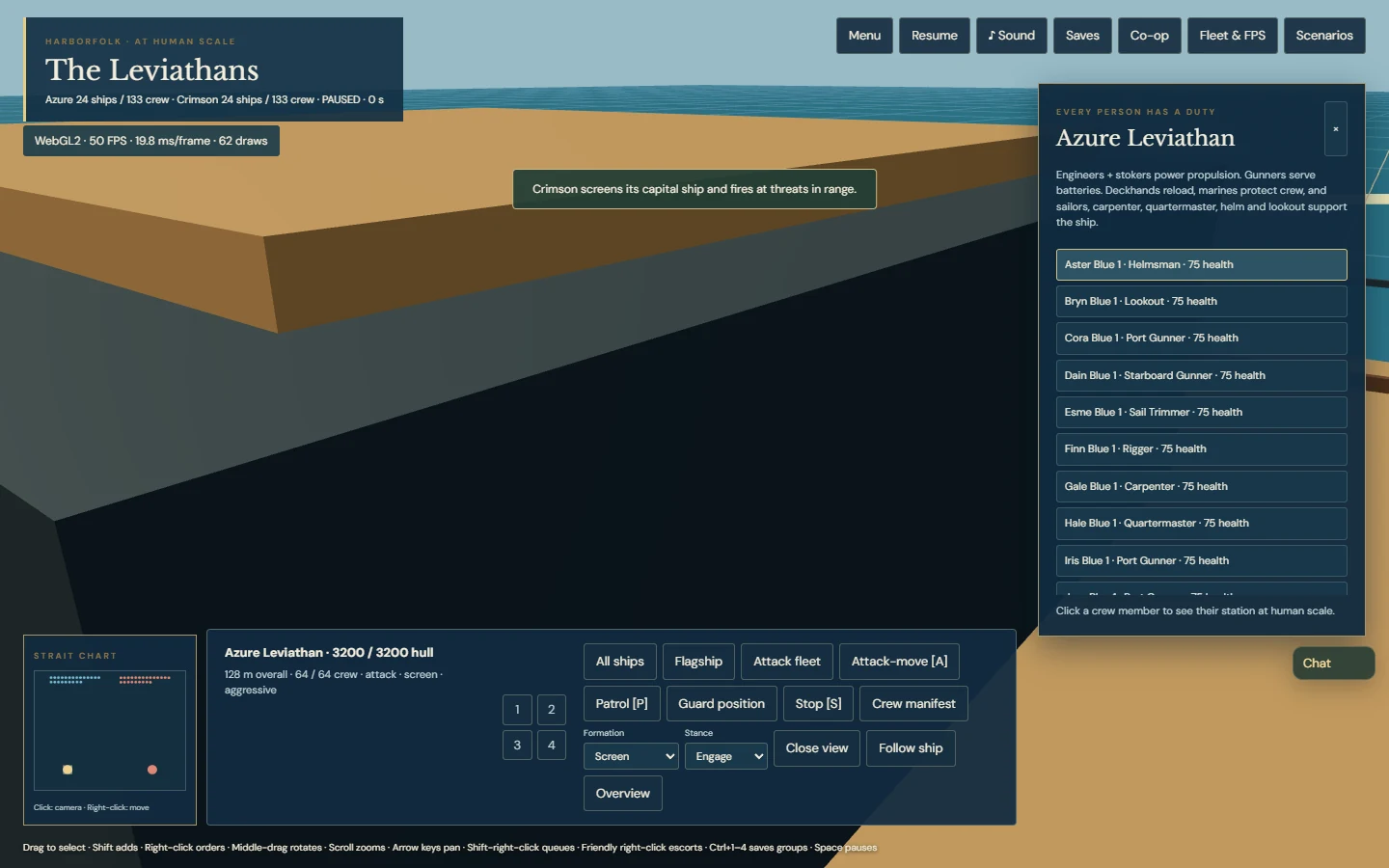
Every crew member has a saved name, health and duty. Engineers and stokers power steam movement; gunners serve the two batteries. Deckhands help reload and marines reduce crew injuries. Helm, lookout, sail trimming, rigging, carpentry and quartermaster duties support steering, range, propulsion, repairs and resupply. Losing a required role affects the ship rather than leaving a decorative empty body. The crew manifest lets you click a person and inspect their station at human scale.

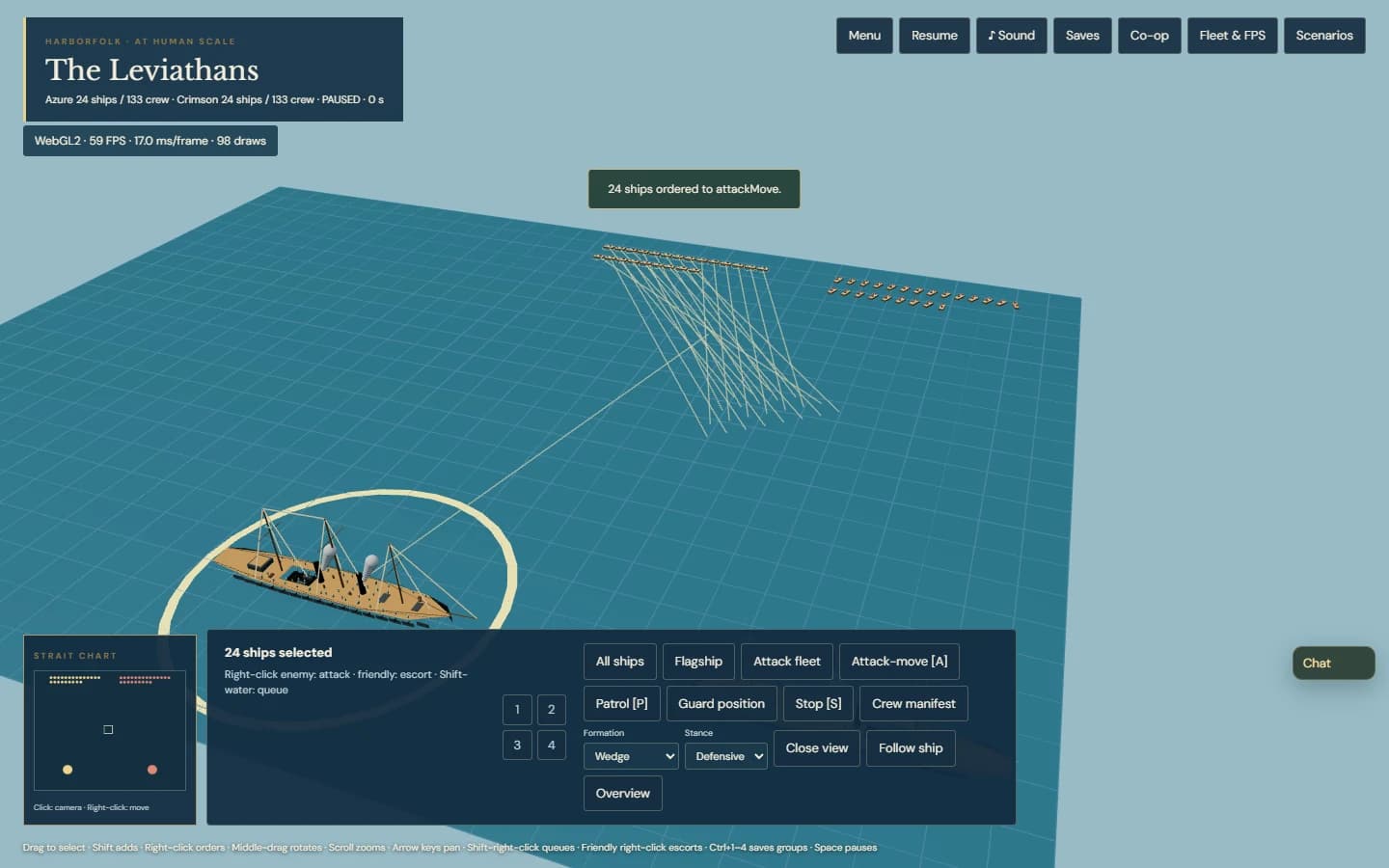
Fleet tactics now include line abreast, column, wedge and screen formations. Destination planning uses the actual hull clearance in metres, translates whole layouts at map edges and rejects impossible arrangements. A huge leader therefore needs a genuinely large amount of sea room. Ships still use conservative navigation circles rather than full rigid-body hull physics.

Attack-move engages along a route. Patrol alternates between two points. Shift-right-click queues up to eight further waypoints; right-clicking a friendly ship gives an escort duty. Escorts reserve stations around the actual leader and switch to guard when it sinks. Guard holds position while firing in range, and Engage, Defensive and Hold fire stances control pursuit and fire discipline. Selected hull health, route lines, steam and wakes add useful feedback.

Those tactics live in the simulation, not just in a menu. A guest can issue them to the shared fleet. Two independent browser processes verified 256 ships and 890 starting crew, guest formation/stance/queued orders, real combat damage, and exact named mid-battle saving. After a fresh invitation, hulls, named crew, duties, casualties, orders and projectiles matched the host again. Co-op remains one guest with manual signaling and local named saves/export, rather than a hosted public lobby.

A follow-up adds two enemy doctrines that the host can change during the same battle. Crimson can hunt the player capital ship or assign real defensive escorts around its own. Switching changes enemy orders, not hull identity, crew or damage; the doctrine and resulting screen synchronize and save. The local Follow ship camera keeps a moving hull in view while preserving the current angle and zoom, and Overview or manual panning releases it. Both features passed actual browser and co-op checks before publication.

The source passed 185 automated tests plus TypeScript and production build checks. Browser tests exercised actual pointer tactics, close crew views, save/reload, renderer switching, narrow-screen crew controls, existing menus, save/editor flows and deliberate loading recovery. The public build repeated the tactics, both maximum-fleet co-op presets, menus and recovery checks. These screenshots were captured from the published game.

The finished ironclad preset was measured after renderer warm-up at 48, 192 and 256 ships on actual WebGL2 and WebGPU. Both held about 60 FPS on the RTX 5090 at 1440 by 900, with up to 890 starting crew. That is a display-paced result, not a maximum throughput ceiling or a claim about another computer. Boarding battles, complete naval engineering, a full historical complement and physical XR acceptance remain future work.
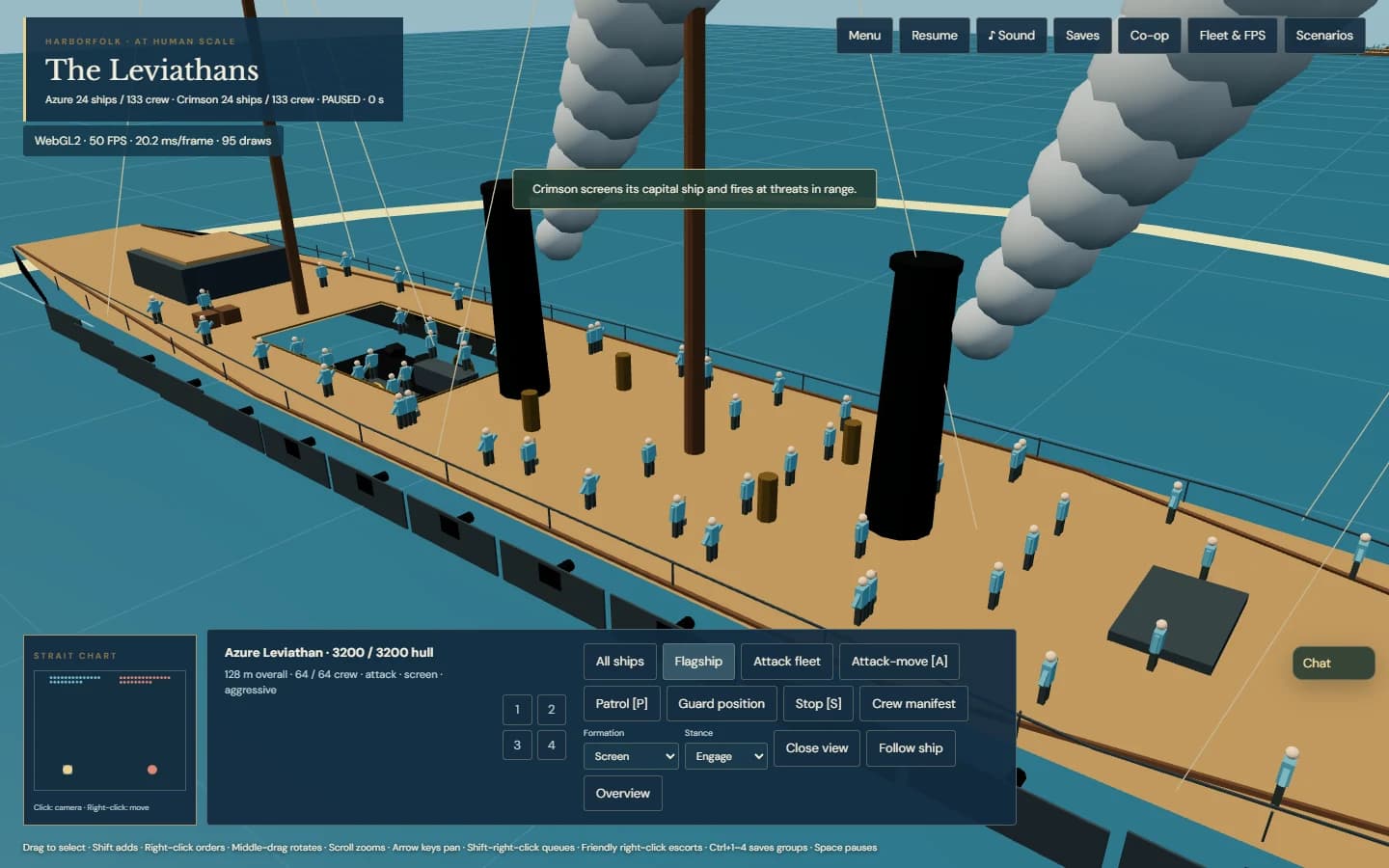
A full-size ironclad deck with dozens of small working crew members
128 metres overall, 64 named playable crew. The ship stays huge when the camera moves.
Close view of the helmsman on the ironclad with the named crew manifest
Click a name to meet the person at their work station. People stay 1.717 metres tall.
Engineers and stokers in the ironclad open machinery well
The open machinery well makes the steam crew visible; losing those roles affects movement.
Full-size ships with wedge formation route lines and tactical command controls
Attack-move, formations, stances and queued routes are saved orders for actual hulls.

v0.3 RTS front end & original score · shipped

Permalink ↗

The captain’s desk

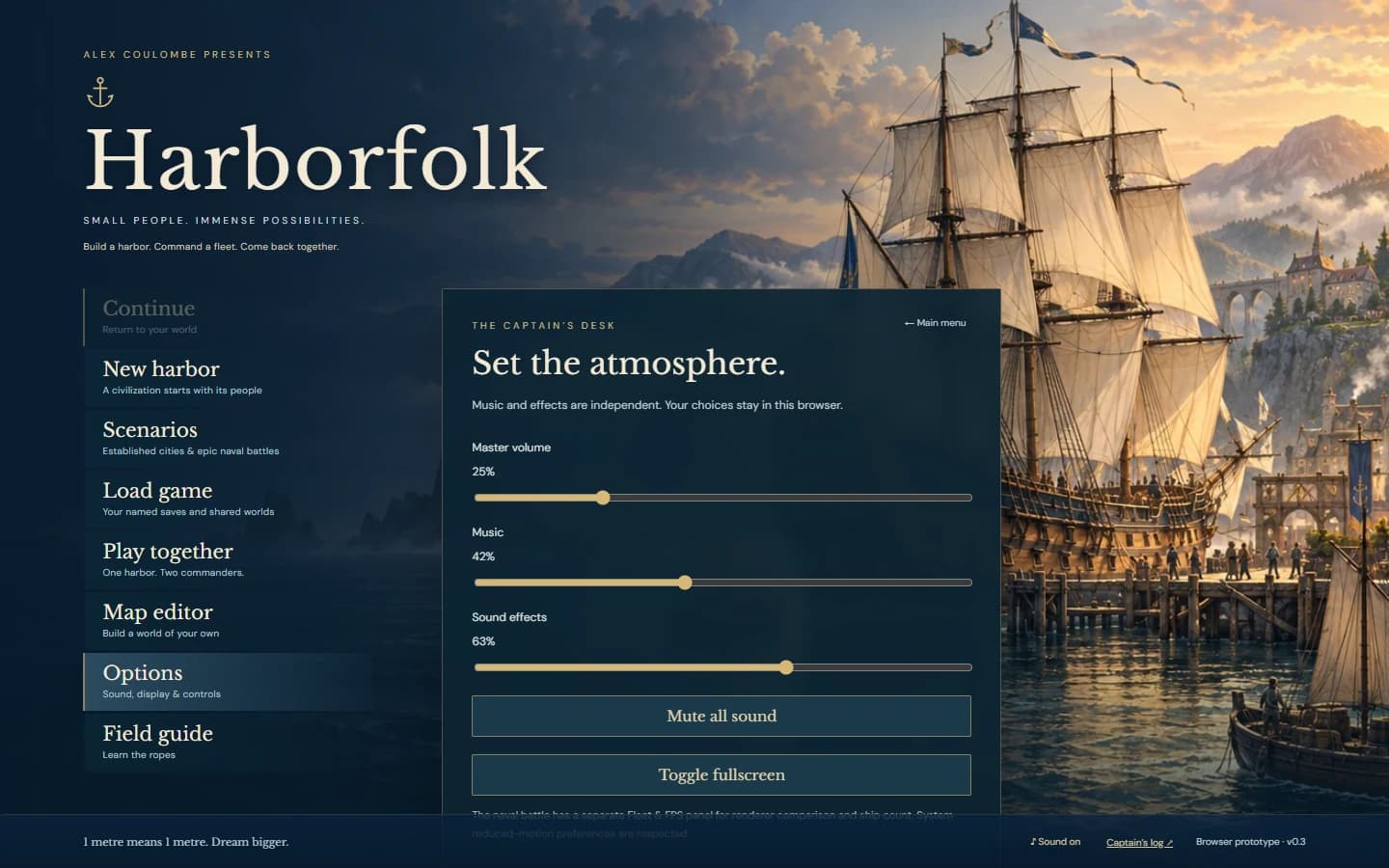
The next overnight request was for Harborfolk to feel more like an RTS from the moment it opens. We now have an original illustrated harbor cover, a loading screen with actual model progress, a vertical start menu, scenario selection, new-harbor setup, options and an in-game menu. Continue returns to the saved world rather than quietly starting another settlement.

The reference pass looked at Age of Empires II, StarCraft, Warcraft III, Command & Conquer and Rise of Nations. Their interfaces have different personalities, but several useful patterns recur: stable resource locations, commands that follow the selection, readable key hints, a minimap, and clear separation between starting, loading, configuring and playing. Those conventions informed the captain’s desk; their artwork and branding were not copied.

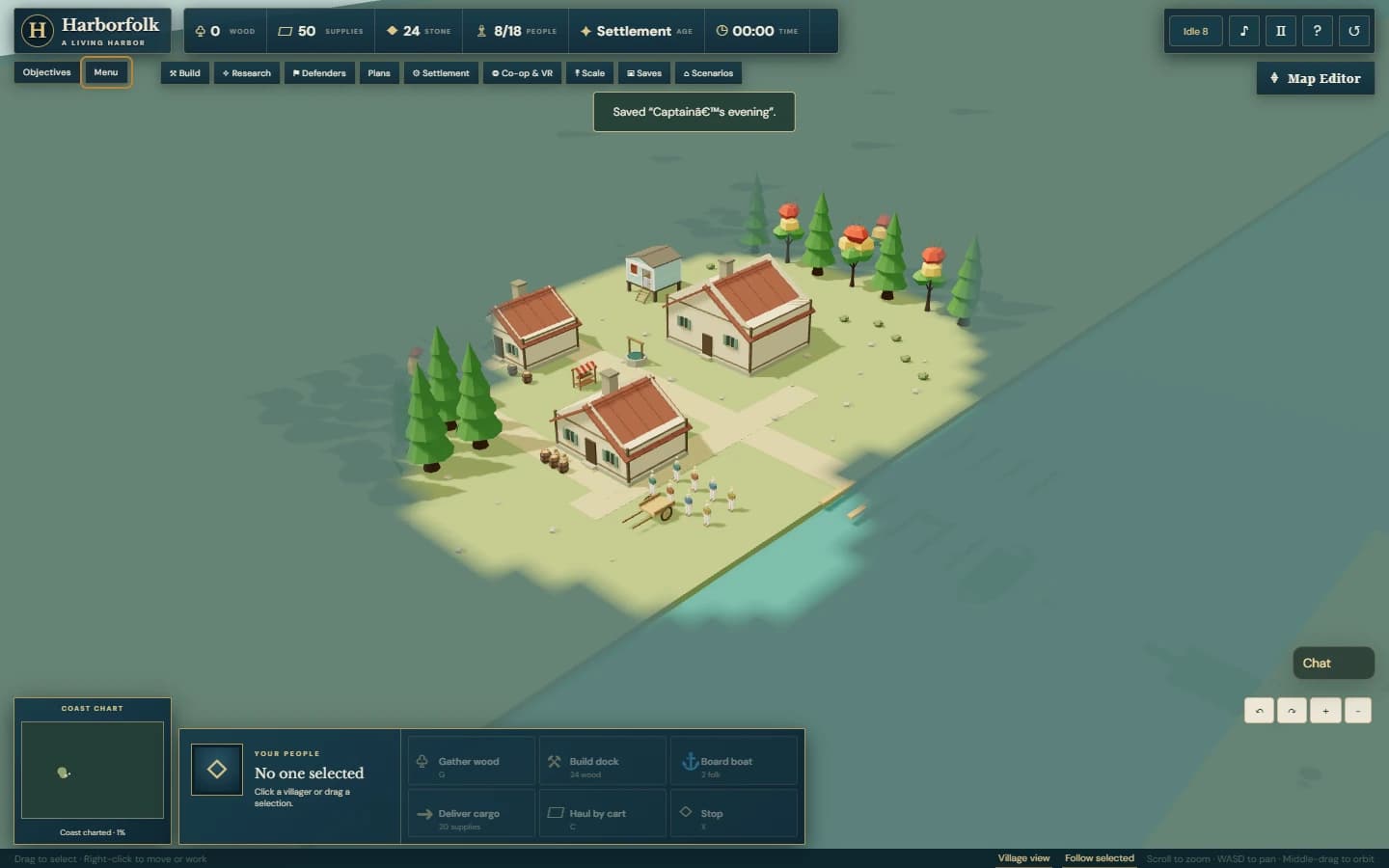
The game HUD now groups timber, supplies, stone, population capacity, age and time into a compact strip. A bottom dock gives the selection an identity and keeps the six primary actions in a consistent command grid beside the coast chart. Objectives open when wanted. The centre stays available for the people, construction and huge vessels that make this project interesting.

The naval battle gains a strait chart and local fleet control groups. Click the chart to move the camera, or right-click to order selected ships. Ctrl+1–4 saves a selection; 1–4 recalls its surviving ships. Those are commands for the actual existing hulls, not substitutes for their scale. The ship slider, crew duties, combat saving and WebGL2/WebGPU comparison remain intact.

Menu transitions needed careful treatment. A solo world waits without changing its saved pause flag or camera. In connected co-op, browsing a menu does not pause the shared battle for the other player. The title menu also leaves an existing autosave unchanged until the player continues. Native save dialogs retain their Escape behavior, and new world starts preserve the previous recovery snapshot.

There is also an original procedural nautical score: distinct menu, harbor, battle and victory phrases, layered soft synthesis, low percussion, compression and subtle reverb. It is synthesized orchestral-style music, not a recording of an orchestra. Menu music begins after a gesture, master mute is genuinely silent, and independent music/effects volumes persist. Opening the menu suppresses hidden chopping and battle-effect noise.

The cover is original illustration, not a gameplay screenshot or a new promise about historical engineering. The runtime still uses the same metre dimensions. These images are actual captures of the published interface; the command-desk views show the game itself. Desktop, narrow-screen and reduced-motion layouts were checked.

The shipped source passed 171 automated tests. Real browser checks covered normal boot, menu navigation, a saved-world round trip, onboarding, measured audio output and mute, loading recovery, existing editor flows and maximum-fleet co-op. That co-op check also opened the guest’s menu while the host’s simulation continued. The refreshed production UI held about 60 FPS in display-paced RTX 5090 tests at 48, 192 and 256 starting ships on both renderers; this still does not establish an uncapped performance ceiling. Family feedback on the score and controls remains the next human check.

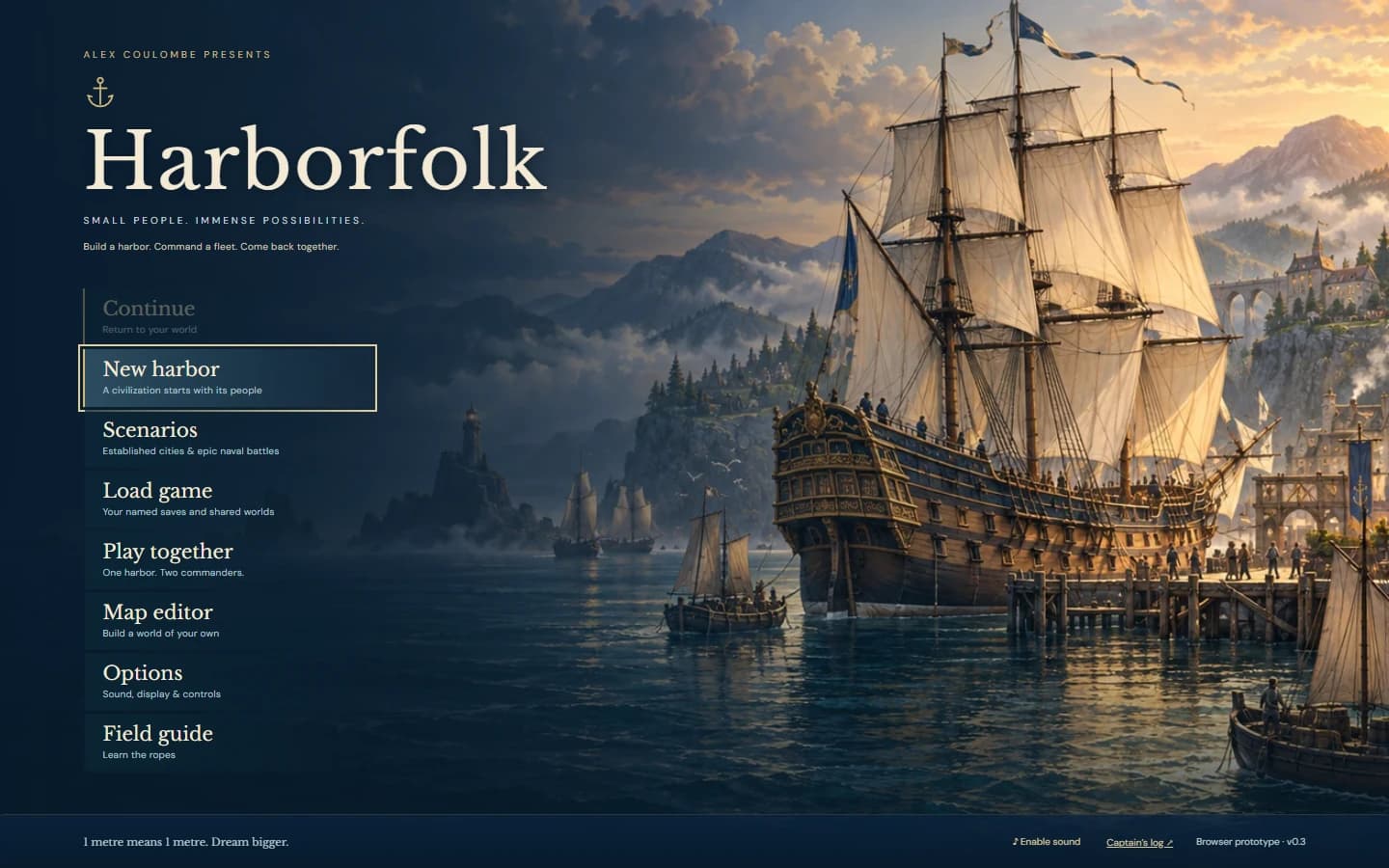
Harborfolk title menu over original dawn harbor illustration with a huge sailing ship
Original cover illustration, a familiar start menu, and a world that waits for Continue.
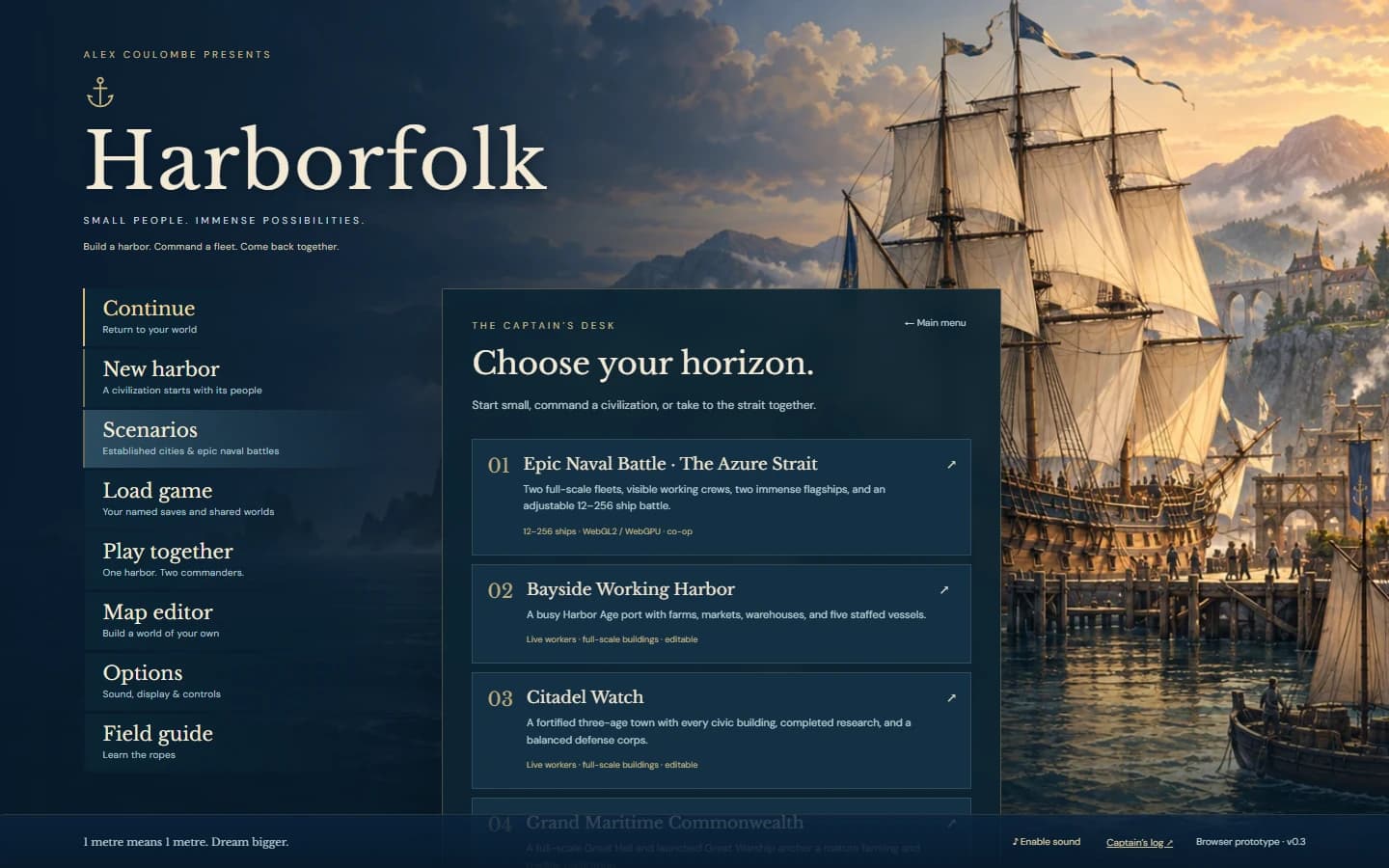
Harborfolk scenario selection showing the naval battle and developed civilizations
Choose a first harbor, a developed world or a staffed naval battle.
Harborfolk village with compact resource bar, minimap, selection card and command grid
The actual game: readable resources and commands around a clear playfield.
Harborfolk options with independent audio sliders and keyboard control hints
An original synthesized score with separate persistent music and effects gains.

v0.3 epic naval battle · shipped

Permalink ↗

A battle worth coming back to

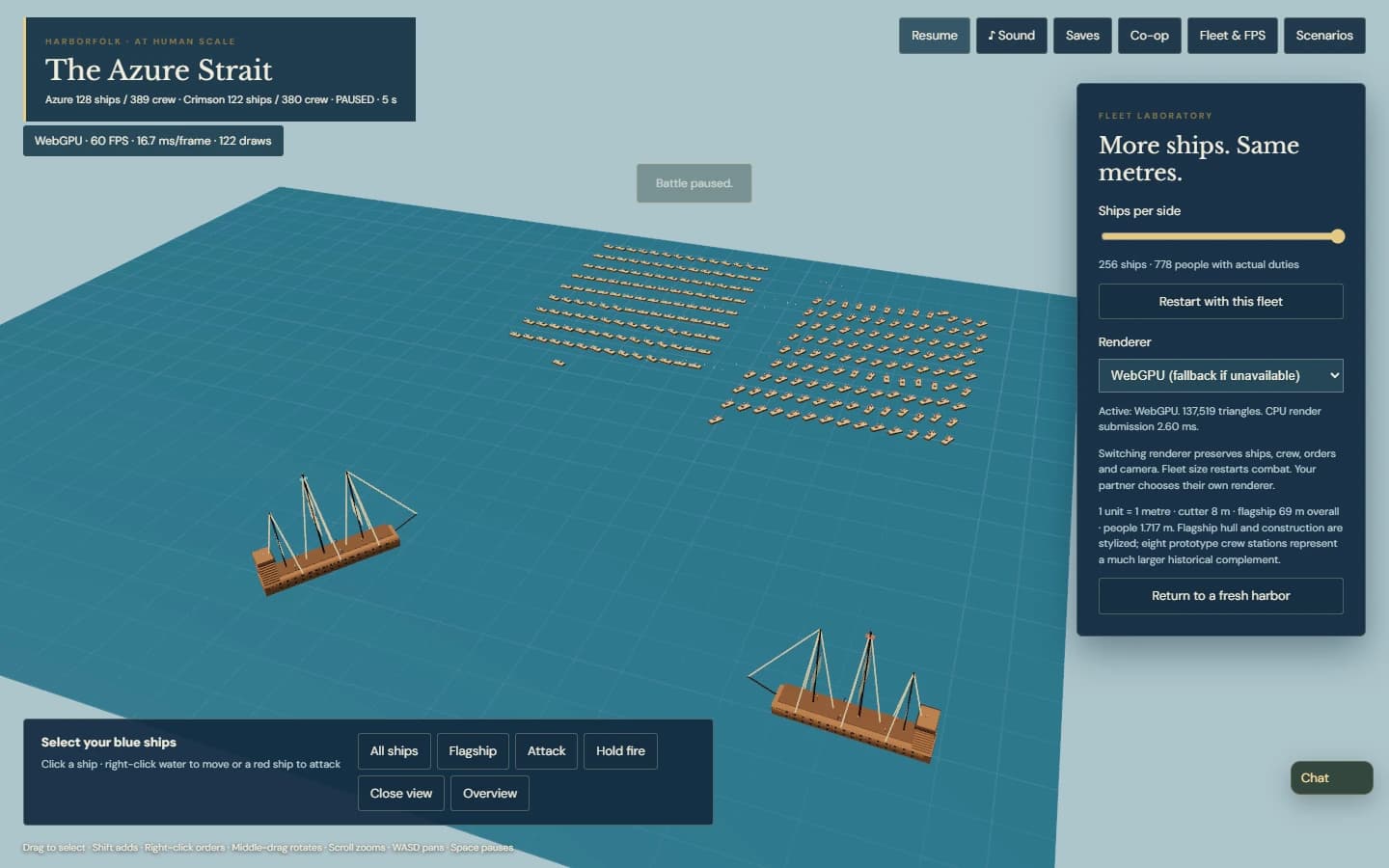
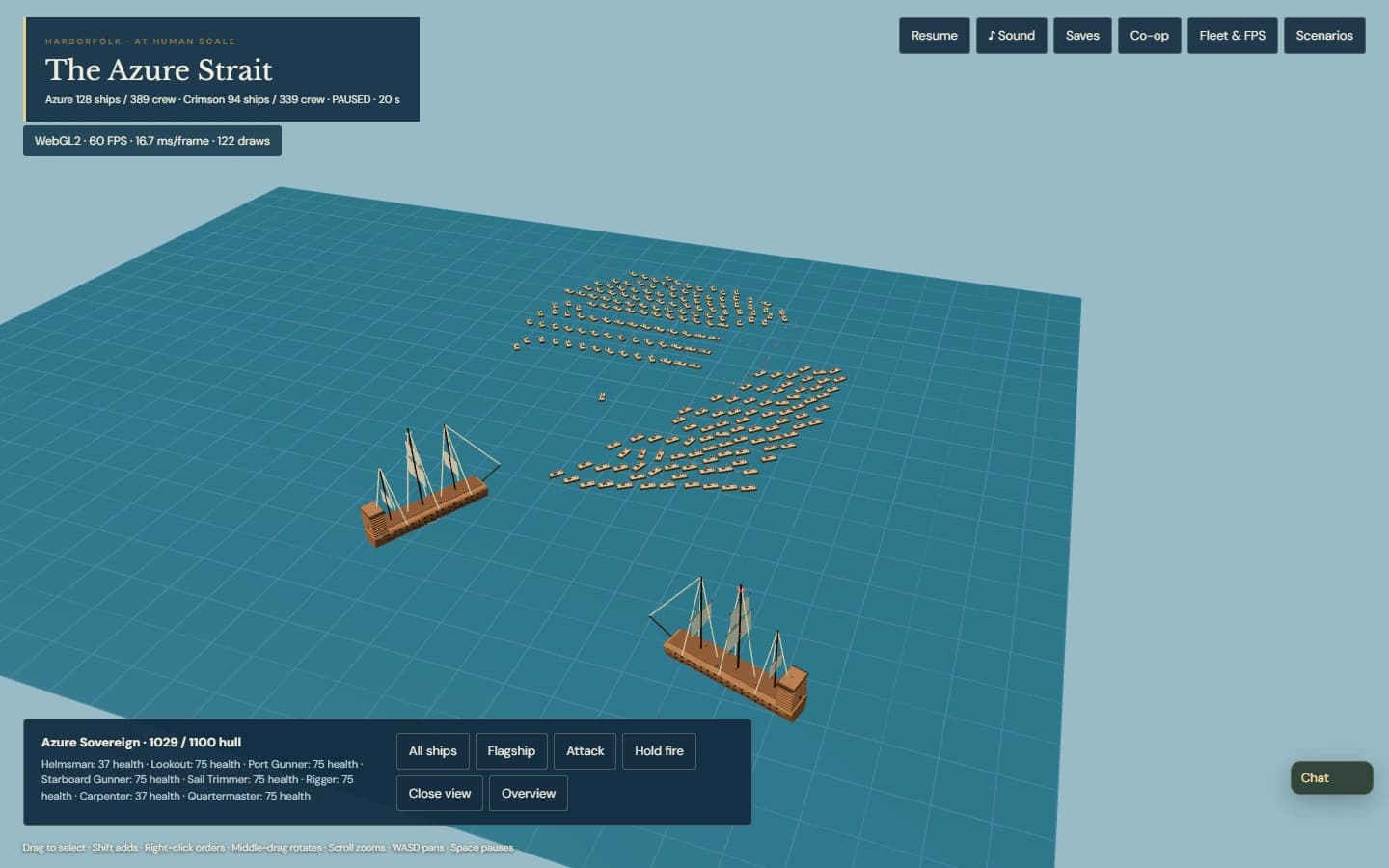
The Azure Strait is our first fleet-sized battle: blue and red ships, two enormous flagships, visible sailors, physical shots and actual casualties. The Fleet & FPS slider chooses 6–128 ships per side: as many as 256 hulls and 778 people at the start. It adds complete ships and people to the simulation. It does not scale them down to fit the screen.

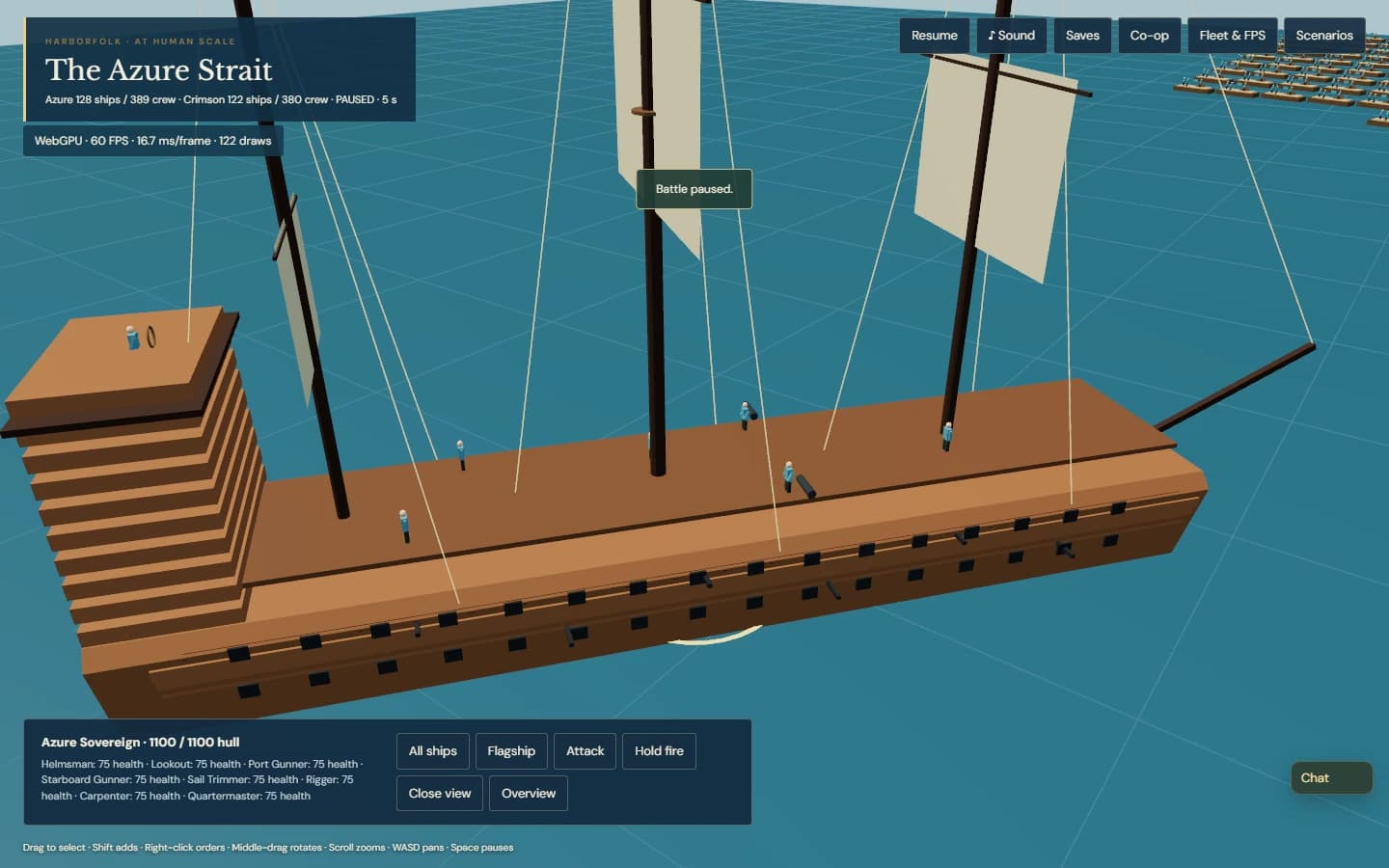
The little cutters are eight metres long. The two stylized great ships retain the existing 69-metre overall length, 11.3-metre beam, 18-metre yards and 52.4-metre keel-to-mainmast height. Every person is 1.717 metres tall. Up close, a sailor looks wonderfully small beside the hull. The large vessels use eight prototype work stations; they do not claim to reproduce the much larger historical crews or complete naval engineering.

Crew jobs matter. Without a living helmsman and rower, a cutter cannot move; without its gunner, it cannot fire. On a flagship, helm and sail handling permit movement, the two gun stations fire, the lookout extends range, the rigger improves speed, the carpenter repairs a living hull and the quartermaster improves reloading. Shots lead a moving target but must still physically reach it. Sinking leaves living survivors afloat, and repairs never bring back lost people.

Parent and child can command the same blue fleet through Co-op. A two-process browser test connected the maximum fleet, issued a guest order through a real right-click, fought, paused, and saved a named mid-battle moment. After disconnecting, the host reloaded it and created a fresh invitation. Ship positions, damage, velocities, orders, crew identities, jobs, casualties and in-flight projectiles matched exactly in the guest browser. Resumed combat then reached both players.

That larger state needed a transport change: snapshots now travel in bounded ordered pieces rather than assuming one enormous WebRTC message will arrive. Saves remain local to the browser profile, with JSON export for a portable backup. The connection still supports one guest with manual invitation and answer exchange, and there is no relay service. Those boundaries are worth understanding before planning a remote session.

The battle also has an actual WebGPU renderer beside WebGL2. Switching keeps the paused combat state and camera; each player chooses their own backend. Shared instanced geometry batches small hulls, limbs and shots. The original harbor keeps its established WebGL fog pipeline, and combat AI still runs on the CPU. The counter reports measured browser FPS, frame milliseconds and draw calls, and identifies a fallback honestly.

On Fort’s RTX 5090, production browser runs at 1440 × 900 held approximately 60 FPS with 48, 192 and 256 starting ships on both real hardware backends. The runs included moving ships, shots and casualties after warm-up. They were display-paced near 60 FPS, so they do not establish a throughput ceiling or a WebGPU speed advantage. Performance on the child’s computer is still a family playtest question.

The shipped build passed 169 automated tests, the maximum-fleet co-op save/resume round trip, backend-switch preservation and the existing eight save/editor browser checks. These images are captures of the public game. The earlier loading complaint resolved when Chrome was restarted; that human result does not establish a technical root cause. Naval headset rendering remains future work, while harbor scenarios retain the existing tabletop prototype.

Harborfolk naval fleet slider set to 128 ships per side with a real WebGPU FPS counter
Up to 256 starting ships and 778 crew. Combat changes the live counts; the hulls keep their metre dimensions.
Small sailors at their stations on a huge full-scale Harborfolk flagship
A 1.717-metre person on a 69-metre overall ship. Eight prototype jobs are visible and functional.
The guest browser showing a restored naval battle with surviving ships and crews
A named save restores the actual combat roster through a fresh multiplayer invitation.

v0.3 saves, scenarios and editor · shipped

Permalink ↗

A world to return to

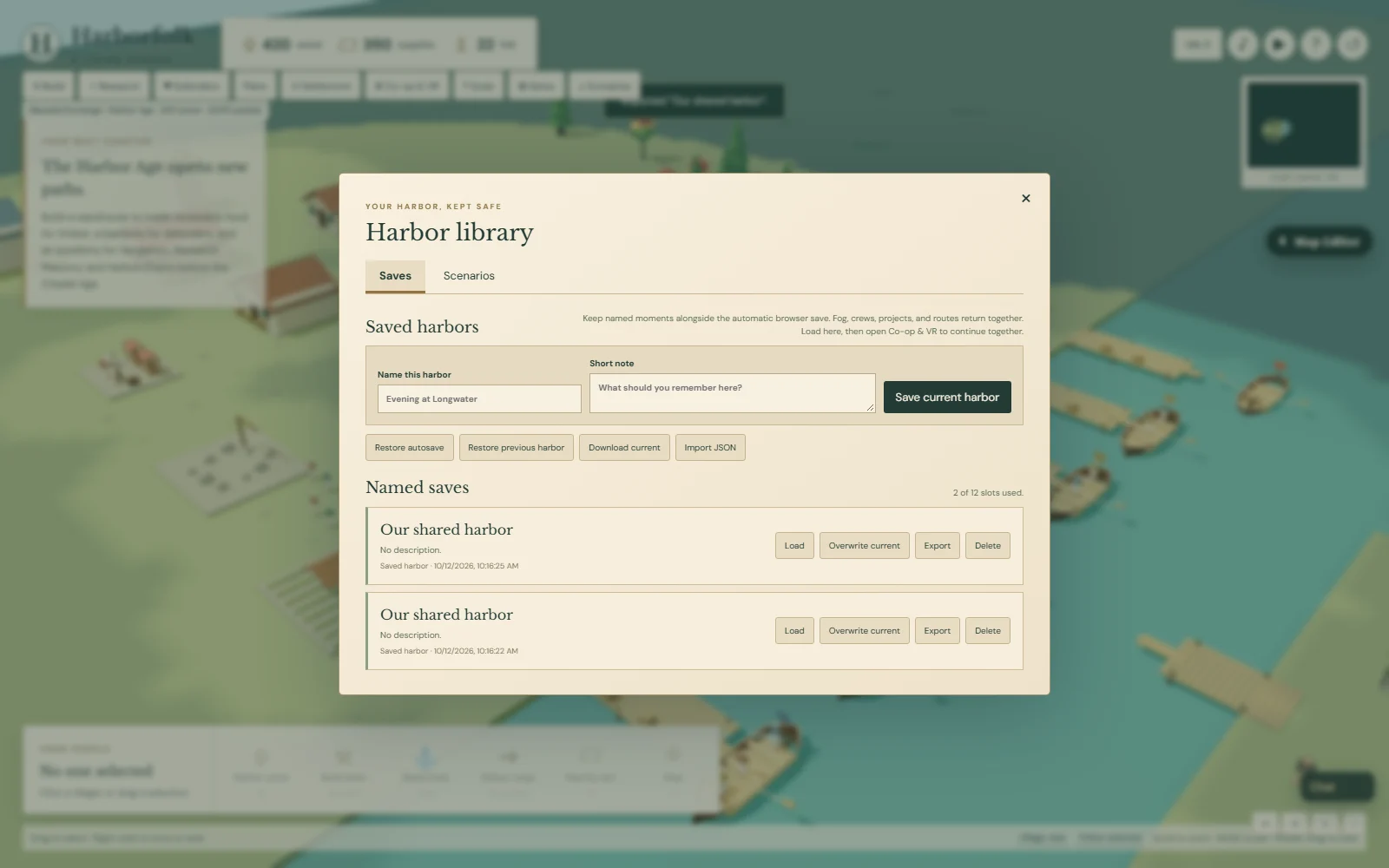
The next request was less about another building and more about keeping a world: build a civilization together, save it, and return to it. The Saves library now keeps named harbors beside the automatic browser save. Jobs, crews, trade routes, paid construction, technology and explored terrain return with the people who were doing the work.
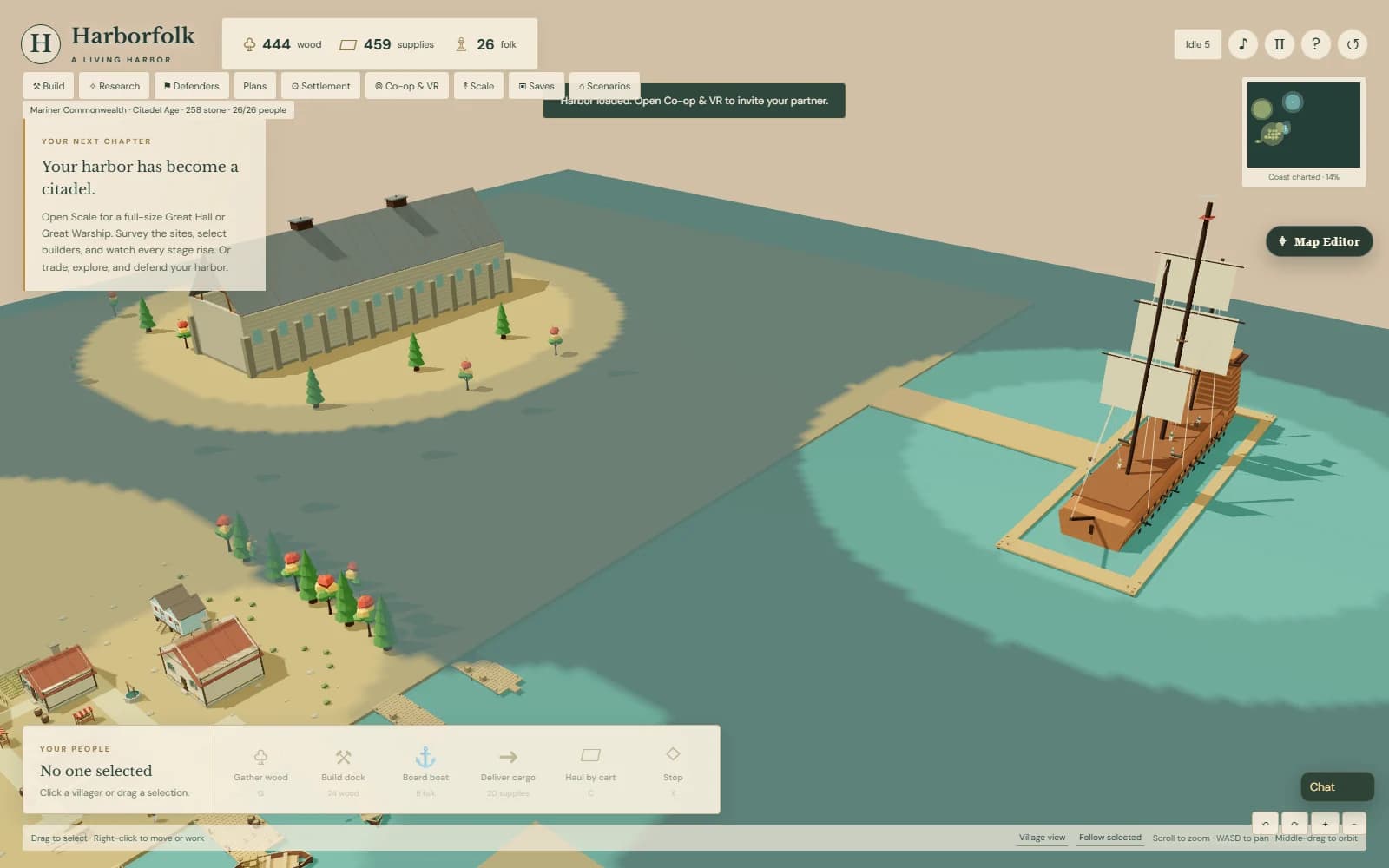
Scenarios gives you three starting points: a busy working harbor, a defended Citadel, and a maritime city with the enormous Hall and Great Warship. These are authored starting civilizations, with deliberately supplied resources and completed projects. Their farmers, merchants and crews run the actual simulation. They are useful places to explore what the prototype can become, rather than claims that every screenshot was earned from an empty map.

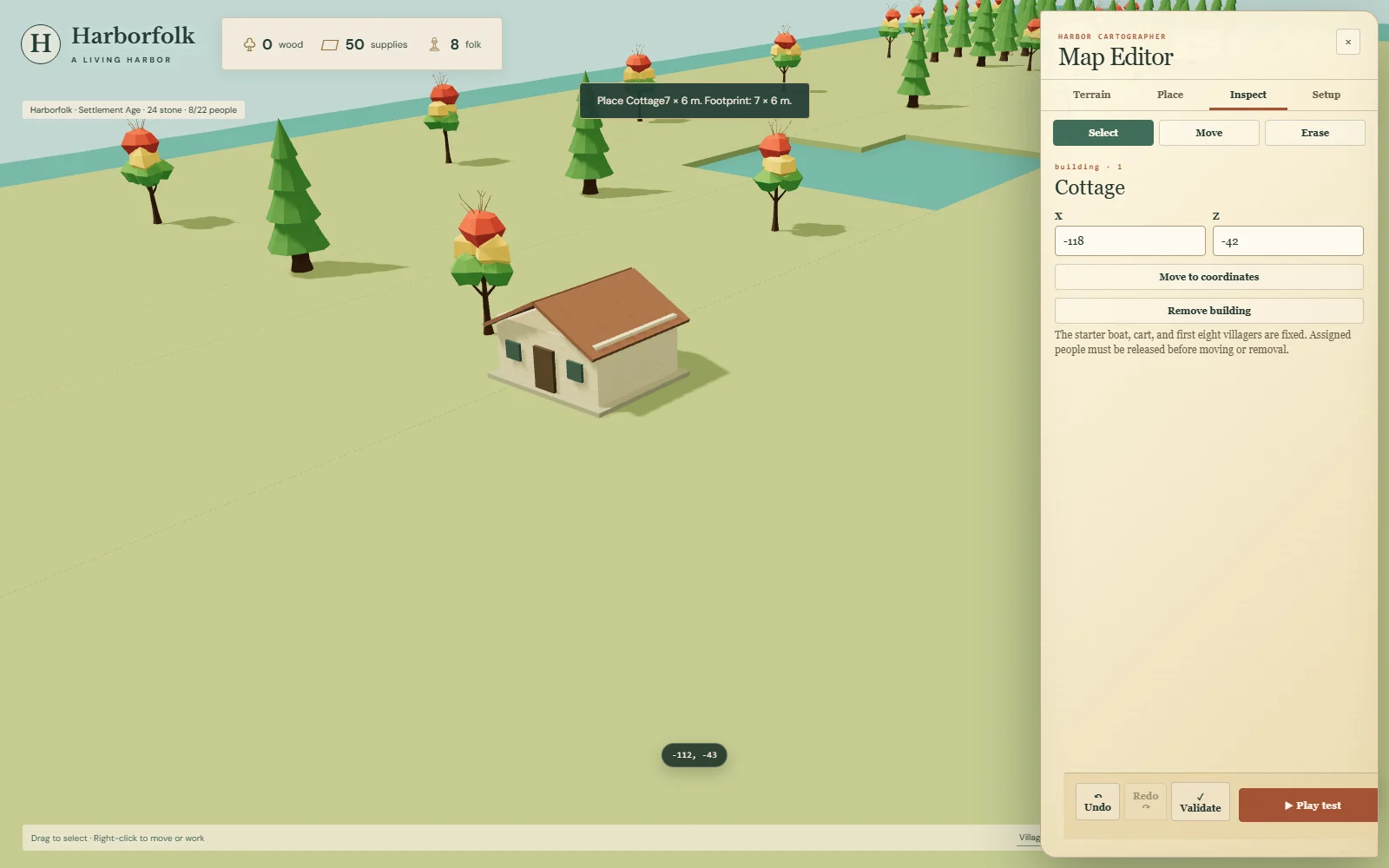
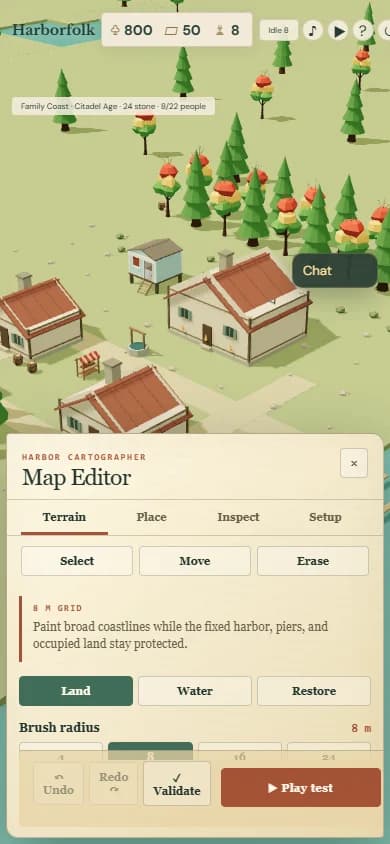
The Map Editor opens an isolated, paused copy. Paint land and water, place buildings and people, move objects by their coordinates, staff a vessel, and choose starting resources, age and fog. Terrain uses an eight-metre authoring grid; navigation, ordinary city construction and the rendered coastline use the same data. The town can grow beyond the starter harbor and onto an authored island when builders can reach it. Buildings, ships and villagers retain their metre dimensions.

Undo and Redo keep the recent edit history. Validate checks the draft, and Play test runs a disposable copy with ordinary game controls. Back to editor restores the draft. Return to harbor restores the original settlement and camera, leaving its autosave intact. The fixed starter harbor and infrastructure corridors remain protected, and the existing population and fleet caps still apply.

A custom scenario or saved civilization can be exported as a JSON file and imported in another browser. For co-op, the host loads that world first and creates a fresh invitation; the other player joins its restored state. You can save the shared progress and repeat that process next time. The file preserves the civilization, while the direct connection and local camera are recreated. There is still one guest, manual invitation exchange and no relay service.

A reported endless loading screen also prompted recovery work. Asset progress now shows what is opening, and bounded loading offers retry and export of the retained save. A separate guard covers the case where the main application script never finishes opening. A fresh public browser loaded successfully during investigation; that did not by itself reproduce the reported failure.
The screenshots are actual captures of the published build. It passed 152 automated tests, browser checks for edited terrain, save files, developed worlds and return-from-play-test recovery, plus three deliberate loading-failure checks. Two independent browsers also joined an edited civilization, issued a shared order, saved the job in progress, reloaded and reconnected to finish it. Physical headset comfort, performance on the child’s computer and the next family playtest remain open checks.

A huge Hall and launched warship overlook a developed Harborfolk town
An authored civilization, with the same human and building scale as a new settlement.
Harborfolk save library showing named saved worlds and export controls
Named moments, portable files and a previous harbor kept for recovery.
A full-size cottage selected in the Harborfolk map editor with coordinate controls
The editor moves a footprint through the world; it does not shrink the building.
Narrow Harborfolk screen with the map editor occupying its lower half
A compact editor leaves the upper playfield available for painting and placement.

v0.3 full-scale landmarks · shipped

Permalink ↗

Wait… it’s that big?

The next rule was simple: keep everything at scale, even when it gets inconvenient. The playable map now spans 640 by 480 metres. The camera can inspect a doorway or pull back over the coast. Fog follows that larger geography, and a Great Warship needs open sea instead of squeezing through the little cargo channel.

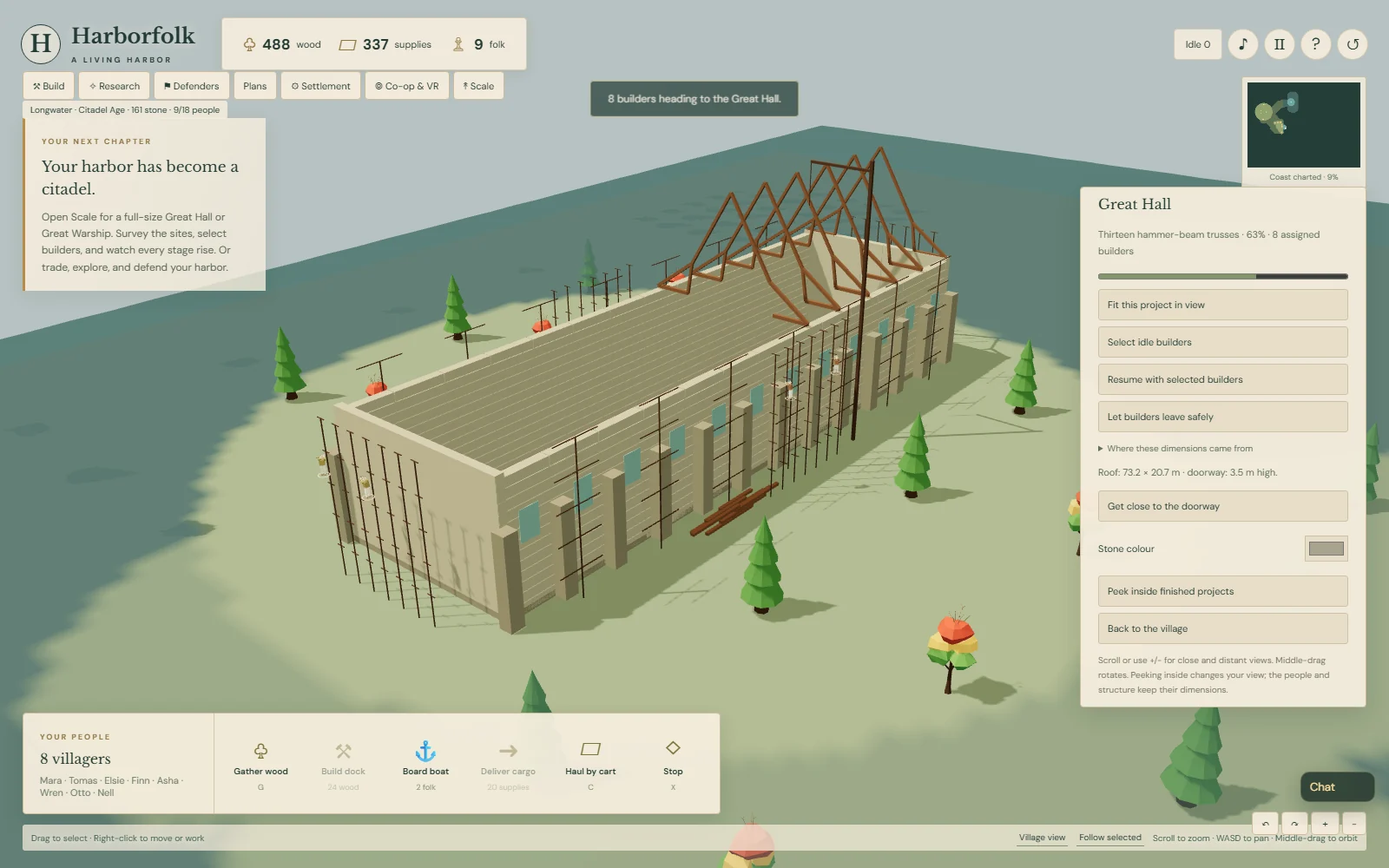
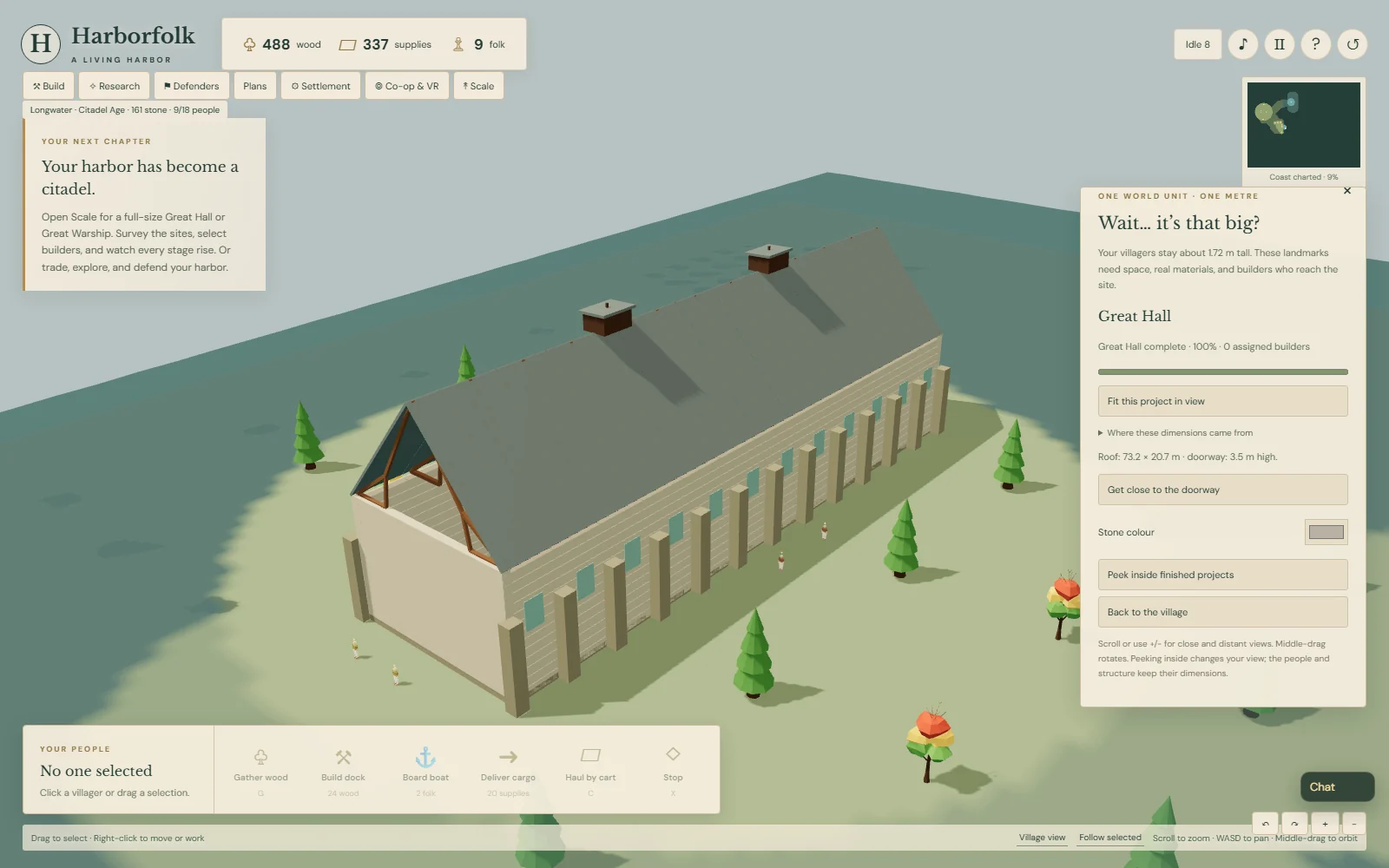
The Great Hall takes its roof plan from Westminster Hall: 73.2 by 20.7 metres. Villagers stay about 1.72 metres tall. You choose a surveyed, clear site and pay its actual material cost. Stone courses, thirteen timber trusses, roof bays and coverings appear as separate full-size pieces. The total height and exterior treatment are prototype choices; this is a stylized reference building rather than a complete historical reconstruction.

Construction depends on people reaching the site. Builders walk to work stations and climb to the stage they are working on. Stopping sends them safely down; resuming keeps the paid materials and existing parts. Small city buildings now assemble by courses and bays too. Dock production uses arrived shipwrights, with the keel, ribs and hull appearing as work progresses.

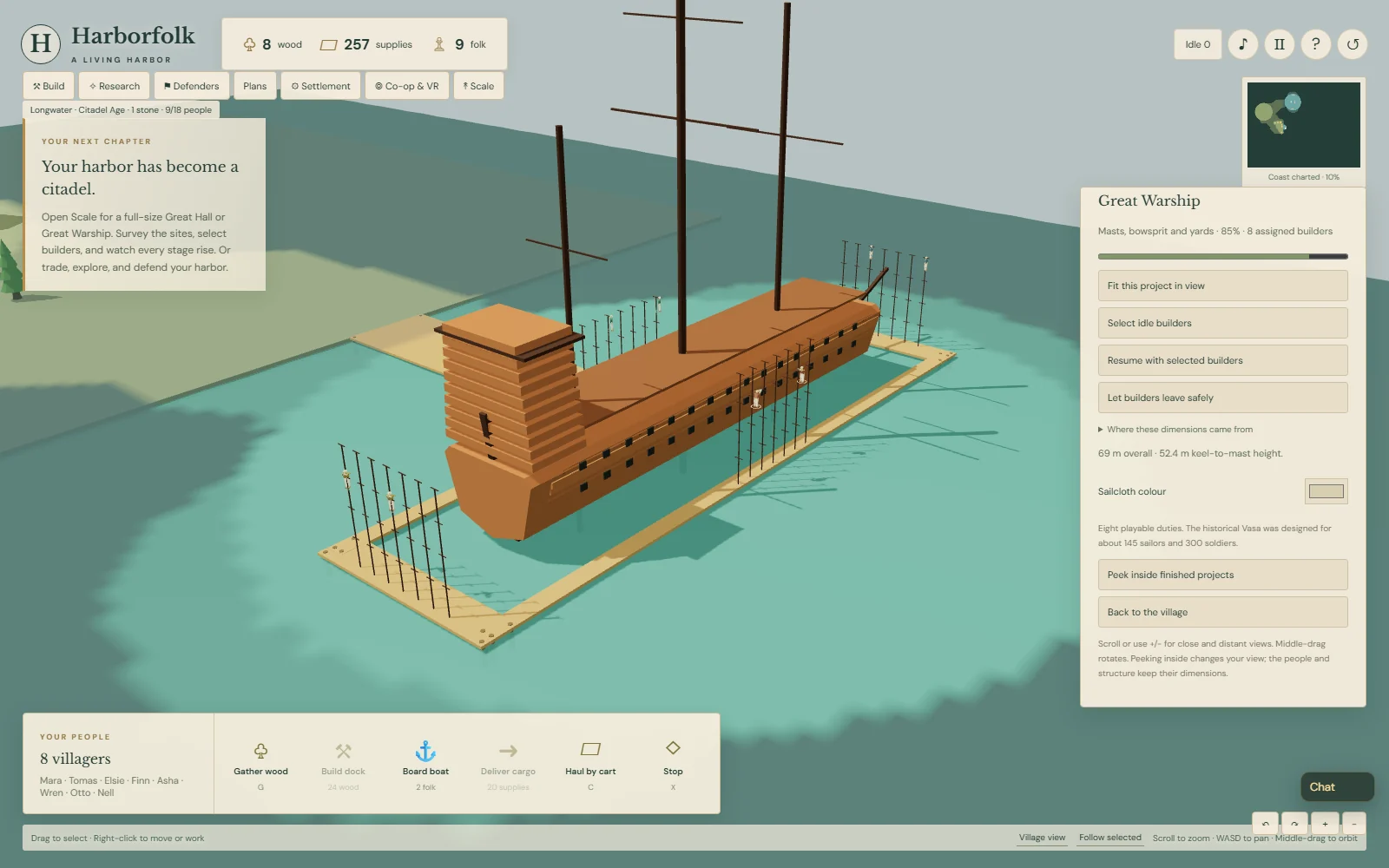
The Great Warship takes its main dimensions from Vasa: 69 metres overall, an 11.3-metre hull beam, and 52.4 metres from keel to mainmast top. Its broader yards need more space than the hull alone. Building starts with a bottom shell before inserted frames, then planking, decks, masts, rigging and sails—a simplified nod to the documented Dutch construction method. A finished ship launches once, lowers into the water and joins the fleet.

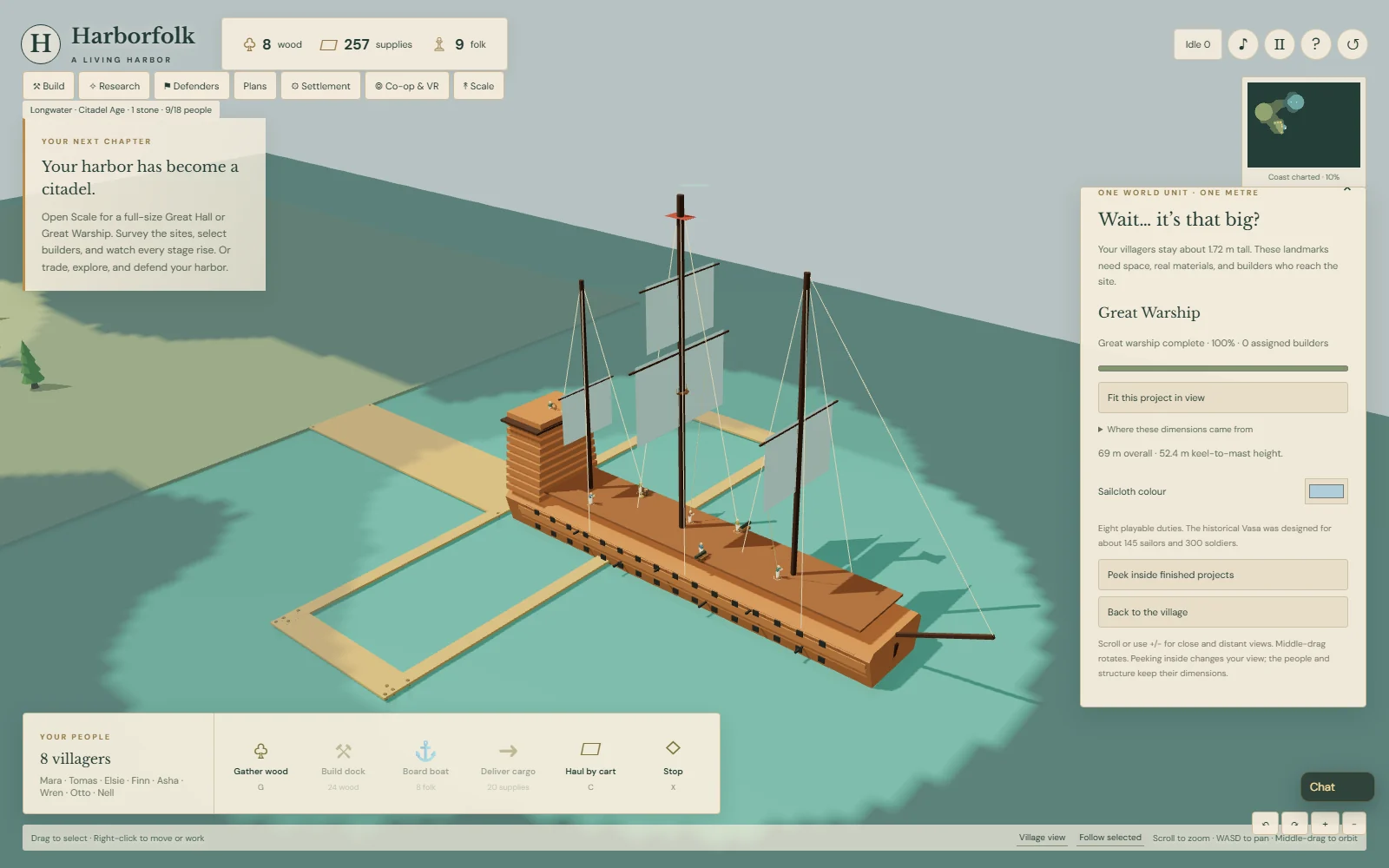
Eight actual villagers occupy playable duties: helmsman, lookout, two gunners, sail trimmer, rigger, carpenter and quartermaster. Vasa was designed for roughly 145 sailors and 300 soldiers. Those eight stations are a gameplay crew, not a claim to reproduce that entire complement. No extra decorative people are spawned to suggest a staffed ship.

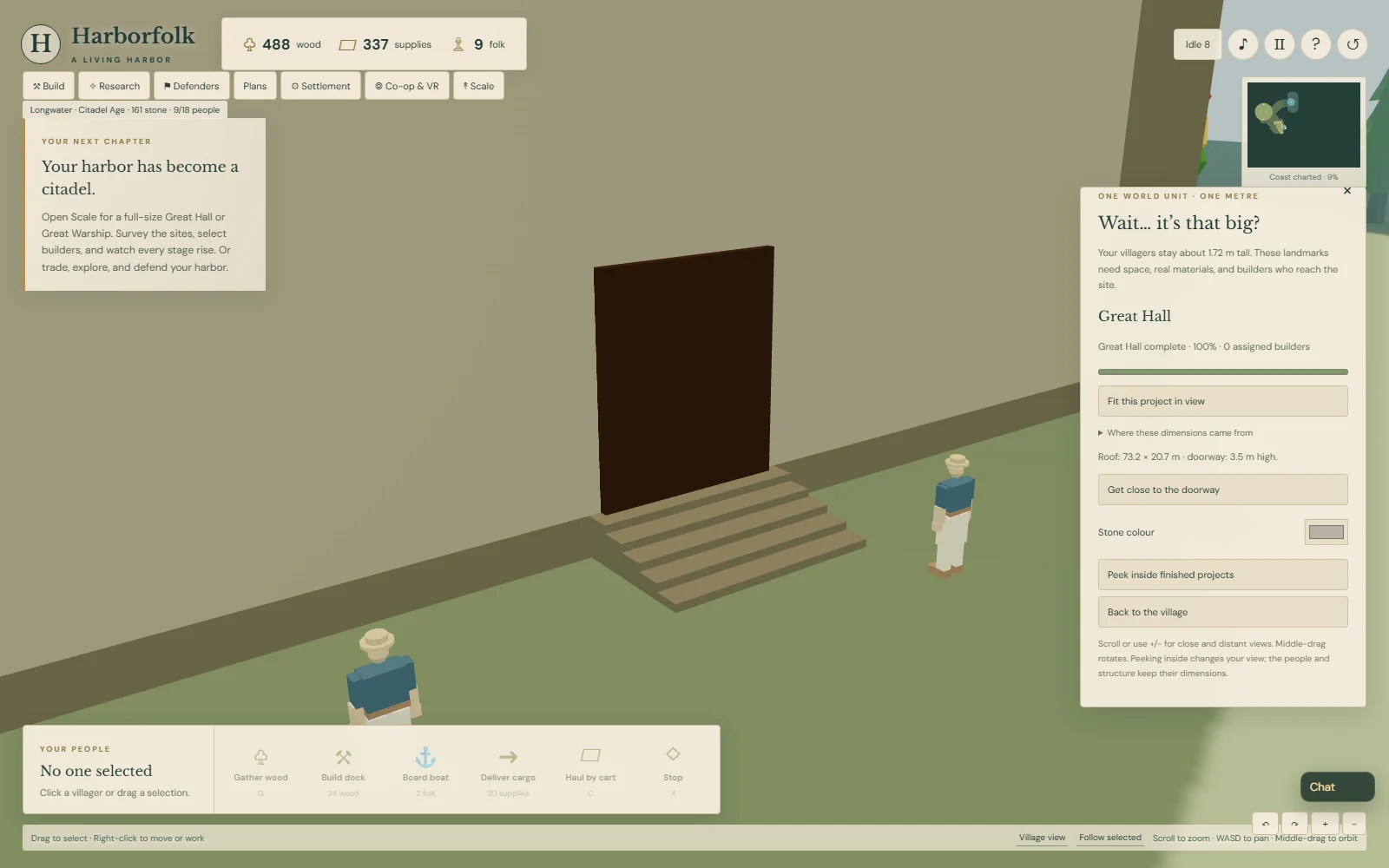
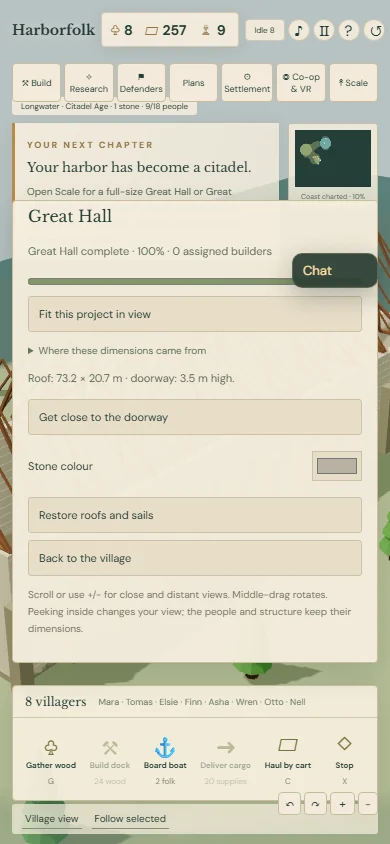
The Scale panel fits a project in view, takes you close to the Hall doorway, and offers stone and sailcloth colours. A cutaway reveals the timber structure without changing its size. Cosmetic changes stay local and cost nothing. Two co-op players can place and build the same Hall while keeping their own camera views.

The build passed 119 automated tests, plus browser checks for earned materials, surveyed footprints, stopped and saved construction, launch, occupied duties and repeated convoy trips. Two independent browsers also exercised guest placement, safe descent and resumed Hall construction over the real direct connection. The pictures are gameplay captures with the actual simulation advanced for testing. Physical headset comfort and performance on the child’s computer remain unmeasured.

Harborfolk villagers on scaffold ladders while separate full-size Great Hall roof trusses appear
Reached work stations, stone courses and separate trusses. The people keep their height as the Hall takes shape.
A completed enormous Great Hall with several small human-sized villagers beside it
A long roof and tiny-looking people, sharing the same metre scale.
A close view of the Great Hall entrance steps with two villagers beside its fixed-size door
Getting close brings the doorway and people back into view. Their dimensions stay fixed.
A Vasa-inspired Great Warship under construction with masts and real assigned builders
The hull, decks and masts assemble as separate parts, with actual builders at their stations.
A narrow browser view of the Great Hall with its roof covering hidden to reveal the timber structure
Peek inside changes visibility, leaving the structure’s scale intact.
A launched full-size Great Warship with towering masts and villagers visible at occupied deck stations
The finished hull joins the fleet with eight occupied roles. The spars and rigging tower over the crew.

v0.3 convoys · shipped

Permalink ↗

Ships with jobs, and company

Up to six ships can share the harbor. The dock builds additional cargo boats and warships, each with its own berth and crew. Cargo boats need two people; warships need a rower, helmsman, and gunner. People walk to their assigned ship, and a hull waits until its crew is aboard.

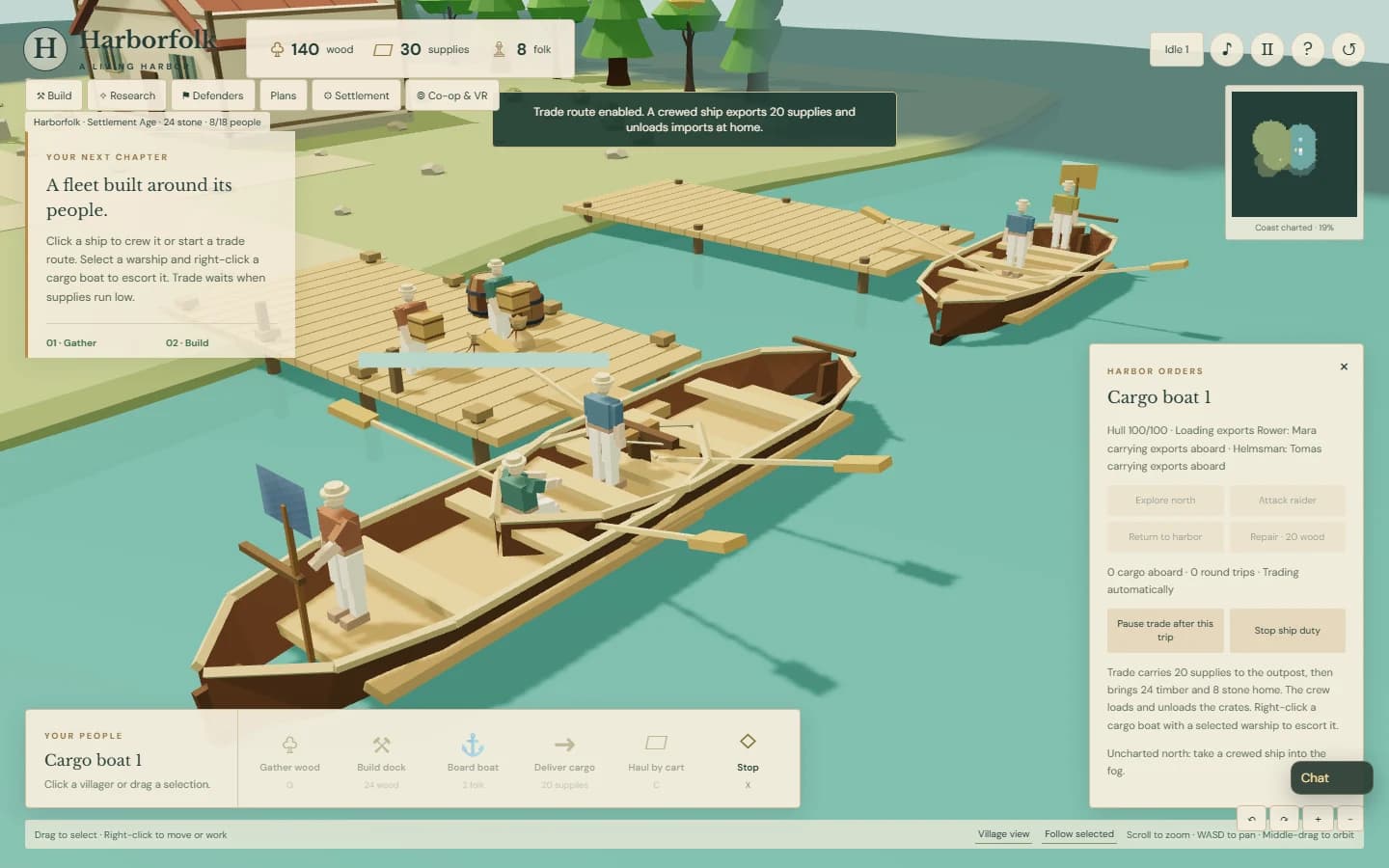
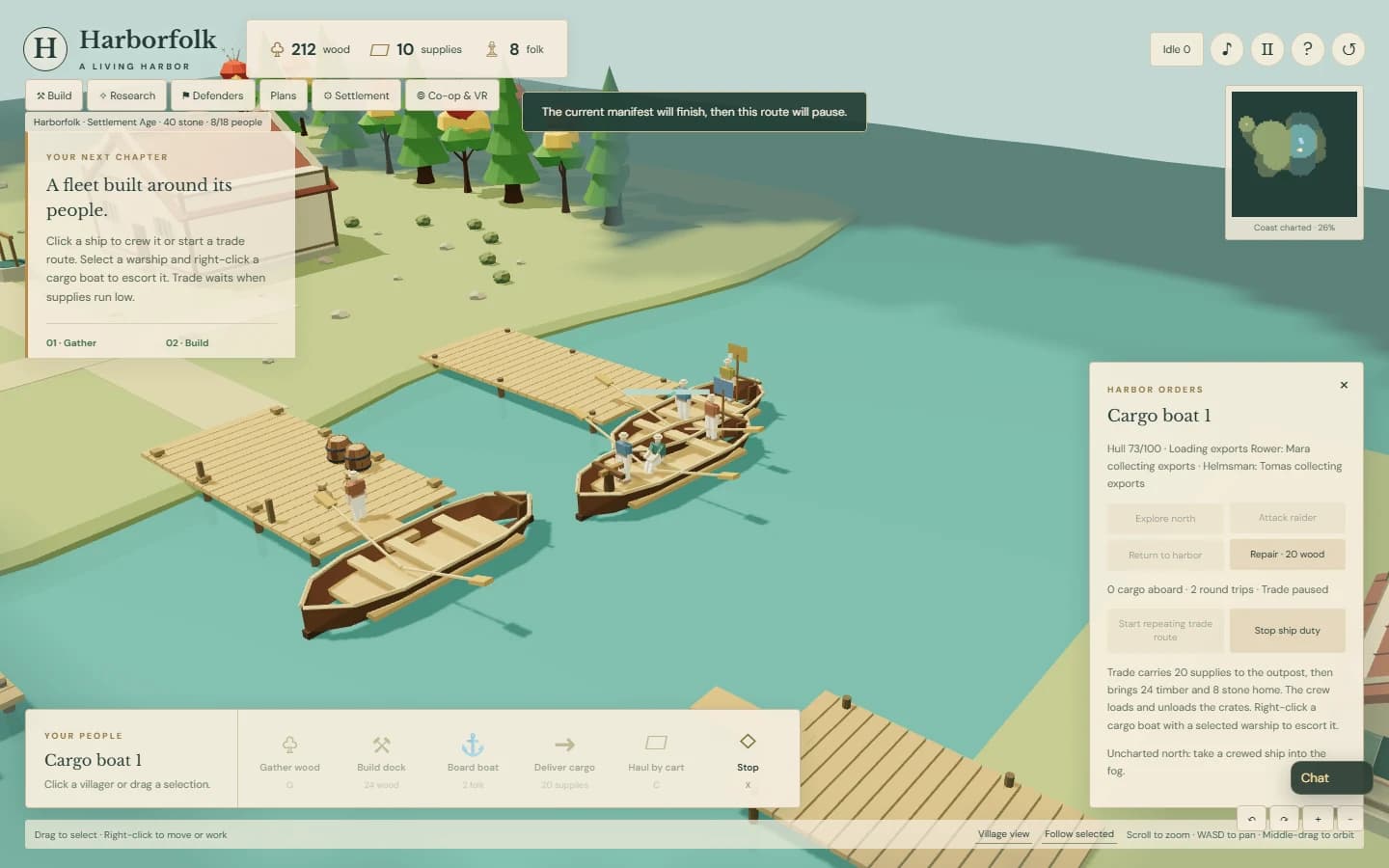
A repeat trade route spends twenty actual supplies. Crew members carry exports aboard, sail to the outpost, and take them ashore. They then collect imports and bring them home. Timber and stone become spendable only when those imports are unloaded at the harbor. The route repeats while supplies and crew are available; a low stock pauses it rather than conjuring another load.

Select a crewed warship and right-click a cargo boat to escort it, or choose that boat in the ship panel. Its escort follows a reachable position with room between the hulls and engages the raider when the convoy is threatened. Multiple arrivals queue for the outpost berth. Stop disables repetition, while people finish handling a paid manifest safely.

This draws from Anno’s automatic trade routes, stock safeguards and separate piers, Homeworld’s guard and support orders, and 0 A.D.’s crewed trading ships. The research keeps official features, developer plans, qualitative requests and dated mod attention separate. These are useful references, rather than a ranking of every RTS player’s wishes.

The metre rule is still the center of the project. These boats retain their eight-metre hulls, human-sized people and individually visible crates. A much larger geography and evidence-backed Great Hall and Vasa-inspired ship are under development. Their roof, hull and mast dimensions will dictate the space they need. They are not yet part of this published convoy milestone.

The integrated build passed 104 automated tests. The browser checks exercise normal resource gathering, repeated paid trips, actual cargo handling, escort combat, reload and two-browser guest commands. Dock ship production still uses a timed assembly queue; arrived shipbuilders and staged construction are the next milestone. The screenshots below are real gameplay captures with the simulation advanced for testing.

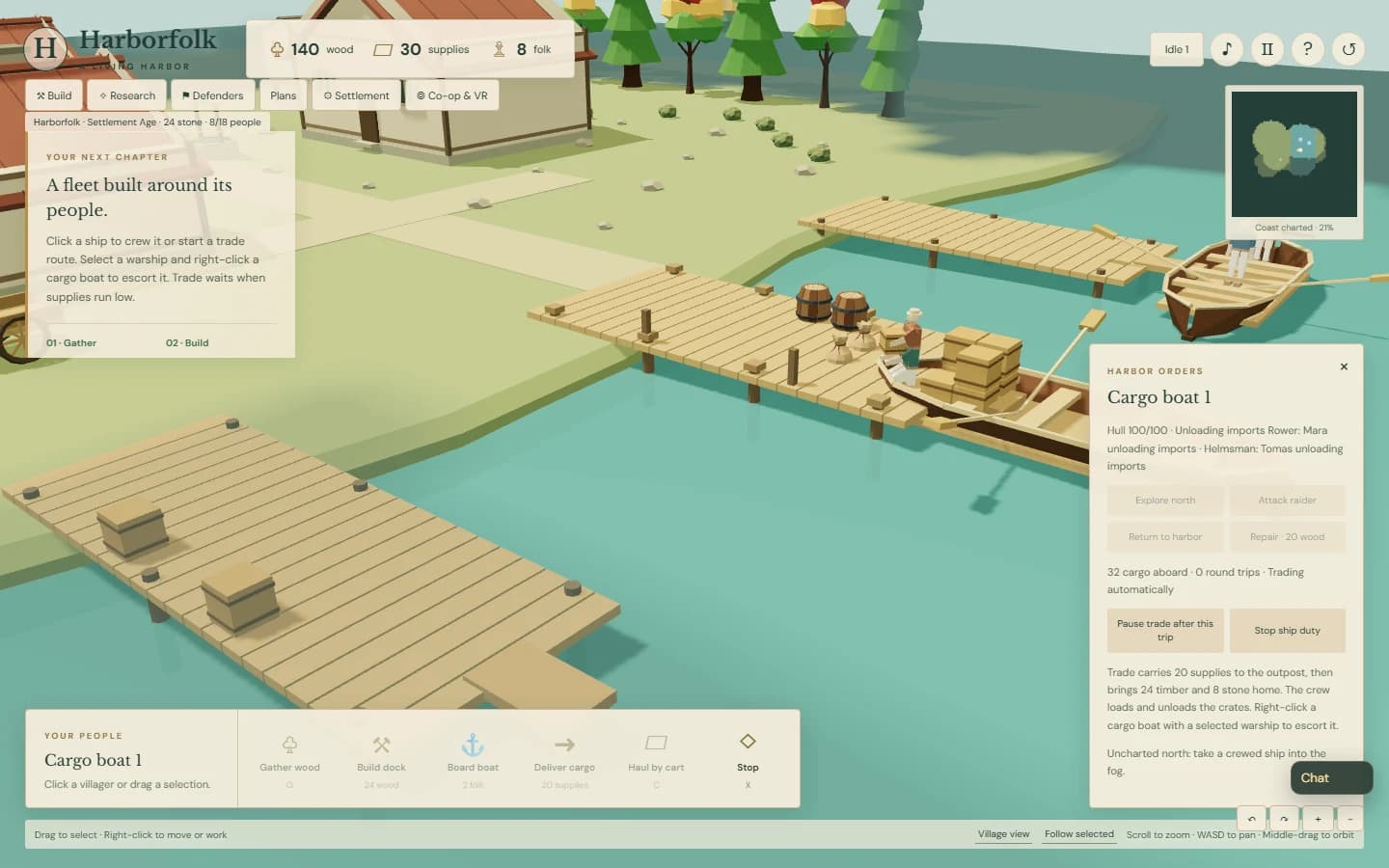
Villagers carrying individual export crates along a Harborfolk pier to their cargo boat
Loading starts with two people collecting real supplies and carrying them aboard.
Two Harborfolk crew members unloading imported cargo at their home pier
A completed trade trip becomes spendable timber and stone as the crew unloads it.
Multiple individually crewed cargo boats and a warship at separate Harborfolk piers
Each hull has its own berth, cargo, orders, and people.

v0.3 plans and patrols · shipped

Permalink ↗

Small plans, and people to follow

Plans turns the sandbox into three small optional adventures. First crossing guides a dock, crew, and twenty-supply outpost delivery. Woodland Supply follows a farm and an extra cart through its first timber run. Coastal Watch asks for a scout, a mainland discovery, two guards, and a raid victory. The next goal and a practical hint stay in view.

Each plan keeps its checklist, elapsed simulation time, and completion badge with the saved harbor. Existing accomplishments count, and returning to free play preserves the village. The opening customization screen can choose a plan. Two co-op players share the same progress, so one can build while the other explores.

Units also have duties that continue after a single move. Select a guard, scout, archer, or medic, press P, and right-click the far end of a patrol route. Press E and right-click a villager, cart, or friendly unit to escort it. A selected unit shows a dashed route or connecting line. Guards and archers respond to nearby threats and resume their duty; scouts stay out of combat until ordered, and medics still heal nearby wounded allies.

Escorts follow actual positions and use land paths. They wait and retry if a route is blocked, rather than jumping through buildings or water. Stop or an ordinary move or attack clears the routine. Saved routines and guest orders use the same validated state as the rest of the game. Headset-native patrol and escort buttons remain future work; the target resolver is shared with the controller adapter.

The build passed 76 automated tests, a browser adventure using real gathering, construction, crewing and cargo delivery, and real two-browser co-op checks for shared plans and guest patrol and escort orders. The captures below come from gameplay, with the simulation advanced for testing. Physical headset comfort and performance on the child's computer remain unmeasured.

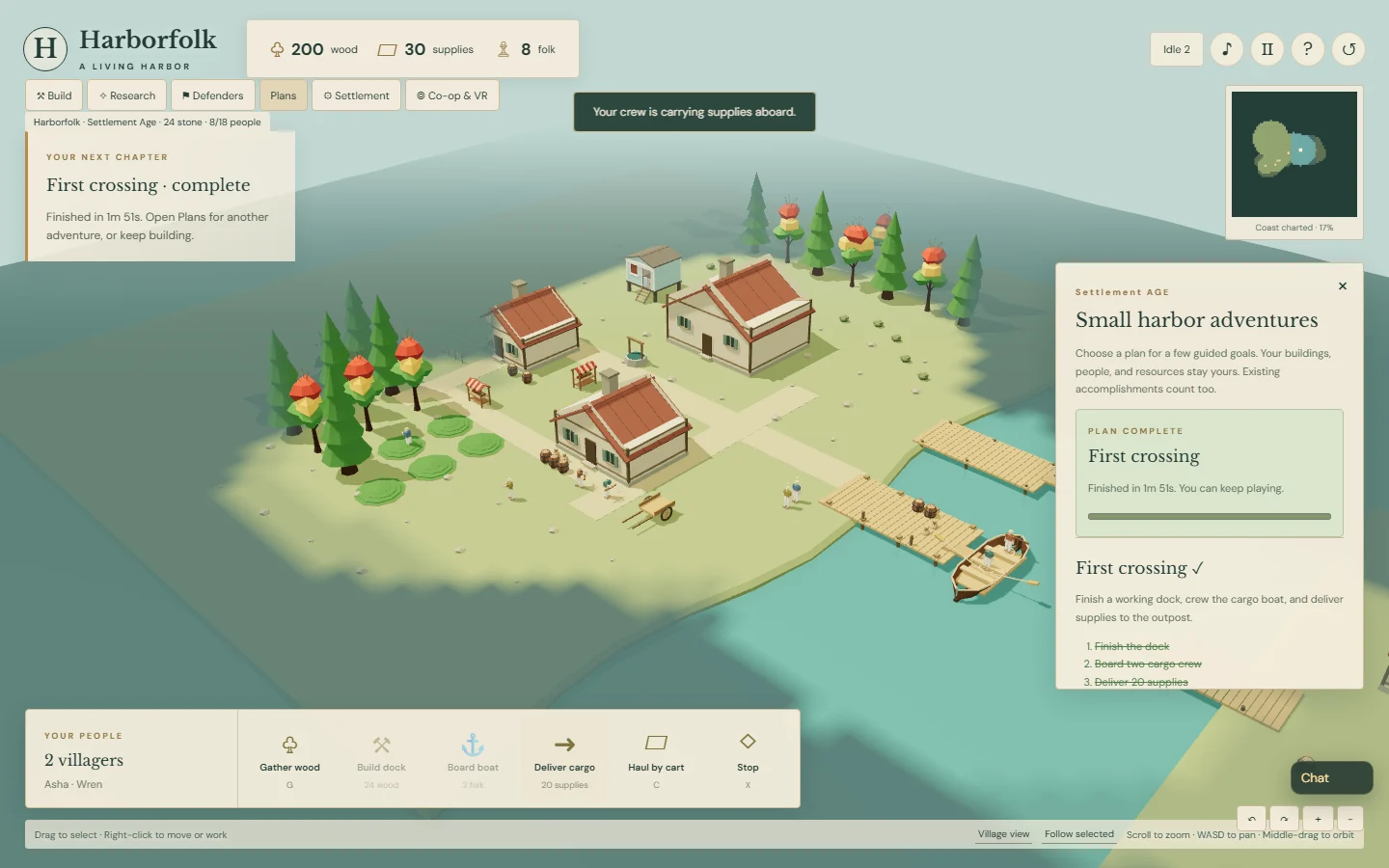
Harborfolk's Plans panel after a real cargo delivery completed the First crossing adventure
A first crossing, completed through gathering, building, boarding, and an outpost delivery.
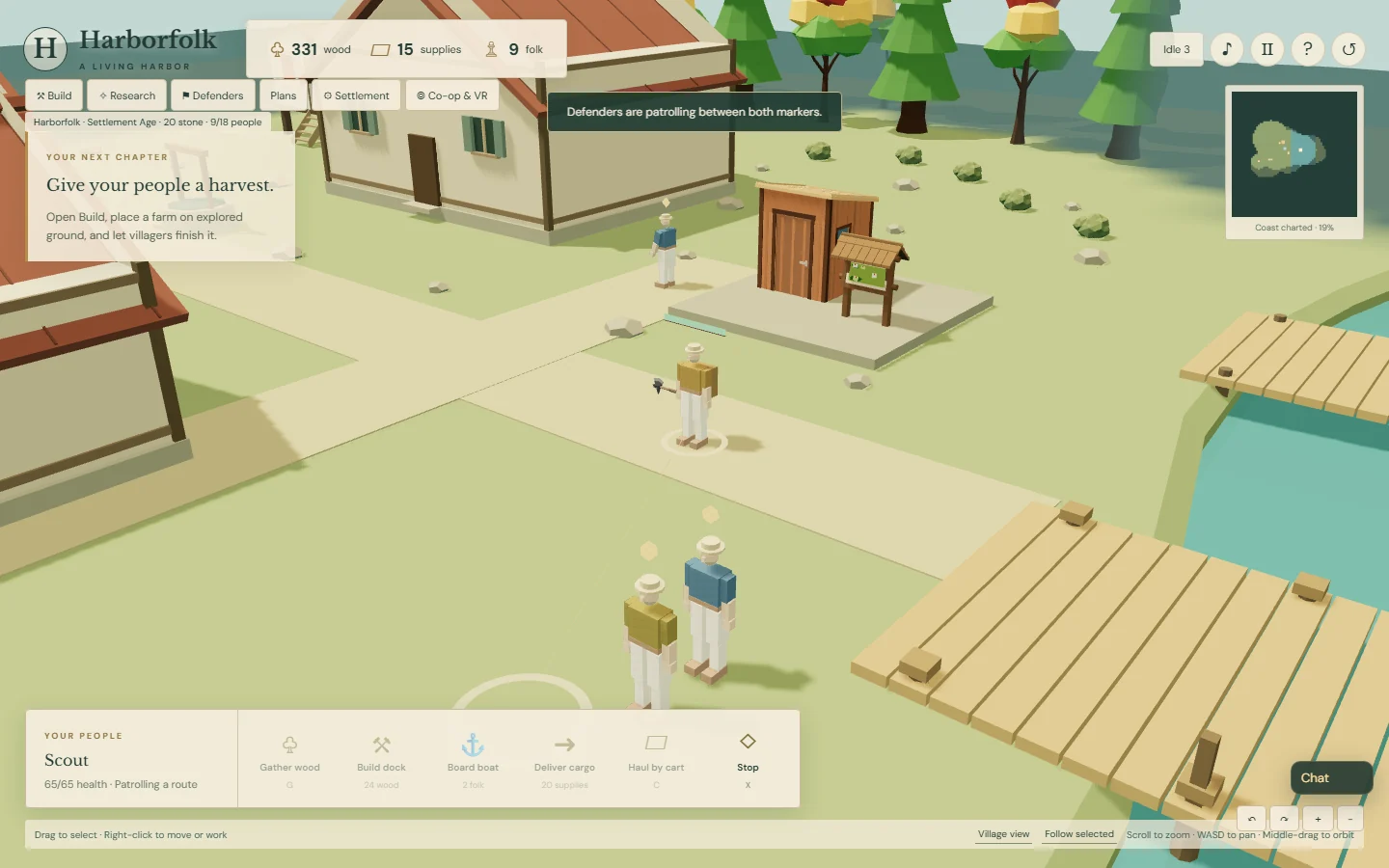
A selected Harborfolk scout following a dashed patrol route
A scout patrols between its starting position and the chosen endpoint.
A Harborfolk scout escorting a moving villager with a visible connecting line
The escort follows a person who is actually walking, with a land route and room to stop nearby.

v0.3 Polyfork expansion · shipped

Permalink ↗

More places, more useful people

A Scout Lodge, Harbor Market, and Infirmary give the next group of people useful jobs. Scouts move faster and reveal more coast, with an attack order needed before they engage. A market trader has to reach a stall before exchanging food for timber or stone. Medics train at the infirmary and heal nearby living allies after a fight.

The expansion uses six additional free Polyfork models: a tool shed and trail-map kiosk for the lodge, an oven and drying-net rack for the market, a hand axe for the scout, and potion bottles for the medic and clinic. Existing stalls, barrels, sacks, and the Beach Hut generator supply the remaining bases. The animated people remain the original humanoids, with Polyfork equipment attached. Everything is placed in meters; doors, props, and people keep their scale.

For a possible Polyfork case study, the build retains each source page, free-status check, license check, file hash, measured dimensions, and geometry budget. The six new source models total 2,777 triangles, with one material and no textures each. Those are asset figures, not a claim about the game's frame rate. Models ship inside the game. This is an independent prototype; no Polyfork partnership or endorsement is claimed.

The RTS research points toward readability, guidance, co-op scenarios, and distinctive rosters. The Age of Empires team highlights tree and wall visibility, idle-worker warnings, and guided build orders among its popular mods. Forgotten Empires reports over a million official downloads before becoming official game content, while Mental Omega pairs a distinctive roster with extensive solo and co-op missions. These are directional signals from named projects and platforms, rather than a representative survey of all RTS players.

This batch applies the smaller lessons first: an Idle button and I shortcut, local selection groups on Ctrl plus 1–4, and optional see-through trees without shrinking them. Decorative trees yield to building footprints, while timber-bearing trees still have to be cleared normally. Short shared scenarios, patrol and escort orders, and regional rosters are promising next experiments. Deeper naval logistics also fit Harborfolk, though the direct popularity evidence is weaker.

The build passed 62 automated tests, the existing 29-check city playtest, and eighteen new browser checks covering real construction, scouting, staffed trade, actual raid damage and medic healing, saved reload, and narrow controls. Two separate browsers also built a Scout Lodge and trained a scout through the real co-op connection. The images below are gameplay captures. Human feedback, target-device frame rates, and physical headset comfort remain future checks.

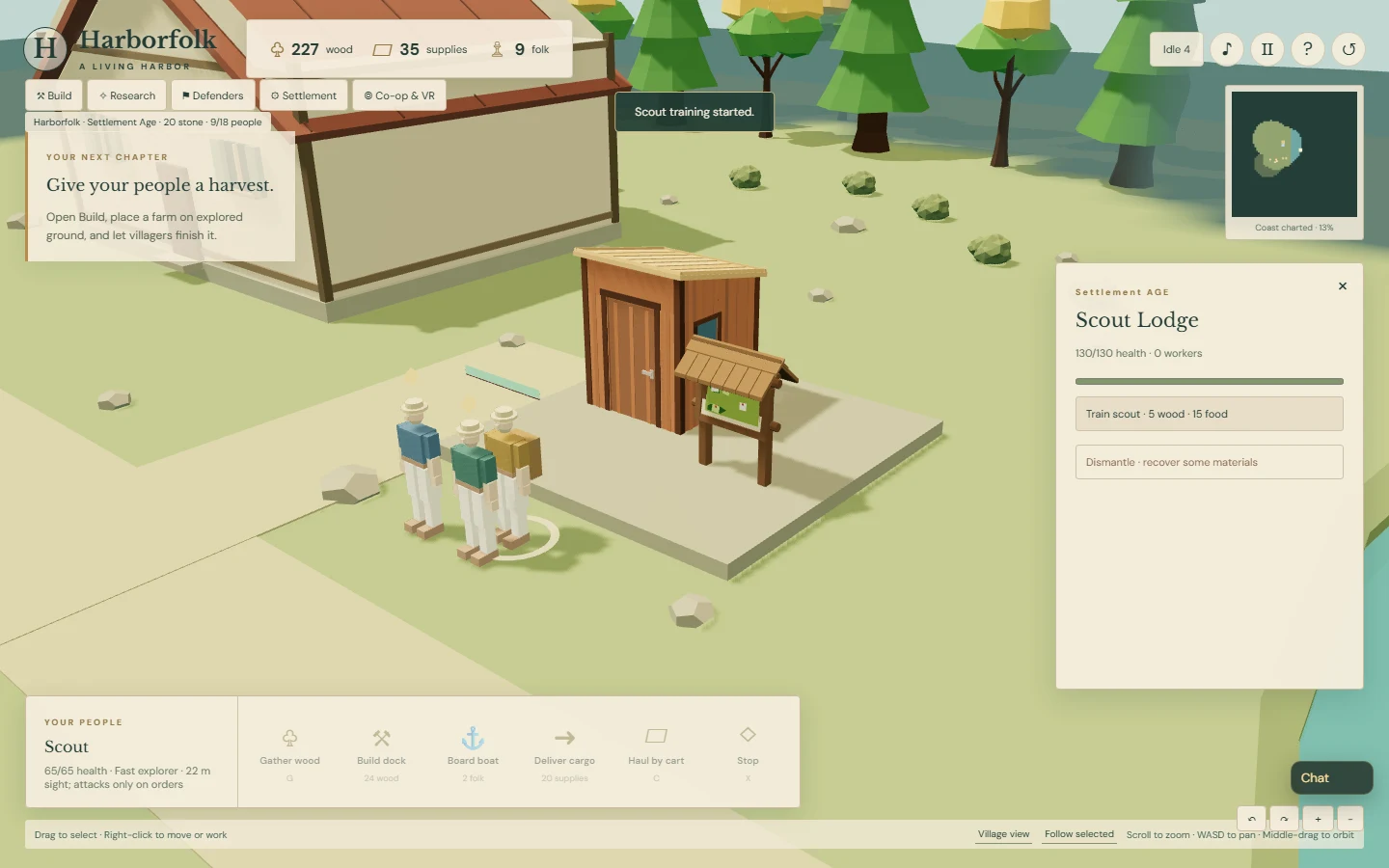
Harborfolk's Scout Lodge built from a Polyfork shed and trail-map kiosk, with a newly trained scout
A compact lodge assembled from real-meter models, with the first scout outside.
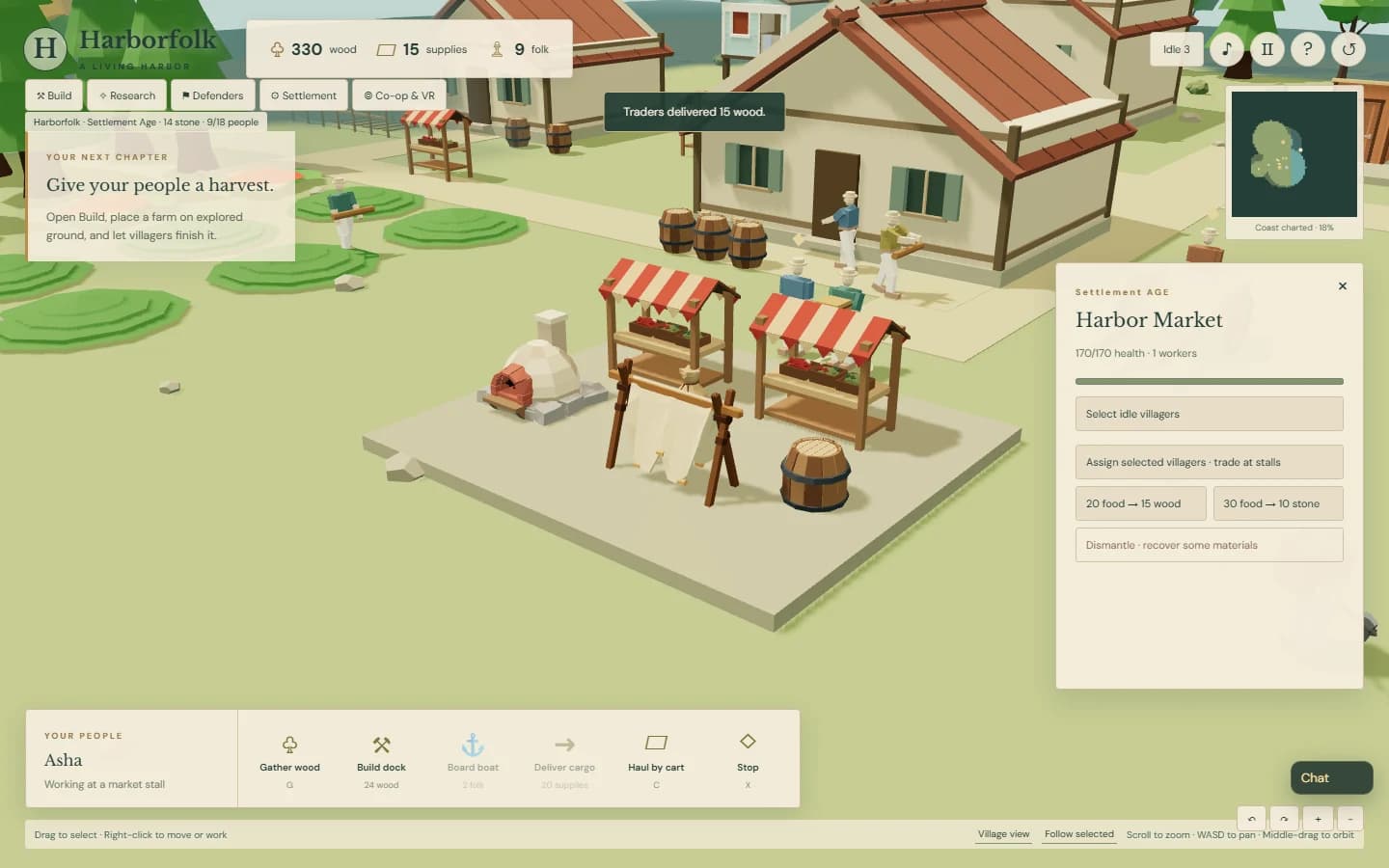
A working Harbor Market with a trader, stalls, bread oven and drying-net rack
Asha has arrived at a market stall. Trading becomes available when the assigned person is there.
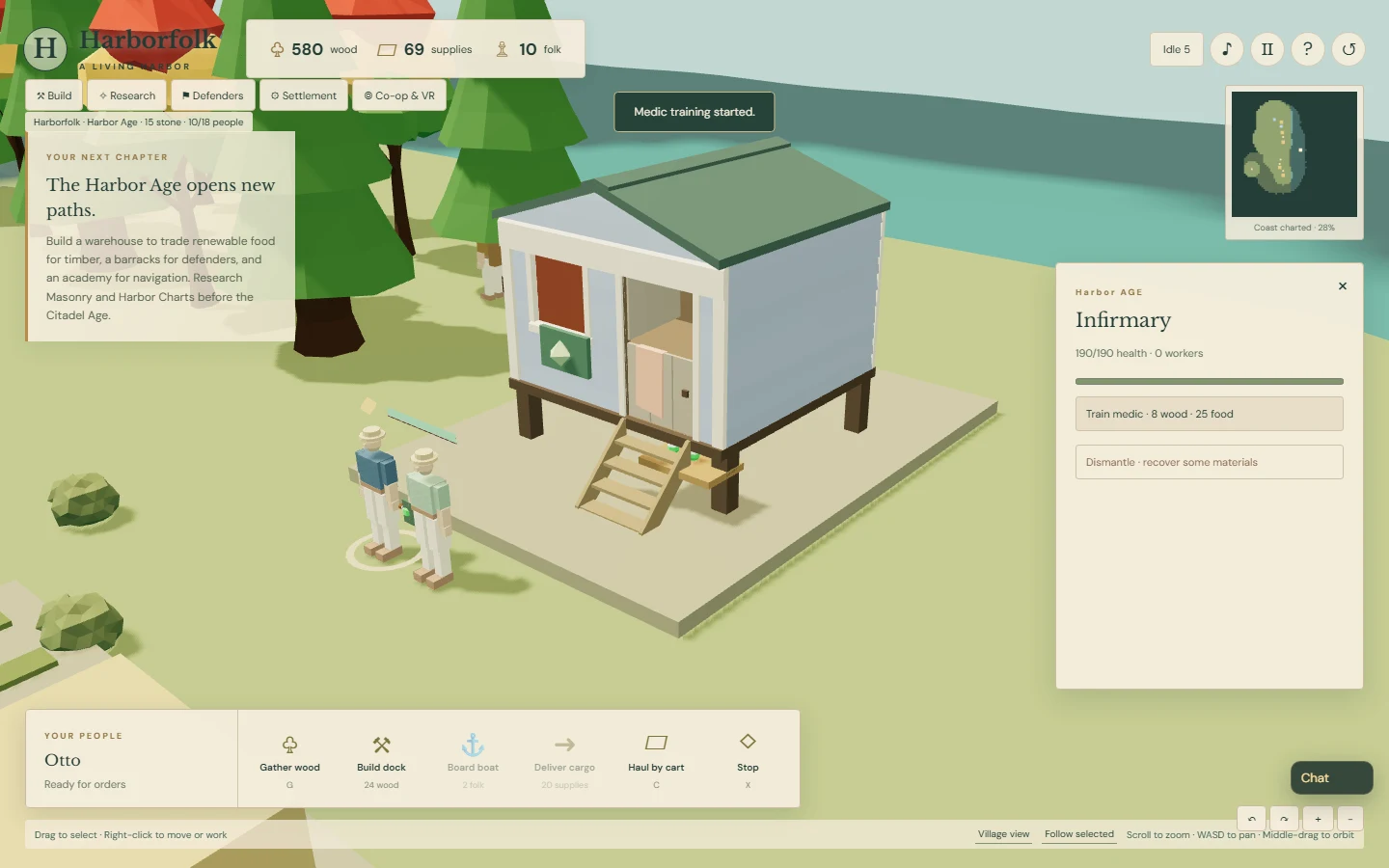
The Harborfolk Infirmary with a medic and villager outside
A one-bay Beach Hut becomes the clinic, with access stairs and a medic carrying a potion bottle.
A Harborfolk medic treating a surviving guard after a real land raid
A living guard was wounded in battle. The medic walked over and restored health within range.

v0.3 automatic carts · shipped

Permalink ↗

A cart that knows the way home

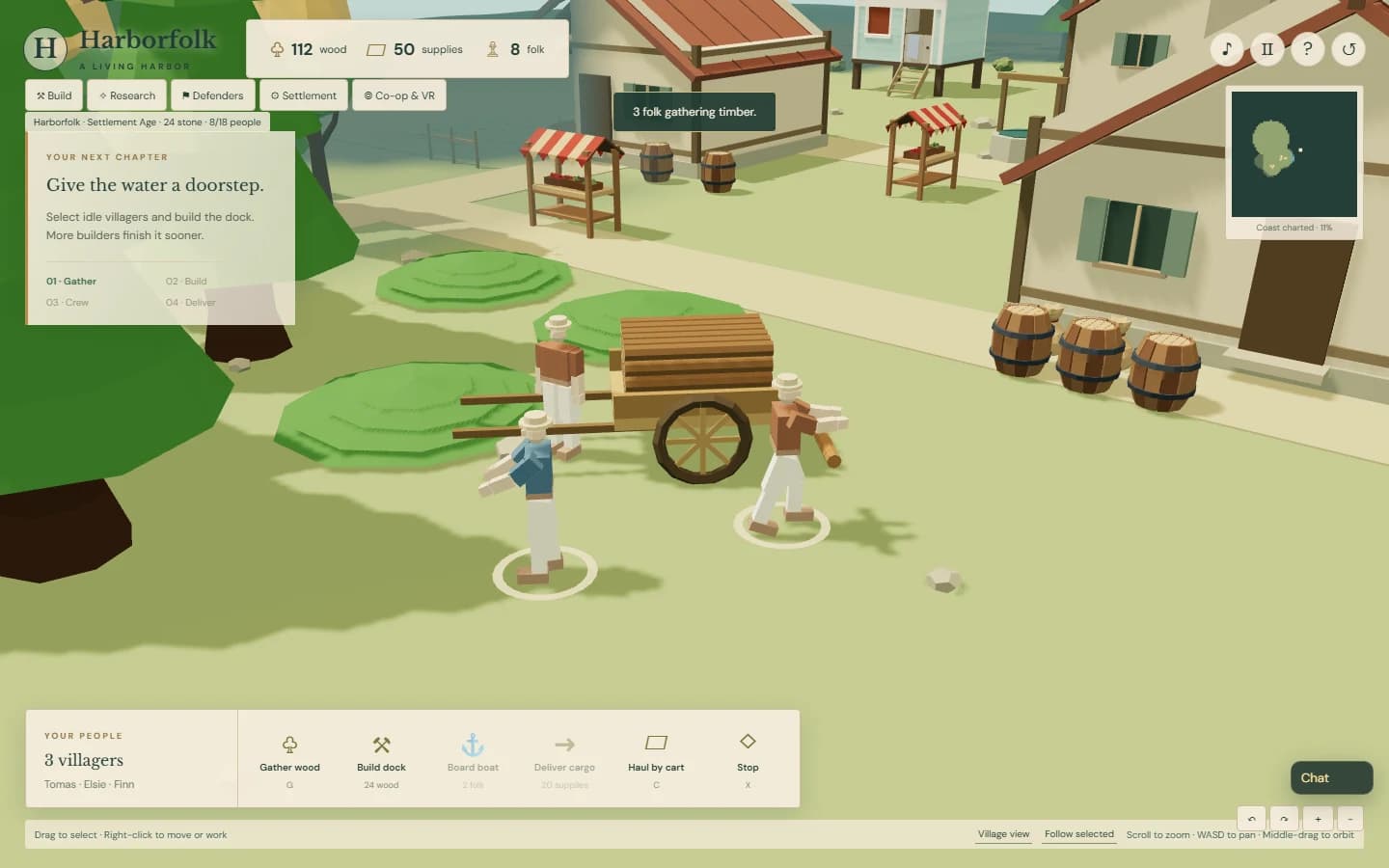
The next request was to let the cart finish its own work loop. Moving it to a woodland loading spot now assigns a dedicated operator and enables automatic hauling. When twenty-four logs are aboard, that person pulls it home, unloads it one log at a time, and brings the empty cart back to the same spot.

The operator waits at the handles while gatherers fill it again. Each cart has an automatic-hauling toggle and a Stop button. Deliver timber can send a partial load home too. The timber stays aboard when a journey is stopped, and saved routes retain their loading spot and operator.

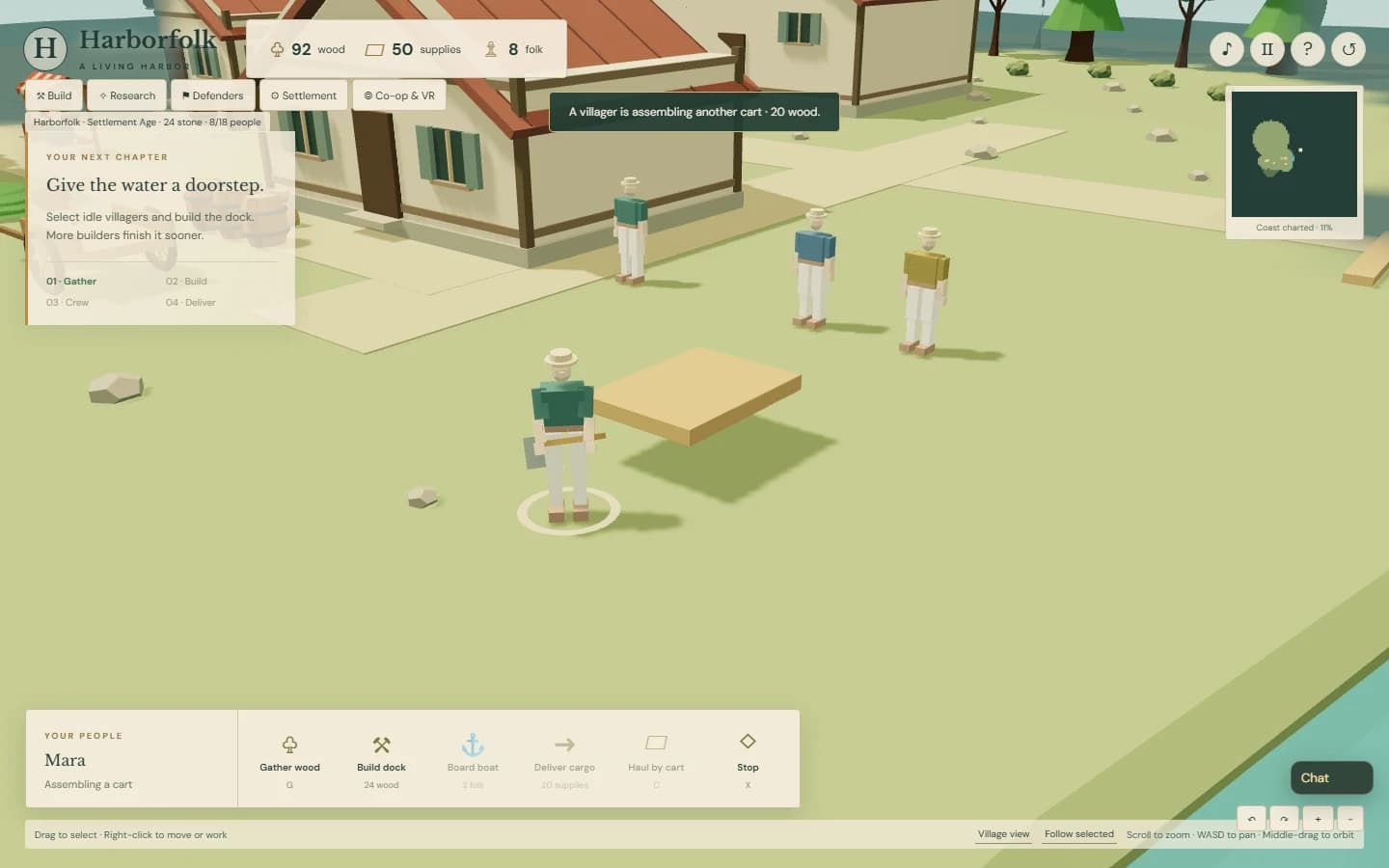
More carts can be built through Build, the storehouse, or a cart panel. Each costs twenty wood. A villager walks to the assembly site and builds its parts over eight seconds; interrupted work can resume without paying again. Up to six carts have their own loads, routes, and people. Gatherers choose the nearest useful parked cart.

This build passed fifty-seven automated tests, the fourteen manual-cart browser checks, and eighteen new checks covering repeated automatic deliveries, visible assembly, a second cart receiving real timber, saved loads, narrow controls, and reset cleanup. In two separate browsers, the guest also built and positioned a second cart through the shared game connection. The browser tests advance the actual simulation and use normal orders and harvested resources. Human playtesting is still ahead.

A full Harborfolk timber cart with its assigned operator at the handles
The load is full. Its operator is starting the trip home, then will return to this loading spot.
Mara assembling the wooden platform of an additional Harborfolk cart
A second cart begins with a frame. Its villager has arrived and is building the remaining parts.

v0.3 cart and chat · shipped

Permalink ↗

Bring the cart to the woods

The cart can now go where the work is. Click it and right-click clear land near the woods. An available villager walks to its handles and pulls it along a land route. Nearby gatherers use the cart when it is closer than the storehouse.

Each deposited log appears on the cart, up to a stack of twenty-four. That timber stays on board until the operator brings it home and unloads it. Deliver timber sends it to the storehouse; each unloaded log becomes spendable. Redirecting or stopping the cart preserves its load. The original supply voyage still works, with crates appearing as the cart is loaded.

Connected co-op players also have a collapsible chat window and an unread badge. Typing stays separate from game shortcuts. Messages travel over the same direct connection as orders, with the latest fifty kept in the current page. This is chat with one invited partner; joining still uses the invitation and answer codes.

The combined build passed fifty-one automated tests, fourteen cart browser checks, and a real co-op playtest in two separate browsers. That playtest sent cart orders from the guest, exchanged messages in both directions, checked narrow controls and disconnect behavior, and confirmed that message text renders literally. The cart captures use actual gathering and delivery orders, with the real simulation advanced for testing. Human playtesting is the next check.
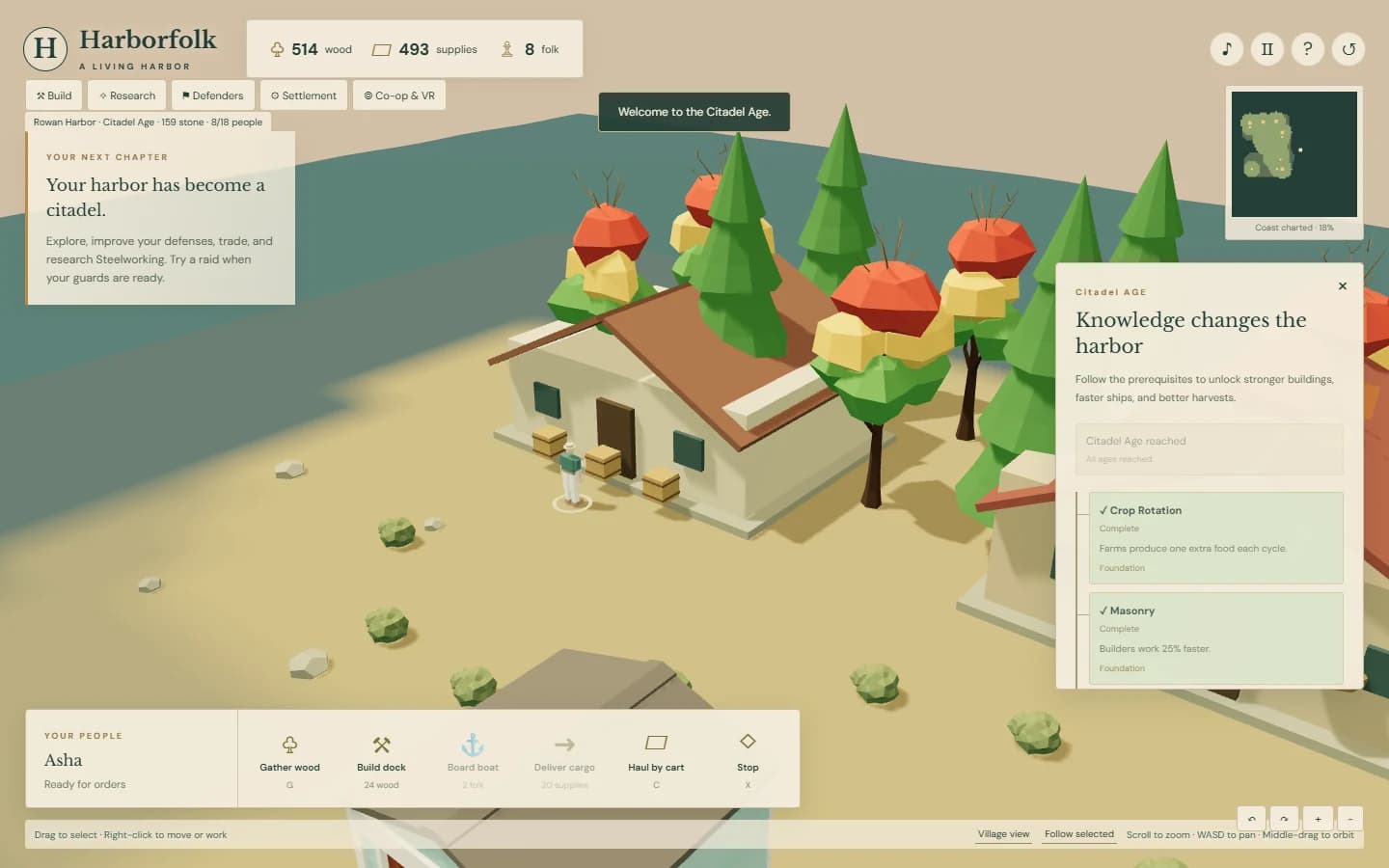
A Harborfolk cart parked near the woods with a stack of twenty-four individually rendered logs
A full cart beside the woods. Its visible logs match the timber waiting to be delivered.
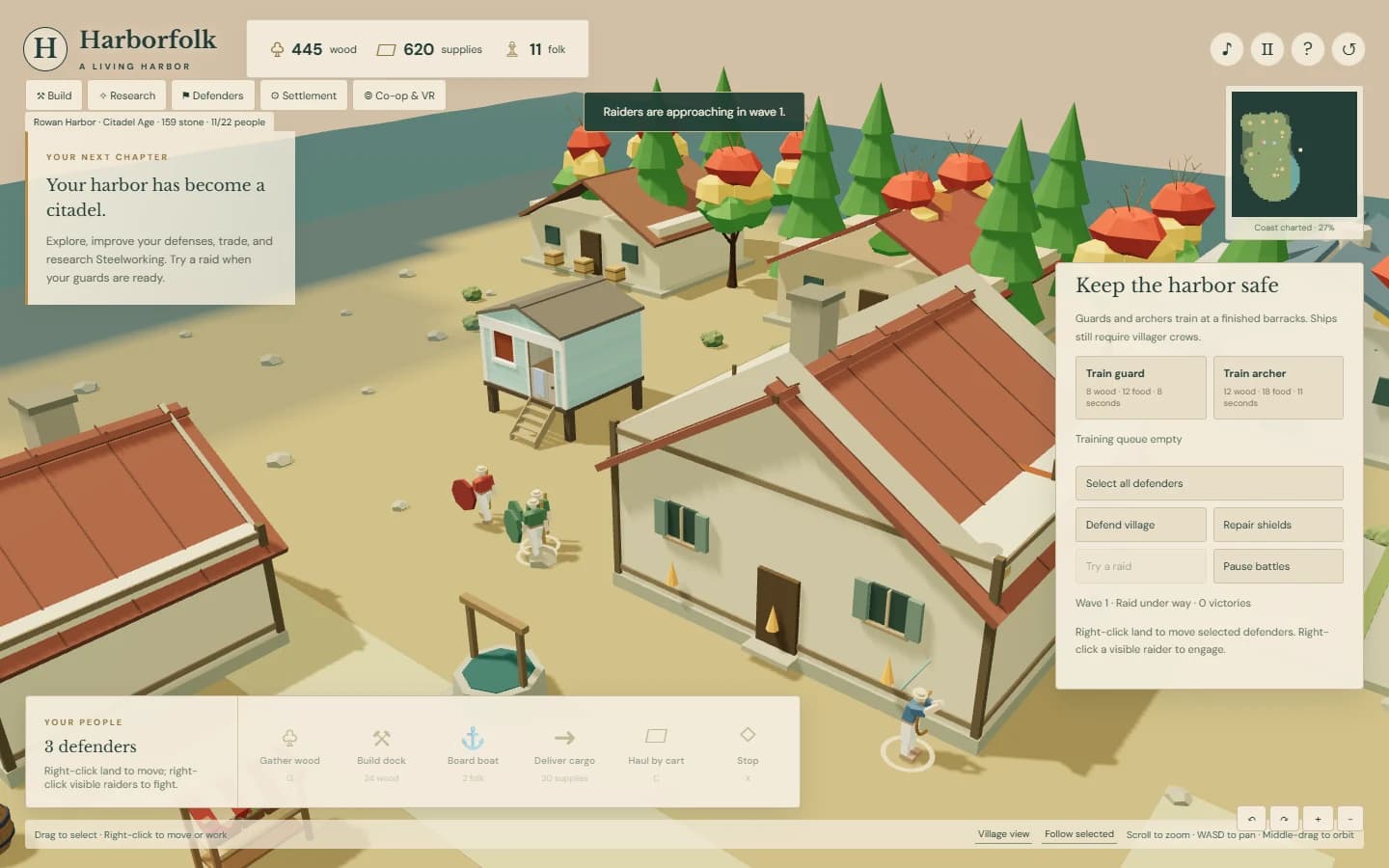
Two connected Harborfolk players coordinating timber gathering through the chat panel
An actual two-browser co-op conversation, carried by the game's direct connection.

v0.3 controls · shipped

Permalink ↗

Click a person, give them a job

The next request was the familiar strategy-game gesture: click a person, then right-click the thing they should work on. Trees mean gathering; a farm means food; a quarry means stone; an unfinished building means construction. A boat takes the selected people as its crew, and the cart takes an operator. Empty ground still means move.

Farm and quarry workers can switch jobs directly. Small construction and income crews now stand at offset work positions, making individual villagers easier to select. Resuming a building does not charge for its materials again. Co-op uses those same orders; a tree-click coordinate also needed a fix to pass the shared command validation.

You choose sites for all seven settlement building types through Build. A footprint checks explored land, water, obstacles, and people before the villagers walk there. Right-click or Escape cancels placement. The original dock and workshop still use their fixed locations.

For WebXR, Little Cities is a reference for a calmer tabletop interface. The controller prototype now has a labeled building bubble palette inside the headset, age locks, selection and resource feedback, and buttons to scale or rotate the table. Trigger selects or places; squeeze gives a contextual order or cancels the active placement. A green or red footprint previews the site.

Automated checks cover controller callbacks and restoring the desktop camera. The browser playtests use actual mouse selection, farm and quarry orders, construction placement, and boarding a cutter with three occupied roles. Physical headset comfort and controller feel remain untested; this update does not add hand tracking.

Selected villagers working at separated stations around a Harborfolk farm
A working farm from the mouse playtest, with people selected and assigned in the world.

v0.3 · shipped

Permalink ↗

From a dock to a working town

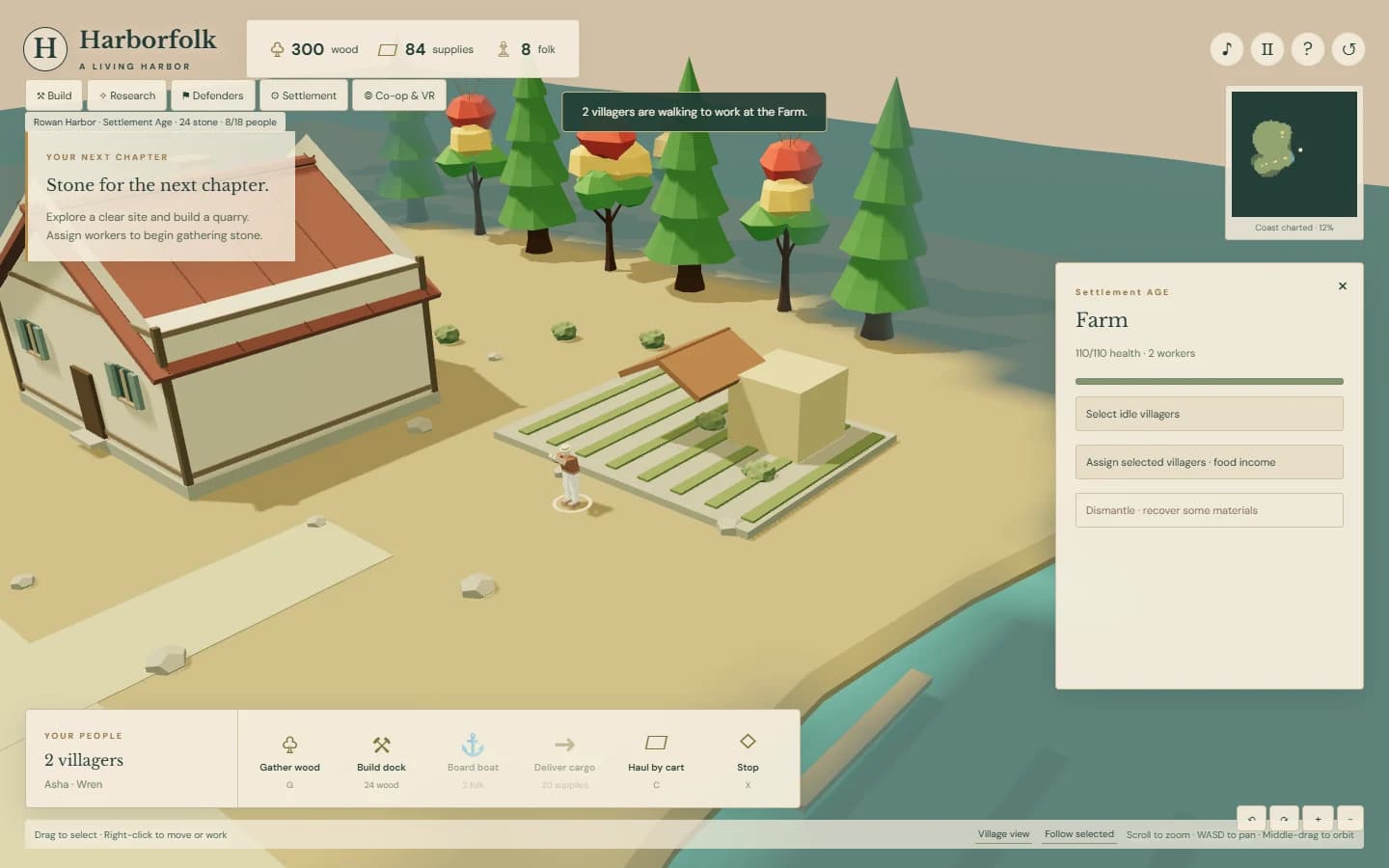
The harbor now has a small city economy. Villagers walk to building sites, raise their structures, tend farms, and quarry stone. Cottages add room for more people. A warehouse trades food for timber and stone, so the settlement can keep growing after the nearby trees are gone.

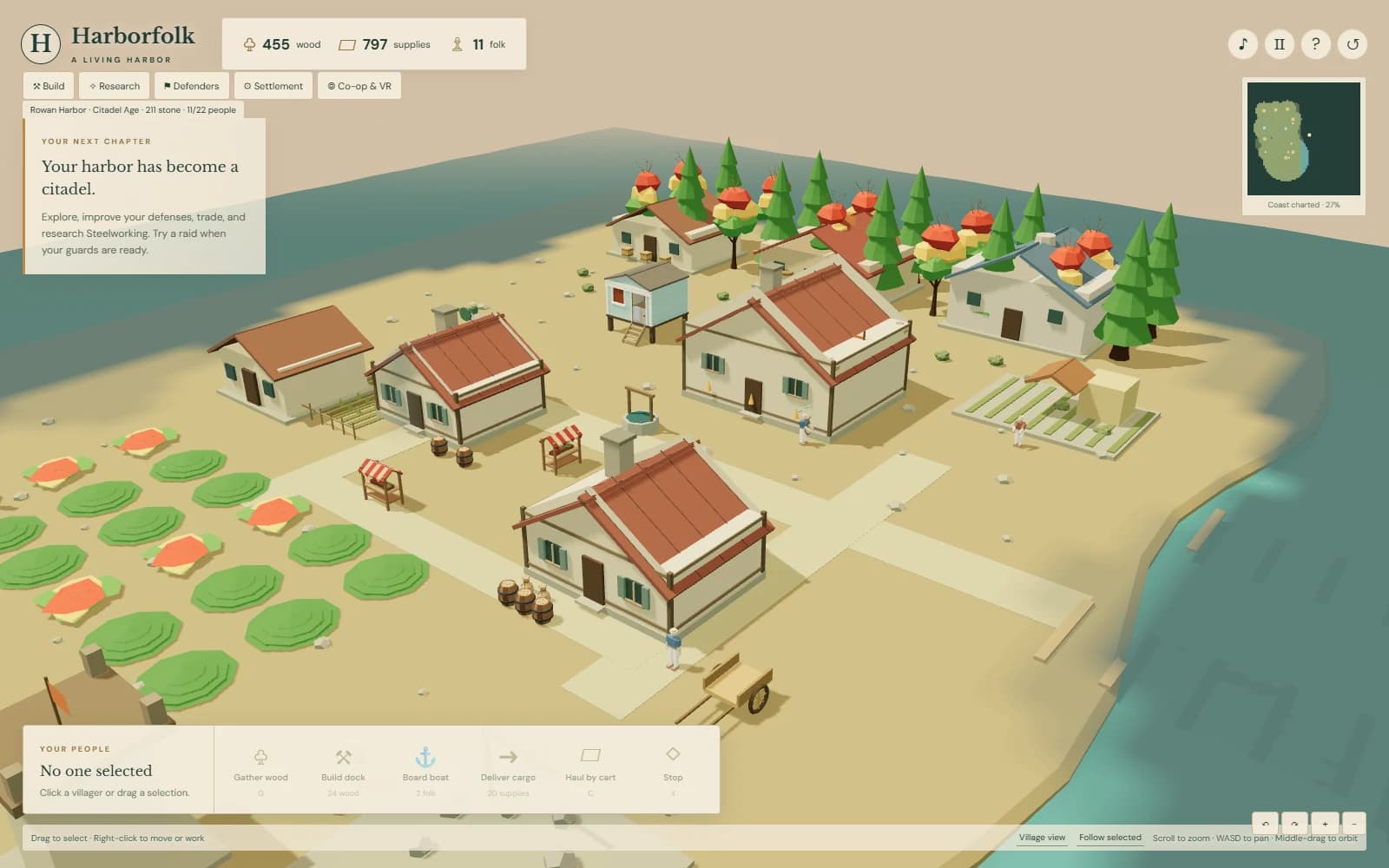
Settlement, Harbor, and Citadel ages give that growth a direction. Eight technologies form a prerequisite tree, with useful changes to harvests, construction, ships, and defense. An academy and barracks are buildings you need to finish, rather than menu unlocks that appear by themselves.

Guards, archers, and watchtowers add the first land battles. Peaceful mode lets you choose when to try a raid. Adventure mode allows automatic raids but gives damaged buildings a way to recover; Hard mode allows destruction. The opening screen also lets you name the harbor, choose its banner, and change the landscape.

Two browsers can now command the same settlement through direct co-op. One browser runs the simulation; the other sends orders and receives updates, with its own camera and selection. Moving people and ships ease between those updates. Joining currently means exchanging invitation and answer codes, and some networks will need a relay we have not added yet.

There is also a WebXR tabletop view for compatible VR browsers, with a scale control and controller selection. Automated checks cover entering, leaving, and restoring the desktop view. Headset comfort and controller feel still need a physical playtest.

This build passed 43 automated tests, the original cargo and naval browser playtests, a complete city progression playtest, and a real two-browser co-op test. The city captures below come from ordinary game orders with the actual simulation advanced for testing. No resources or units were injected. The next verdict belongs to my kid.

2026-10-11 adjustment: the boats now turn more quickly in response to a new heading. The cargo boat, cutter, and raider use the same faster response, and their crew stations follow the hull.

Villagers tending a newly constructed Harborfolk farm
Food comes from assigned people who have reached the farm.
Harborfolk's Citadel Age and technology research panel
Three ages and a technology tree with real prerequisites.
Guards defending the Harborfolk settlement from land raiders
The first land raid, with selected defenders and visible opponents.
A working Harborfolk town with placed buildings
A settlement built through play, ready for the next human playtest.

v0.2 · shipped

Permalink ↗

An upgrade you can watch being built

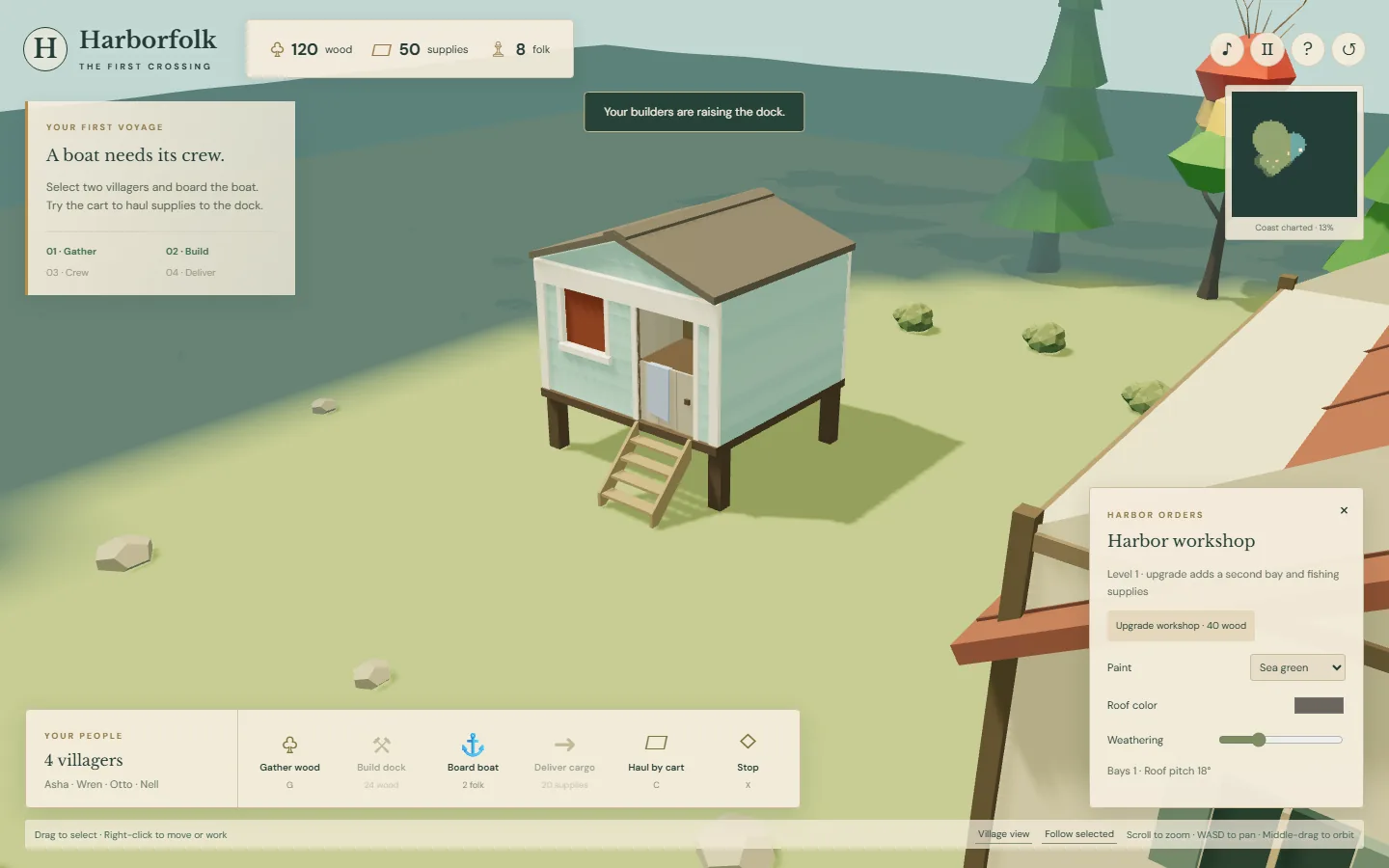
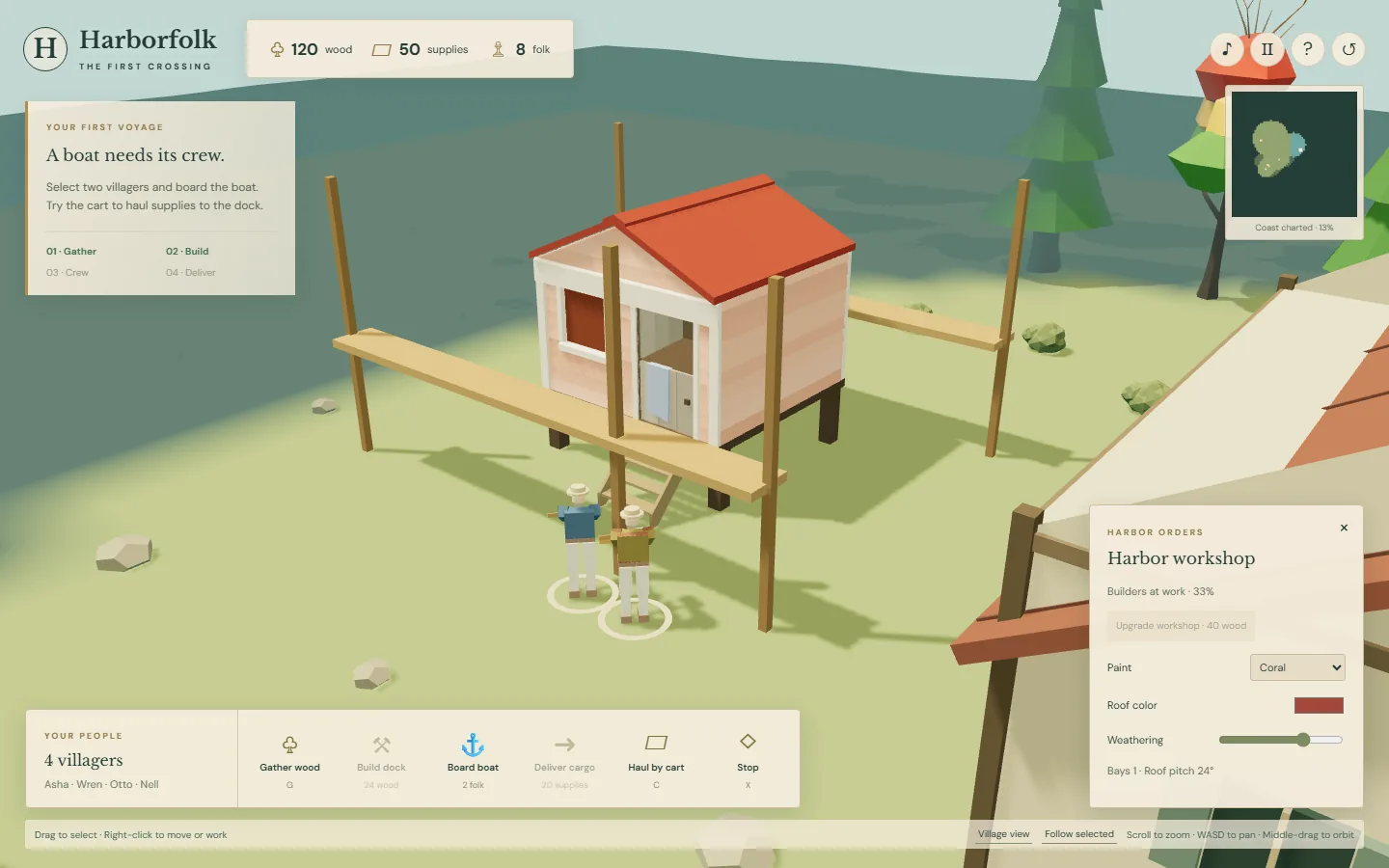
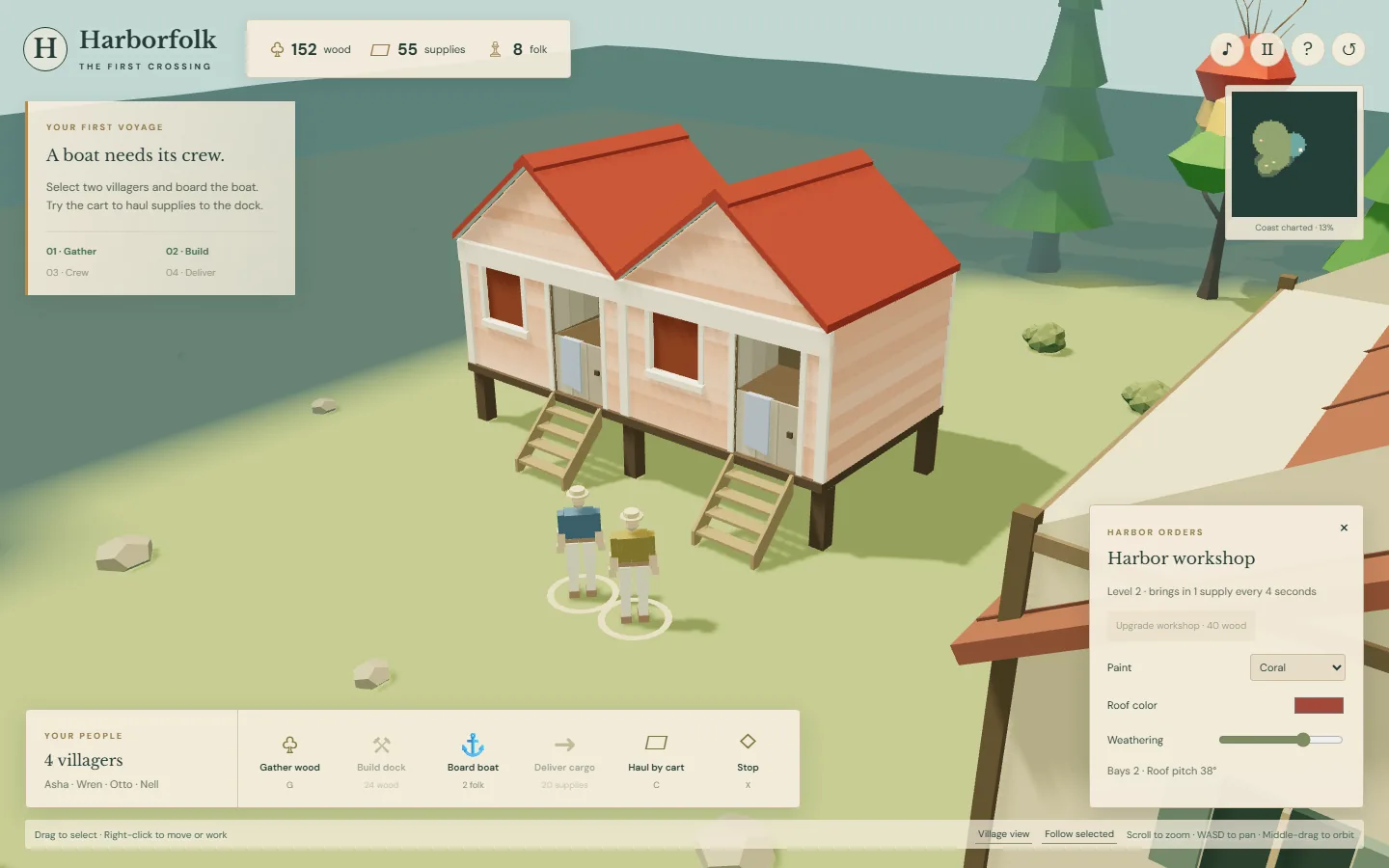
The next experiment was a workshop that changes while villagers work on it. Polyfork supplies a parameterized building: the upgrade adds another bay and steepens the roof in visible stages. Doors stay people-sized as the building grows.

Paint, roof color, and weathering are separate controls. They are there to play with, without spending the resources needed for a functional upgrade. The finished workshop earns fishing supplies.

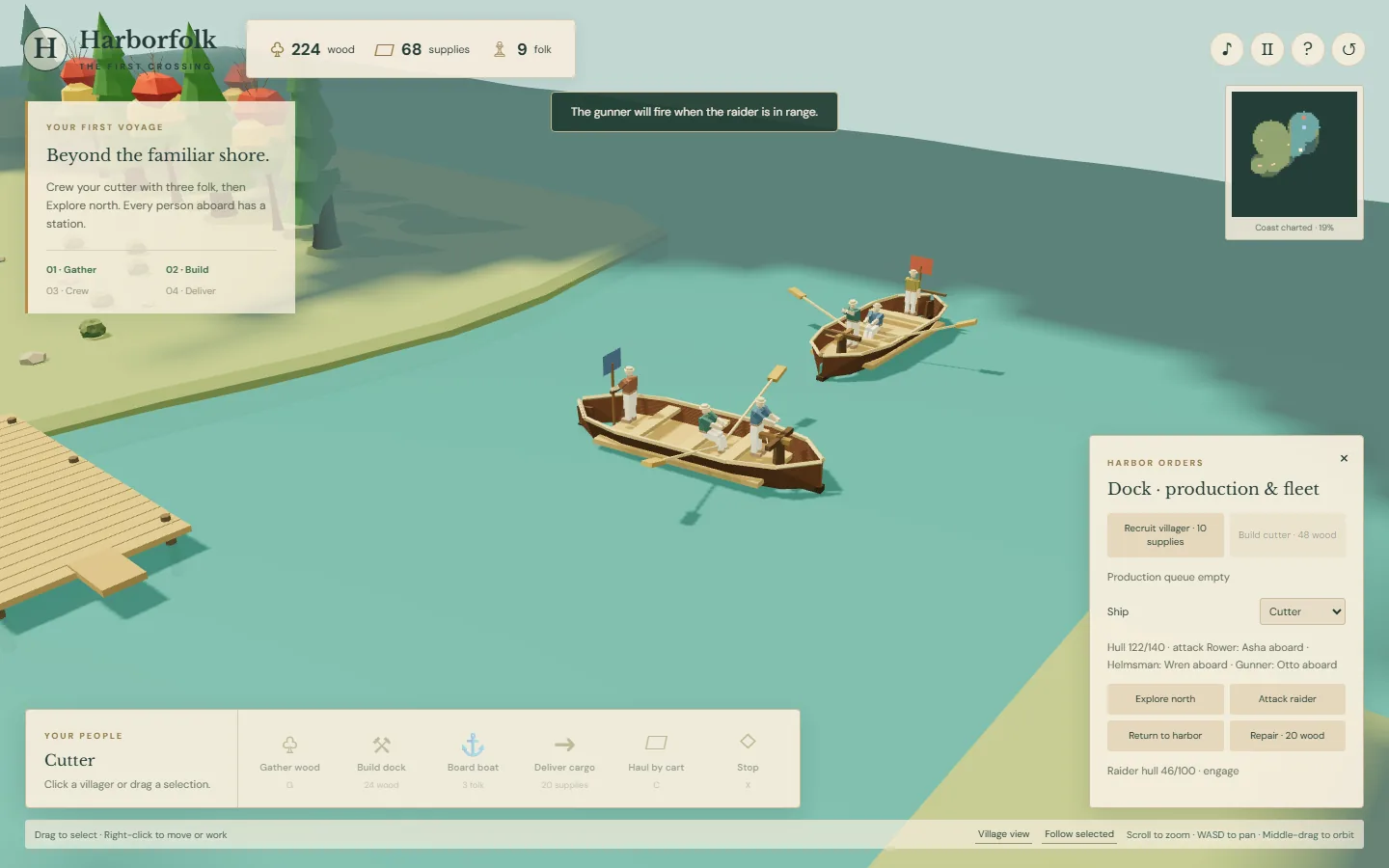
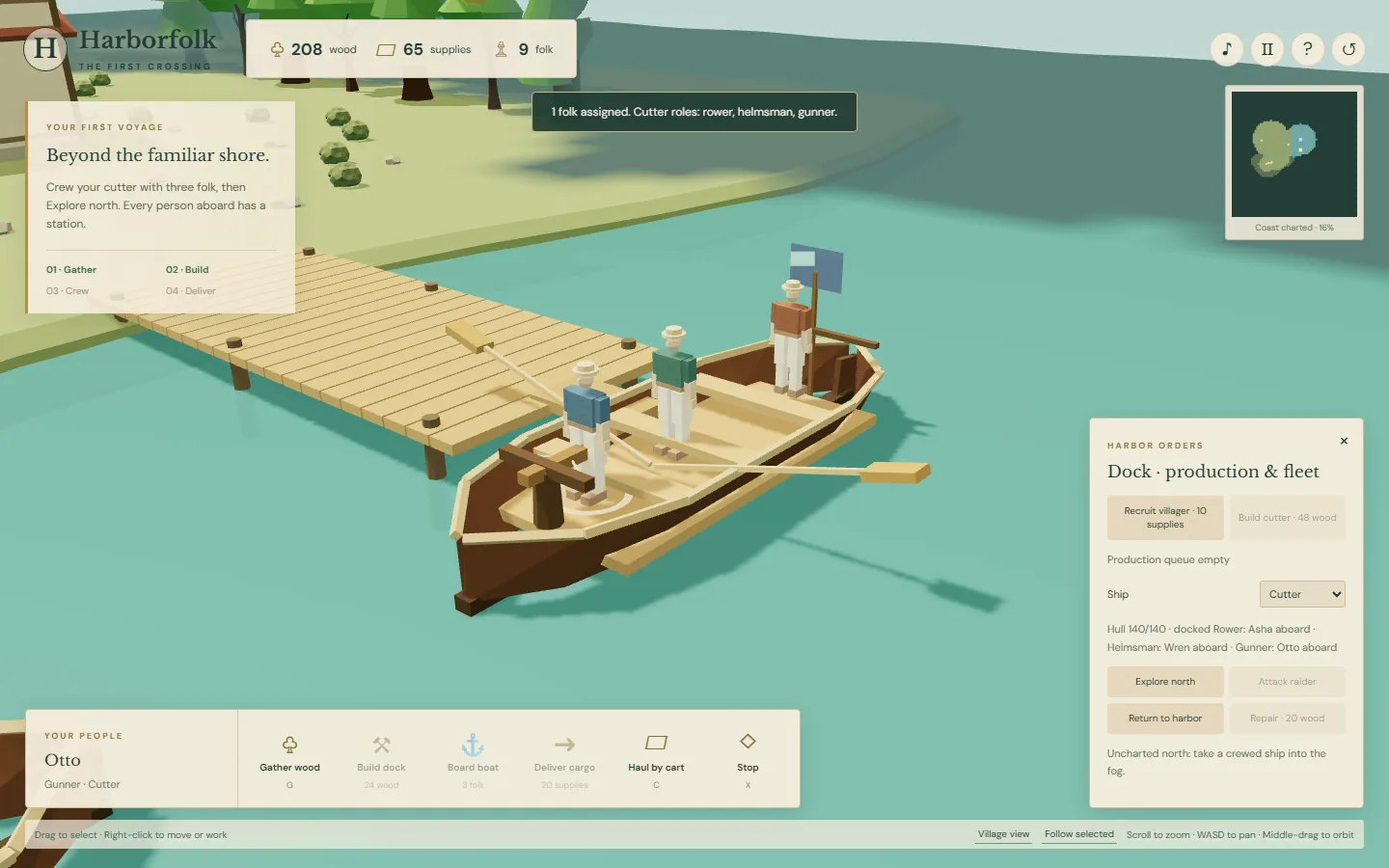
The same update adds unexplored coast, a dock production queue, and a cutter with three occupied stations: rower, helmsman, and gunner. A raider pursues and fights the crewed ship. Music, footsteps, tools, and battle sounds are synthesized in the browser.

This release passed 14 simulation tests and 34 automated browser checks. The captures below come from that working build. Camera orbit, close inspection, and a wide overview all use the same 3D world. The next playtest with my kid is still ahead.

Harborfolk workshop before its upgrade
Before: one bay, with people-sized doors.
Villagers working on an expanding workshop
During: villagers walk to the site and build while its parameters change.
Completed two-bay workshop with cosmetic controls
After: a second bay, a steeper roof, and cosmetic controls.
A crewed cutter confronting a raider at sea
The first naval encounter, with people at their stations.

v0 · shipped

Permalink ↗

Start with a boat that needs people

My kid loves Age of Empires and keeps asking for a version where people, ships, and buildings share a believable scale. He also wants to see who is actually operating the vehicles. Harborfolk starts with that question.

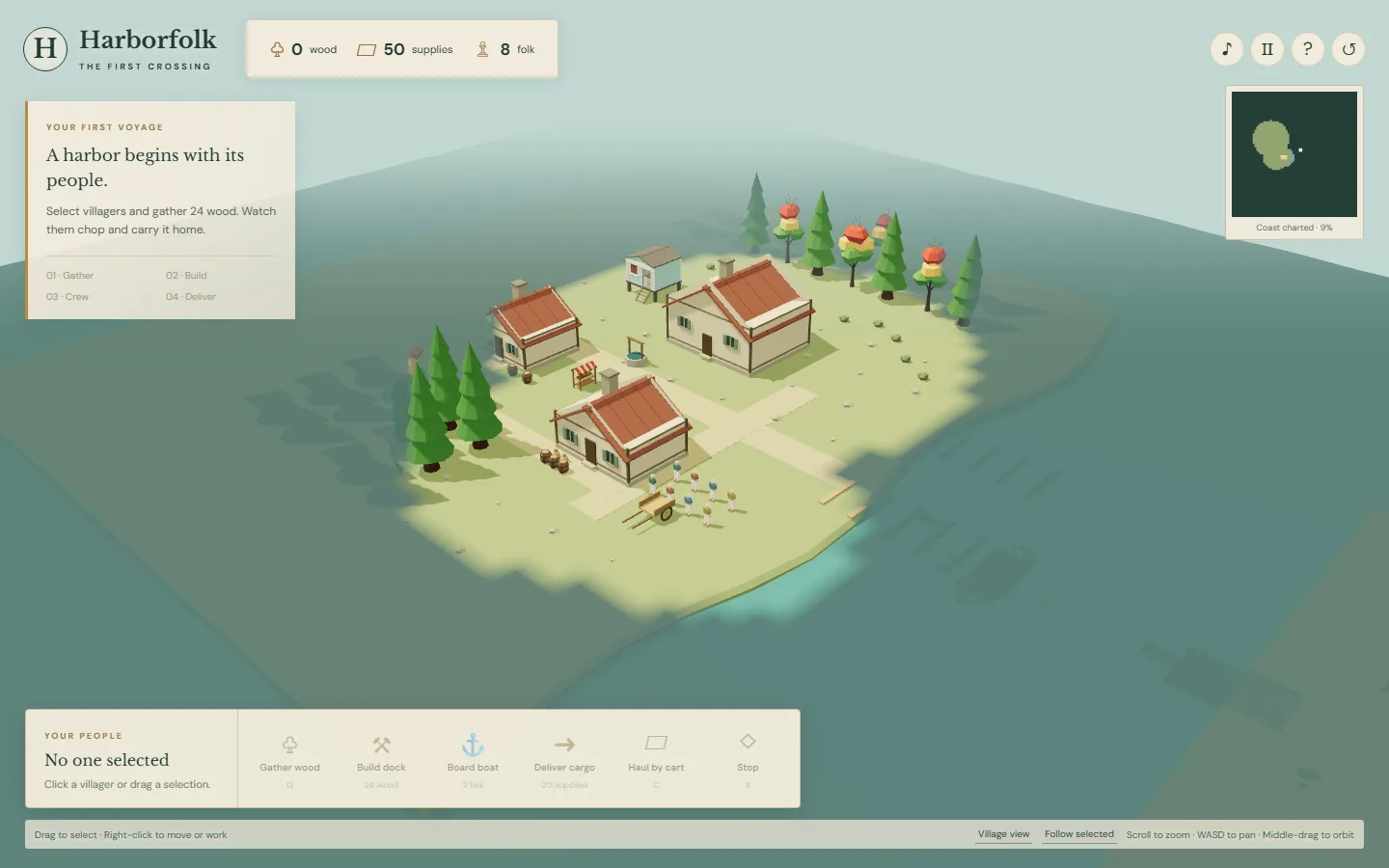
The first small loop has eight villagers, a wooded shoreline, and a boat. Villagers chop timber and carry it home, build a dock, load supplies, and deliver them across the water. The cargo boat needs two people, visibly rowing and steering. A cart has an operator too.

The world uses one meter per scene unit. Its inhabitants stand about 1.7 meters tall and the first boat is about eight meters long. It is a stylized little settlement, with scale treated as a rule for the assets rather than adjusted separately to fit an icon.

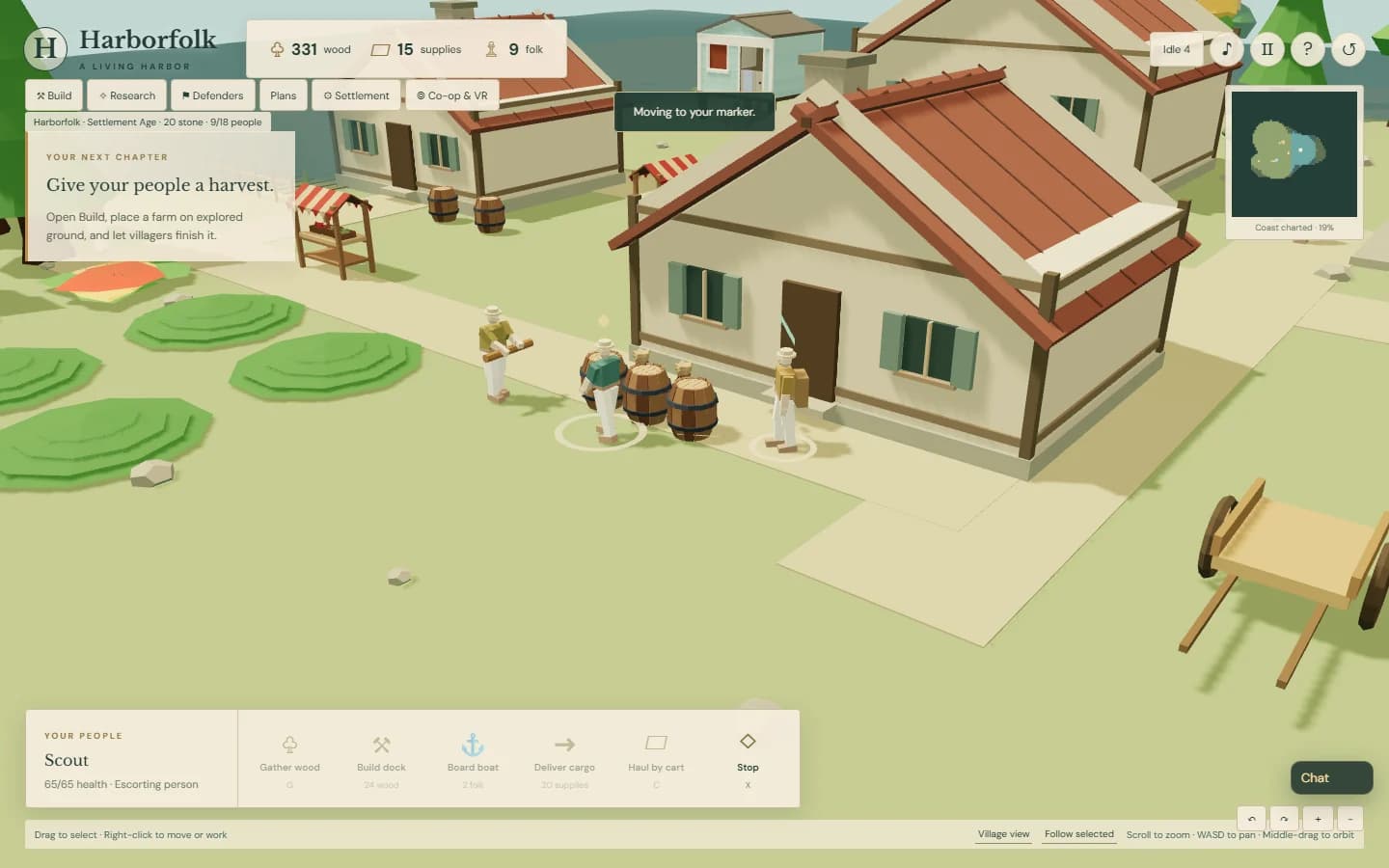
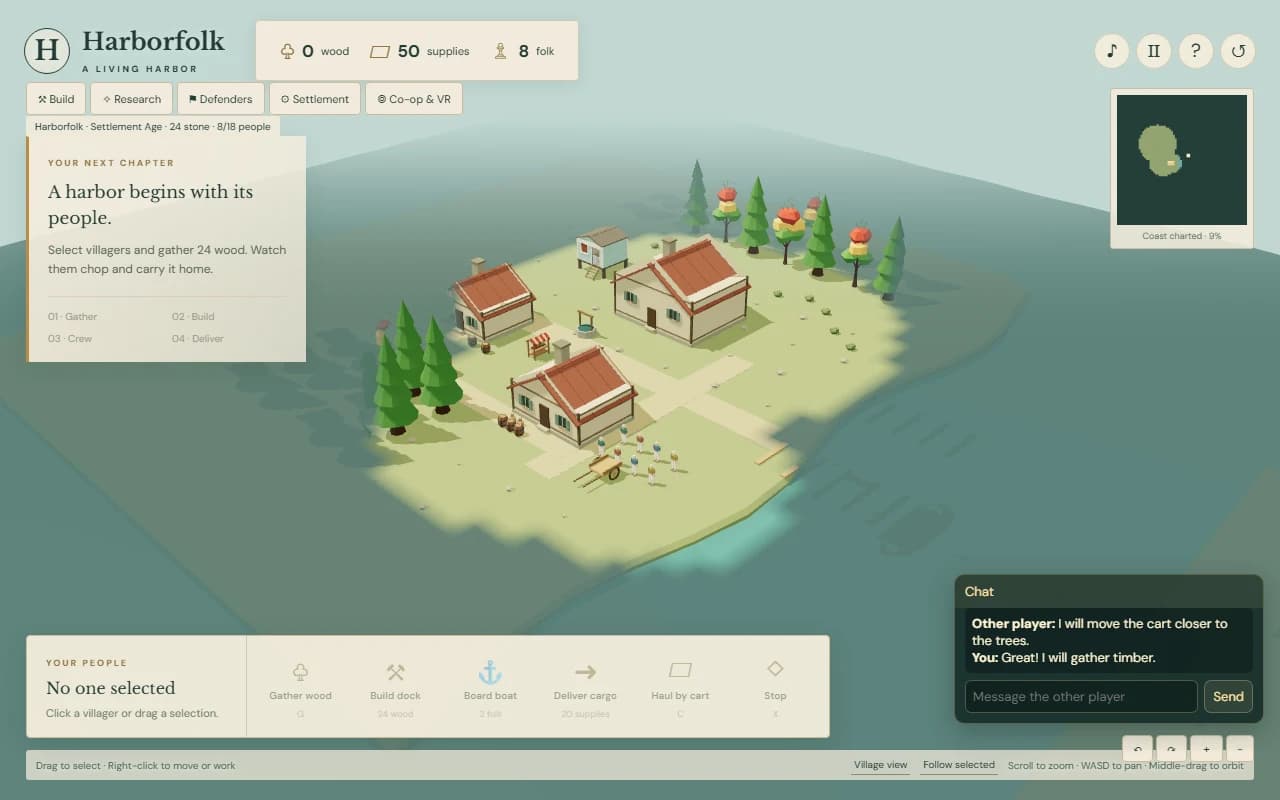
Harborfolk's original 3D village and shoreline
The first playable settlement. These are screenshots, not concept art.
Three visible villagers operating a cutter
A later close look at the crew: each occupied station has a job.